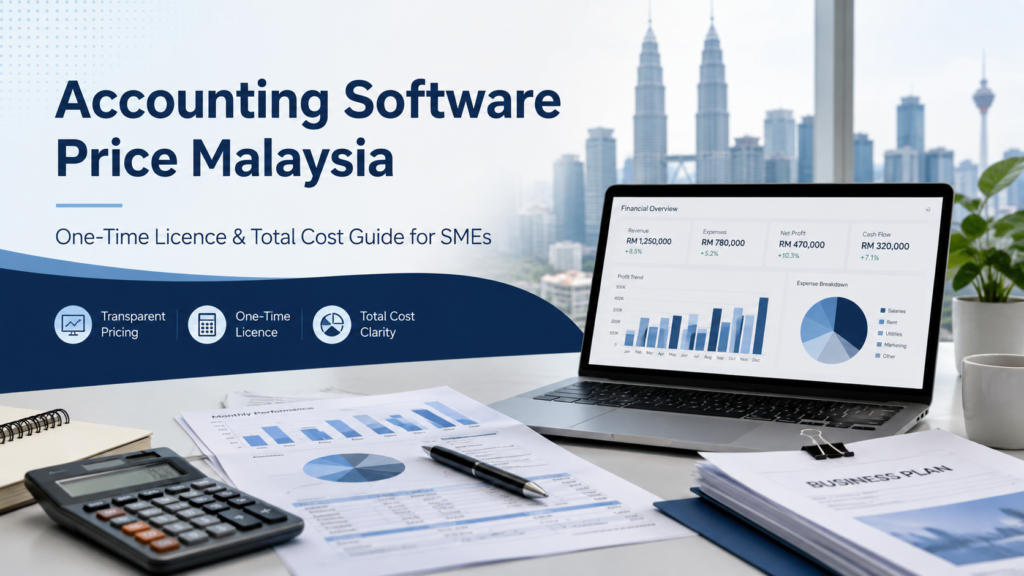
“How much does accounting software cost in Malaysia?” is one of the first questions many business owners ask.
However, the lowest advertised price does not always provide the best value.
Accounting software may range from a basic invoicing application to a complete business system covering accounting, customer and supplier accounts, inventory, sales, purchases, point of sale and multiple branches.
The final cost normally depends on:
- Number of users
- Number of companies
- Required accounting modules
- Inventory requirements
- POS integration
- Branch requirements
- E-Invoice functions
- Data migration
- Training
- Support
Businesses should compare the complete package rather than only the starting price.
For companies that intend to use their accounting system continuously, a one-time licence may provide better value than an ongoing subscription. Depending on the number of users, companies and modules required, the cost difference may already become noticeable within the first year and may become more significant over three to five years.
This guide explains how Malaysian SMEs can compare accounting software prices fairly and understand what is included in each quotation.
Why Accounting Software Prices Are Different
Not every product described as accounting software provides the same functions.
A basic application may provide:
- Sales invoices
- Expense entry
- Simple customer records
- Basic sales reports
A more complete accounting and business-management system may also provide:
- General ledger
- Customer accounts
- Supplier accounts
- Receipts and payments
- Sales orders
- Delivery orders
- Purchase orders
- Goods received
- Inventory control
- Stock transfers
- Financial reports
- POS integration
- Multi-company functions
- Multi-branch functions
A basic package may be suitable for a small company with simple requirements.
However, a growing SME may require a more complete system to avoid maintaining separate spreadsheets or applications for accounting, stock and daily business operations.
Before comparing prices, the business should first identify the functions it genuinely requires.
One-Time Licence vs Subscription
Accounting software is commonly offered through two main pricing arrangements:
- One-time software licence
- Monthly or annual subscription
Each arrangement works differently.
How a One-Time Licence Works
A one-time licence allows the business to make a planned investment in the selected accounting software and modules.
The core software licence does not need to be paid again every month simply because the company continues using the system.
Depending on the selected package, separate charges may apply when the business later requires:
- Implementation
- Training
- Technical support
- Additional users
- Additional modules
- Major version upgrades
These services are separate from paying a recurring subscription merely to continue using the core accounting software.
For companies that plan to use the same accounting system over several years, a one-time licence may provide:
- More predictable software costs
- Better long-term value
- Less exposure to recurring subscription increases
- Greater control over future expansion
- A clearer return on the original investment
The business should review what is included in the licence and which optional services may be required later.
How Subscription Pricing Works
Subscription accounting software is normally charged monthly or annually.
The starting package may include:
- Access to the application
- One company
- A limited number of users
- Basic accounting functions
- Hosting
- Standard updates
Additional recurring charges may apply for:
- More users
- More companies
- Inventory
- Additional branches
- Advanced functions
- Additional storage
- Integrations
- Premium support
- Higher transaction limits
The starting monthly price may appear affordable.
However, payments continue for as long as the company uses the system. When more users, companies or modules are added, the monthly or annual amount may also increase.
For this reason, businesses should not compare one month of subscription with the complete cost of a one-time licence package.
The fair comparison is the total cost over the same period, using the same users, companies, modules and services.
The Cost Difference May Appear Within the First Year
Many businesses assume that a one-time licence only becomes worthwhile after several years.
This is not always the case.
Depending on the package, the cost difference may already become noticeable within the first year, especially when the company requires:
- Several users
- More than one company
- Inventory
- POS integration
- Multiple accounting modules
- Branch functions
For example, a subscription may appear inexpensive when only the entry-level monthly fee is considered.
Once the business adds the required users, companies and modules, the annual recurring amount may become considerably higher than the advertised starting price.
A one-time licence may require a larger first payment, but the company is purchasing the selected software licence instead of beginning an indefinite monthly commitment.
The actual cost difference depends on the provider and quotation. Businesses should calculate both options using their real requirements.
Compare the Same Functions
A meaningful price comparison must use the same scope.
For example, check whether each quotation includes:
- Five users
- Two companies
- General ledger
- Customer accounts
- Supplier accounts
- Inventory
- Sales and purchase processing
- E-Invoice functions
- Data migration
- Training
- Support
A basic invoicing subscription should not be compared directly with a complete accounting, inventory and POS system.
The lower-priced quotation may simply provide fewer functions.
Businesses should request a written package breakdown from every provider.
Cost 1: Accounting Modules
The accounting package may include some or all of the following:
- General ledger
- Customer accounts
- Supplier accounts
- Cash book
- Sales invoices
- Purchase invoices
- Receipts
- Payments
- Journal entries
- Trial balance
- Profit and loss
- Balance sheet
Ask the provider:
- Which modules are included?
- Is full financial reporting included?
- Are debtor and creditor aging reports included?
- Are additional modules required?
- Can the package be expanded later?
Some lower-priced products may focus mainly on invoicing and simple record keeping.
A business that requires complete accounting should confirm that the quotation includes the necessary ledgers and financial reports.
Cost 2: Number of Users
The number of users can have a major effect on accounting software pricing.
Possible users may include:
- Accounts staff
- Sales administrators
- Purchasing staff
- Storekeepers
- Cashiers
- Finance managers
- Business owners
Ask whether pricing is based on:
- Named users
- Concurrent users
- Devices
- Branch users
- Read-only users
Subscription charges may increase every month or every year when more users are added.
A licence-based package may charge for additional users through a one-time licence addition instead of a permanent recurring user fee.
For a growing company, this difference may significantly affect the long-term cost.
Businesses should estimate not only their current users but also how many employees may require access in the next few years.
Cost 3: Number of Companies
Some packages include only one company database.
Business owners managing several legal entities should check:
- How many companies are included?
- Is every additional company chargeable?
- Is the charge one-time or recurring?
- Can the same user access several companies?
- Can historical companies remain accessible?
- Are consolidated reports available?
Under some subscription arrangements, each additional company may require another recurring payment or a higher-priced plan.
This can cause the annual cost to increase for business owners who manage several companies.
A one-time licence arrangement may provide a more predictable cost structure, depending on the selected package.
Cost 4: Inventory Functions
Inventory may be included in the main system or sold as an additional module.
Possible inventory requirements include:
- Item master
- Stock receiving
- Stock issuing
- Stock adjustment
- Stock transfer
- Multiple warehouses
- Units of measurement
- Multiple selling prices
- Barcode support
- Stock valuation
- Reorder level
- Stock take
- Batch or serial tracking
A service company may not require inventory.
However, a retailer, wholesaler or distributor should ensure that the quotation includes the complete stock workflow required by the business.
A basic accounting package may become less economical if the company later needs to purchase a separate inventory application.
Cost 5: Sales and Purchase Processing
Many SMEs need more than direct invoice entry.
They may require:
- Quotation
- Sales order
- Delivery order
- Sales invoice
- Purchase requisition
- Purchase order
- Goods received
- Supplier invoice
- Credit note
- Debit note
Ask whether these documents are included and whether they are connected to accounting and inventory.
A connected workflow can help the business avoid maintaining separate records for sales, purchases and stock.
The exact functions depend on the selected package.
Cost 6: POS Integration
Retail businesses should check whether POS is included or charged separately.
Possible POS-related costs include:
- POS software
- POS user licence
- Branch licence
- Installation
- Hardware
- Item and price setup
- Inventory connection
- Accounting connection
- Training
- Support
Ask how POS transactions are transferred into accounting.
An integrated system may provide better operational value than using separate POS and accounting products that require additional subscriptions or manual transfer.
The provider should demonstrate the complete workflow before the business makes a decision.
Cost 7: E-Invoice Functions
E-Invoice-related functions may be:
- Included in the selected package
- Offered as an additional module
- Charged as a separate service
- Subject to setup or support charges
Ask what the quotation covers, including:
- Company information setup
- Required customer information
- Submission workflow
- Validation status
- Error information
- Customer-facing document
- QR code
- Related adjustments
- Submission history
- Technical updates
- User support
Businesses should not compare quotations based only on the phrase “E-Invoice included.”
The provider should demonstrate the actual workflow.
Businesses remain responsible for the accuracy of their transaction information and tax treatment and should refer to the latest official IRBM guidance when confirming their obligations.
Cost 8: Installation and Setup
Implementation may include:
- Installing the software
- Creating the company database
- Configuring financial periods
- Setting document numbers
- Creating users
- Setting permissions
- Configuring invoice formats
- Connecting workstations
- Configuring backup
- Testing reports and printing
Some providers include basic installation.
Others charge according to the number of users, computers, companies or locations.
Implementation is a professional service that helps prepare the system for the company’s daily workflow.
The quotation should clearly explain what setup work is included.
Cost 9: Data Migration
Businesses moving from Excel or another accounting system may require data migration.
Possible migration records include:
- Chart of accounts
- Customers
- Suppliers
- Stock items
- Opening balances
- Outstanding customer invoices
- Outstanding supplier invoices
- Stock balances
- Selected historical transactions
The migration cost depends on:
- Existing software
- Available export format
- Data quality
- Number of records
- Required history
- Required reconciliation
The provider should review the available data before confirming the migration scope and cost.
A business should also decide whether it needs several years of detailed transactions or only master records, opening balances and outstanding documents.
Cost 10: Training
Training is an important part of implementation.
It may include:
- Accounting workflow
- Customer and supplier processing
- Inventory
- Sales and purchases
- POS
- E-Invoice workflow
- Financial reports
- User permissions
- Administrator setup
Ask whether the quotation includes:
- Number of training sessions
- Duration of each session
- Number of participants
- Online or on-site training
- User guides
- Follow-up training
Proper training helps employees use the system according to the intended workflow.
Businesses should not select software based only on the licence price while ignoring implementation and user knowledge.
Cost 11: Support and Maintenance
Support arrangements vary between providers.
Support may be:
- Included for a fixed period
- Charged annually
- Charged by incident
- Included in a maintenance plan
- Charged separately for on-site visits
Possible support services include:
- Telephone support
- Messaging support
- Email support
- Remote assistance
- On-site assistance
- Database checking
- Backup restoration
- Software updates
- Additional training
A one-time licence does not mean that every future professional service must be provided free of charge.
It means the core software licence is separate from optional or ongoing service requirements.
This gives the business a clearer understanding of what it is paying for.
Cost 12: Hardware and Infrastructure
Depending on the selected setup, the accounting system may require:
- Suitable computers
- Server
- Network equipment
- Windows licences
- Backup storage
- Antivirus protection
- Uninterruptible power supply
- IT support
These items may not appear in the accounting software quotation.
The company should include any required hardware, network and backup costs in the total implementation budget.
Hardware requirements should be evaluated according to the expected number of users, database size and transaction volume.
Costs That Businesses Commonly Overlook
Before accepting a quotation, confirm whether the following are included:
- Additional users
- Additional companies
- Inventory
- POS integration
- Additional branches
- E-Invoice functions
- Installation
- Data migration
- Training
- Annual support
- Major version upgrades
- On-site assistance
- Backup
- Integration
These costs are not necessarily unreasonable.
The important issue is whether the business understands them before making a decision.
How to Calculate the First-Year Cost
Use the following formula:
First-Year Cost = Initial Payment + 12 Months of Recurring Charges + Required Implementation and Services
For a subscription package, include:
- Twelve months of subscription
- Additional users
- Additional companies
- Required modules
- Inventory
- POS
- E-Invoice functions
- Installation
- Training
- Migration
- Support
For a licence-based package, include:
- Software licence
- Additional users
- Required modules
- Installation
- Training
- Migration
- Optional support or maintenance
Depending on the number of users, companies and modules, the difference between the two arrangements may already be visible in the first year.
How to Calculate the Three-Year Cost
Use the following formula:
Three-Year Cost = Initial Cost + 36 Months of Recurring Charges + Services, Support and Infrastructure
Do not compare:
- One month of subscription
with:
- A complete one-time licence and implementation package
Why a One-Time Licence Can Provide Better Long-Term Value
For businesses that intend to use their accounting software continuously, recurring subscription payments can accumulate.
The company may continue paying for:
- Every user
- Every company
- Every module
- Every branch
- Every year
With a one-time licence, the business makes a planned investment in the selected core software.
Additional payments are generally connected to actual new requirements or services, such as:
- Additional users
- New modules
- Technical support
- Major version upgrades
- Additional training
This can provide a more controlled and predictable cost structure.
For some companies, the cost advantage may be visible within the first year. For others, the difference becomes clearer over three to five years.
The result depends on the number of users, companies, modules and services required.
Consider the Cost of Manual Work
Software price is only one part of the decision.
An unsuitable or incomplete system may require employees to:
- Enter information several times
- Maintain separate customer records
- Reconcile sales manually
- Update stock separately
- Prepare reports through multiple spreadsheets
- Search across several applications
- Correct inconsistent item codes
A complete and properly configured accounting system may reduce repeated processing and bring related business information into one connected workflow.
However, software does not replace accurate data entry, good internal procedures or employee training.
How to Request an Accurate Quotation
Provide the accounting software supplier with:
- Business industry
- Number of users
- Number of companies
- Number of branches
- Estimated monthly transaction volume
- Number of stock items
- Required accounting modules
- Inventory requirements
- POS requirements
- E-Invoice requirements
- Data migration requirements
- Training requirements
- Support expectations
A complete requirement list allows the provider to prepare a more accurate and meaningful quotation.
Synergy Accounting Software Pricing
Synergy Accounting Software provides licence-based accounting software solutions for Malaysian SMEs.
Depending on the selected package and business requirements, available solutions may include:
- General ledger
- Customer and supplier management
- Sales and purchase processing
- Inventory control
- Financial reports
- Management reports
- E-Invoice-related workflows
- POS integration
- Multi-branch requirements
- SQL-based database
- User access control
- Local implementation, training and support
With a licence-based arrangement, businesses can make a planned investment in the selected software instead of continuing to pay a core software subscription every month.
For companies planning to use the accounting system over several years, this may provide better long-term value and more predictable software costs.
Depending on the number of users, companies and modules required, the cost difference compared with a recurring subscription may already become noticeable during the first year.
A product demonstration can be arranged before quotation so that the relevant modules, users and implementation requirements can be identified.
Explore Synergy Accounting Software
Conclusion
Accounting software prices in Malaysia should be evaluated according to the complete package, not only the advertised starting amount.
A one-time licence requires a planned initial investment, but the core software licence does not continue accumulating every month.
For businesses that intend to use their accounting system continuously, a licence-based arrangement may offer:
- Better long-term value
- More predictable software costs
- Less dependence on recurring subscriptions
- Greater control over future expansion
- A clear investment in the company’s business system
Depending on the users, companies and modules required, the cost difference may already be visible during the first year and may become more significant over three to five years.
Before deciding, compare:
- The same number of users
- The same number of companies
- The same modules
- The same inventory and POS requirements
- The same implementation services
- The same support requirements
- The same comparison period
A detailed quotation and workflow-based demonstration will help the business understand what it is paying for and select an accounting system that provides lasting value.
Frequently Asked Questions
Is a one-time accounting software licence expensive?
A one-time licence requires an initial investment, but the core software licence does not need to be paid again every month. For companies that use the system continuously, it may provide better long-term value than recurring subscriptions.
Can a one-time licence become cheaper than a subscription within the first year?
It may, depending on the number of users, companies, modules and subscription charges. Businesses should compare the complete first-year cost using the same requirements.
Does a one-time licence mean there are no future costs?
Not necessarily. Additional costs may apply when the business requires technical support, major version upgrades, additional users, new modules or additional training. These are separate requirements rather than recurring payments for continued use of the core software.
How should a business compare a licence and subscription?
Compare the complete first-year, three-year and five-year costs using the same users, companies, modules, training and support requirements.
Is the advertised subscription price always the final cost?
Not always. Additional charges may apply for users, companies, inventory, POS, E-Invoice functions, storage, integrations and support.
What should an accounting software quotation include?
It should identify the software licence or subscription, users, companies, accounting modules, inventory, POS, E-Invoice functions, installation, migration, training, support and maintenance.