Excel is a useful and flexible business tool.
Many Malaysian SMEs begin by using spreadsheets to record sales, expenses, customer balances, supplier payments and cash flow. For a new business with a low number of transactions, this may be sufficient.
Using Excel does not automatically mean that the company is managing its accounts incorrectly.
The difficulty begins when the business grows but its accounting process remains dependent on separate spreadsheets, repeated data entry and manual report preparation.
As the number of customers, suppliers, employees, stock items and transactions increases, spreadsheets may become harder to control. Staff may spend more time checking files, correcting formulas and combining information from different sources.
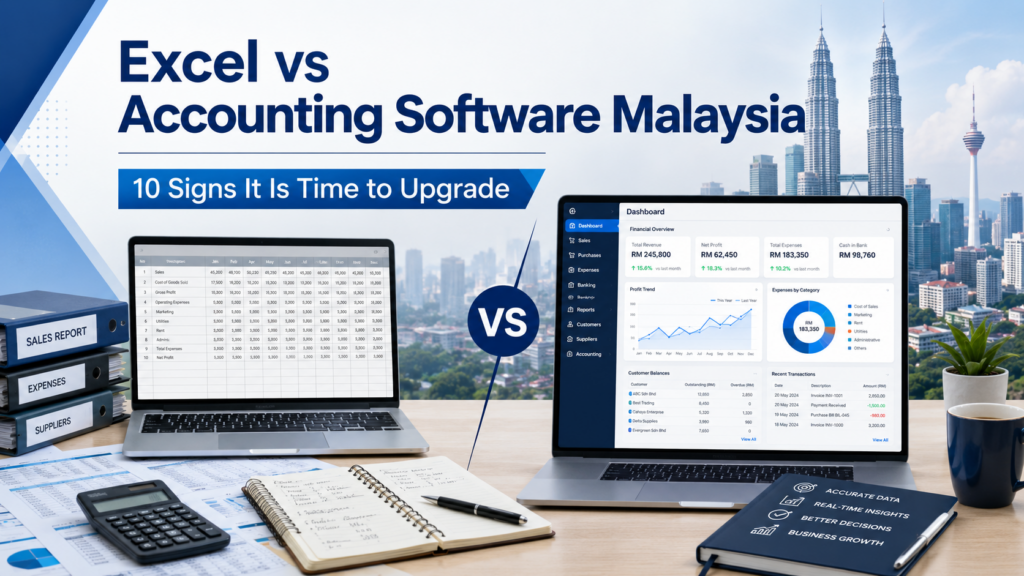
This guide explains the differences between Excel and accounting software and identifies 10 signs that a Malaysian SME may be ready to upgrade.
When Excel May Still Be Suitable
Excel may remain practical when:
- Transaction volume is low
- Only one person maintains the records
- The company has few customers and suppliers
- The business does not maintain inventory
- Reports are simple
- There are no complicated approval procedures
- The owner reviews the records regularly
- A reliable backup process is in place
A small business does not need to purchase a complicated system merely because other companies are using accounting software.
However, business owners should recognise when spreadsheets are beginning to require too much manual work or no longer provide sufficient control.
Sign 1: Employees Are Using Different Versions of the Same File
A common spreadsheet problem begins when several employees keep separate copies of the same information.
For example:
- Sales maintains one customer list.
- Accounts maintains another customer list.
- The store keeps a separate item list.
- Management receives a different monthly report.
- Older versions remain in email attachments or shared folders.
Employees may not know which version is current.
One file may contain an updated customer address while another contains the latest outstanding balance. A product price may be changed in one spreadsheet but remain unchanged in another.
Accounting software uses a central database so that authorised users work with the same customer, supplier, item and transaction records.
This helps reduce confusion caused by multiple versions of the same file.
Sign 2: The Same Transaction Is Entered Several Times
A single sales transaction may be entered into:
- A sales spreadsheet
- A customer outstanding spreadsheet
- A stock spreadsheet
- A cash collection spreadsheet
- A monthly management report
Repeated entry takes time and may create inconsistencies.
For example:
- An invoice is recorded in the sales file but omitted from the customer balance.
- A sale is entered without reducing the stock quantity.
- A customer payment is recorded in the bank file but not updated in the outstanding invoice list.
A connected accounting system can use one transaction to update the relevant records according to the selected workflow.
Staff must still enter the transaction correctly, but they do not need to maintain the same information repeatedly across several files.
Sign 3: Customer Outstanding Balances Are Difficult to Track
A business should be able to identify:
- Which customers owe money
- Which invoices remain unpaid
- How long each invoice has been outstanding
- Which payments have been received
- Whether a credit note has been issued
- Whether a customer has exceeded the agreed credit limit
A spreadsheet can calculate customer balances, but the process becomes more difficult as transaction volume grows.
Accounts staff may need to match invoices, receipts and credit notes manually.
Accounting software organises transactions under the relevant customer account and can produce a debtor aging report.
This gives the business a clearer view of:
- Current balances
- Overdue amounts
- Individual outstanding invoices
- Customer payment history
Better visibility can support more organised collection follow-up.
Sign 4: Supplier Balances Frequently Need Manual Checking
Businesses should also understand what they owe suppliers.
This may include:
- Outstanding supplier invoices
- Payments already made
- Supplier credit notes
- Amounts due by date
- Differences from supplier statements
When purchases and payments are maintained in separate spreadsheets, missing or duplicate entries may be difficult to identify.
Accounting software connects supplier invoices, payments and credit notes under the relevant supplier account.
A creditor aging report can help the company review upcoming payments and compare its records with supplier statements.
Sign 5: Stock Records Do Not Match Actual Inventory
Businesses selling physical products may maintain several spreadsheets for:
- Purchases
- Sales
- Stock balances
- Stock adjustments
- Stock transfers
- Stock take
When these records are not connected, the reported quantity may not agree with the actual stock.
Possible reasons include:
- Purchases were not added to stock.
- Sales were not deducted.
- Damaged goods were not adjusted.
- Stock transfers were not recorded.
- Different item codes were used for the same product.
- Units of measurement were inconsistent.
- Staff worked with an older stock file.
Accounting software with inventory functions can connect stock movements to sales and purchase processing.
Depending on the selected package, the system may also support:
- Multiple warehouses
- Stock transfers
- Stock adjustments
- Stock take
- Reorder levels
- Multiple selling prices
- Stock valuation
- Item movement history
Software does not replace proper stock procedures, but it provides a more structured method for recording and reviewing inventory.
Sign 6: Month-End Reports Take Too Long to Prepare
Management may require reports such as:
- Profit and loss
- Balance sheet
- Trial balance
- Debtor aging
- Creditor aging
- Sales analysis
- Expense comparison
- Stock balance
- Stock valuation
When records are maintained in several spreadsheets, accounts staff may need to combine information manually before preparing each report.
They may also need to:
- Check formulas
- Remove duplicate entries
- Match payments
- Reconcile customer balances
- Update stock values
- Correct missing transactions
This can delay the availability of management information.
Accounting software records transactions according to the company’s accounting structure. When information is entered correctly, financial and operational reports can be produced from the recorded transactions without rebuilding the same spreadsheets every month.
Sign 7: Spreadsheet Formulas Are Frequently Changed or Broken
Excel formulas can be powerful, but they can also be:
- Deleted accidentally
- Copied into the wrong row
- Replaced with a fixed value
- Excluded from a calculation range
- Linked to a missing file
- Changed without explanation
- Overwritten when rows are inserted
The spreadsheet may still look complete even when the final amount is incorrect.
This can be particularly difficult to detect when the person reviewing the report did not create the original formulas.
Accounting software uses programmed transaction and reporting rules rather than formulas that ordinary users can freely overwrite.
The system must still be configured and used correctly, but daily users are less likely to damage the underlying calculation structure accidentally.
Sign 8: There Is No Clear Record of Who Changed a Transaction
When a value in a spreadsheet changes, it may be difficult to determine:
- Who changed it
- When it was changed
- What the previous value was
- Why the change was made
- Whether approval was obtained
Some spreadsheet platforms provide version history, but reviewing individual accounting changes may still be inconvenient.
Depending on the selected system and configuration, accounting software may provide:
- Separate user accounts
- User permissions
- Transaction dates
- Document numbers
- Entry history
- Audit information
- Restrictions on editing completed transactions
This provides a more organised method for reviewing important accounting activities.
Sign 9: E-Invoice Information Is Maintained Separately
E-Invoice processing may require businesses to maintain accurate customer and transaction information.
When information is stored in different spreadsheets, users may need to copy data repeatedly between:
- Customer master files
- Sales invoice files
- Submission records
- Status tracking files
- Adjustment records
This may make it harder to:
- Identify missing customer information
- Monitor submission status
- Correct unsuccessful transactions
- Retrieve previously processed documents
- Match related adjustments with the original invoice
An accounting system with E-Invoice-related functions can support a more connected workflow.
Depending on the selected package, users may be able to prepare the invoice, maintain customer details, view the processing status and retrieve the related record within the same system.
The business remains responsible for the accuracy of its transaction information and tax treatment. Current requirements should be confirmed through the appropriate official guidance or professional adviser.
Sign 10: The Business Is Growing Faster Than Its Accounting Process
Business growth may involve:
- More customers
- More suppliers
- More employees
- More invoices
- More stock items
- More locations
- More users
- More management reports
A spreadsheet that was manageable at 50 transactions per month may become difficult to control when transaction volume increases significantly.
Employees may spend more time maintaining the spreadsheets than reviewing the business information.
The company should not wait until the records become completely unmanageable.
A planned transition is usually easier than replacing the accounting process urgently during a busy month or financial closing period.
Excel and Accounting Software Compared
| Area | Excel | Accounting Software |
| Initial setup | Flexible and familiar | Requires proper configuration |
| Low transaction volume | Often suitable | May provide more functions than initially required |
| Growing transaction volume | May become difficult to manage | Designed for structured transaction processing |
| Multiple users | May create different file versions | Uses central records and user permissions |
| Customer balances | Usually maintained manually | Connected customer accounts and aging |
| Supplier balances | Usually maintained manually | Connected supplier accounts and aging |
| Inventory | Requires separate spreadsheet controls | May provide stock movement and valuation |
| Financial reports | Usually prepared manually | Produced from recorded transactions |
| Formula control | Formulas may be changed | Uses programmed transaction rules |
| User access | Mainly controlled by file access | May provide function-level permissions |
| Transaction history | Depends on the file system | May provide user and transaction records |
| Expansion | Becomes more complex over time | Can support additional users and modules |
Excel remains useful for analysis, planning and supplementary calculations.
The question is not whether Excel is a good tool. The question is whether it remains the right primary system for the company’s accounting and operational records.
Benefits of Moving to Accounting Software
When properly selected and implemented, accounting software may help the company:
- Maintain central customer and supplier records
- Connect related business transactions
- Monitor customer outstanding balances
- Review supplier obligations
- Produce financial reports
- Control user access
- Maintain inventory records
- Reduce repeated data entry
- Organise accounting information
- Support E-Invoice workflows
- Prepare for future growth
The benefits depend on:
- Proper system configuration
- Accurate opening balances
- Reliable source data
- Appropriate user permissions
- Employee training
- Consistent internal procedures
Accounting software cannot automatically correct inaccurate information or replace proper accounting controls.
How to Prepare for the Transition
Moving from Excel to accounting software should be planned carefully.
Step 1: Review Existing Spreadsheets
Identify all files used for:
- Customers
- Suppliers
- Stock items
- Sales
- Purchases
- Receipts
- Payments
- Expenses
- Bank records
- Financial reports
Determine which files are current and which are duplicates or no longer used.
This helps the business understand what information needs to be transferred.
Step 2: Clean the Master Records
Review the existing data for:
- Duplicate customers
- Duplicate suppliers
- Duplicate item codes
- Incomplete customer information
- Inactive records
- Inconsistent names
- Incorrect contact details
- Incorrect opening balances
Moving poor-quality information into a new accounting system will not solve the original problem.
Data should be reviewed before migration.
Step 3: Decide Which Information Must Be Transferred
The company may choose to transfer:
- Chart of accounts
- Customer records
- Supplier records
- Item records
- Opening balances
- Outstanding customer invoices
- Outstanding supplier invoices
- Stock balances
- Selected historical transactions
Not every company needs to transfer every historical transaction.
Some businesses transfer master records, balances and outstanding documents while keeping the old spreadsheets available for reference.
The appropriate scope depends on the company’s requirements and the condition of the existing data.
Step 4: Choose a Cut-Off Date
A clear cut-off date helps separate transactions processed in the old spreadsheets from transactions entered into the new accounting system.
For example, the company may decide that:
- All transactions before the cut-off date remain in the old records.
- Opening balances are transferred into the new system.
- All new transactions after the cut-off date are entered into the accounting software.
Avoid maintaining the same live transactions in two systems for an extended period unless there is a controlled parallel-running plan.
Step 5: Reconcile the Opening Balances
Before daily processing begins, compare:
- Customer balances
- Supplier balances
- Bank balances
- Cash balances
- General ledger balances
- Stock quantities
- Stock values
Differences should be investigated before the system goes live.
Starting with incorrect balances may cause confusion later, even when new transactions are entered correctly.
Step 6: Train Employees According to Their Roles
Training should cover each employee’s actual responsibilities.
For example:
- Sales invoicing
- Purchase processing
- Customer receipts
- Supplier payments
- Inventory transactions
- E-Invoice workflow
- Financial reports
- Correction procedures
- User permissions
Employees should understand not only how to enter a transaction, but also how the transaction affects customer balances, supplier balances, stock and accounting records.
Step 7: Establish a Backup Procedure
Before migration:
- Back up all existing spreadsheets.
- Keep a protected copy of the previous records.
- Confirm the new database backup procedure.
- Assign responsibility for checking backups.
- Maintain an off-site backup where appropriate.
- Test the recovery procedure.
Historical files may still be required for reference, audit, customer inquiries or supplier reconciliation.
Questions to Ask an Accounting Software Provider
Before making a decision, ask:
- Can customer and supplier records be imported?
- Can stock items be imported?
- Can outstanding invoices be transferred?
- How will opening balances be checked?
- Which accounting modules are included?
- Is inventory connected to accounting?
- Are debtor and creditor aging reports included?
- Are user permissions available?
- Which E-Invoice-related functions are included?
- What training is provided?
- What support is included?
- What is the complete implementation cost?
- How will the database be backed up?
- Can the provider demonstrate the company’s actual workflow?
A practical demonstration using the company’s own sample documents is more useful than a general presentation.
Conclusion
Excel is a valuable business tool and may remain suitable for a small company with simple records and low transaction volume.
However, a business should consider accounting software when it experiences:
- Multiple versions of the same file
- Repeated data entry
- Unclear customer balances
- Supplier discrepancies
- Inventory differences
- Slow month-end reporting
- Broken formulas
- Limited transaction history
- Disconnected E-Invoice information
- Increasing transaction volume
The objective is not to replace Excel simply because accounting software exists.
The objective is to use a system that provides the appropriate level of control, reporting and scalability for the company’s current stage.
A careful transition, clean opening data and proper employee training can help the business obtain greater value from its accounting system.
Frequently Asked Questions
Is Excel suitable for small-business accounting?
Excel may be suitable for a new or very small business with low transaction volume, simple records and one responsible user.
When should a business move from Excel to accounting software?
A business should consider upgrading when it experiences repeated data entry, several file versions, unclear customer balances, supplier discrepancies, inventory differences or slow financial reporting.
Will accounting software remove all accounting errors?
No. Accounting software can provide structured workflows and stronger controls, but employees must still enter accurate information and follow proper procedures.
Can existing Excel information be imported?
Some customer, supplier, item and balance information may be imported. The actual scope depends on the file format, data quality and selected accounting system.
Must all historical transactions be transferred?
Not necessarily. Some businesses transfer master records, opening balances and outstanding transactions while keeping older spreadsheets for reference.
Is accounting software useful only for large companies?
No. Small and medium-sized businesses may also benefit when transaction volume, users, inventory or reporting requirements become difficult to manage through spreadsheets.
Can Synergy assist with moving from Excel?
Data migration assistance may be available depending on the format, condition and scope of the existing spreadsheet records. The information should be reviewed before the migration scope is confirmed.