
POS System Malaysia: POS Software for Retail, Grocery and F&B
Synergy POS is POS software and a complete point of sale system built in Malaysia for retail shops, minimarkets, boutiques and wholesalers. Used by 6,000+ businesses since 2011, it keeps selling when the internet is down, connects to Synergy accounting and inventory, and includes LHDN e-Invoice. Pay once from RM800, or subscribe from RM2.20 a day.
What's Included in Synergy POS Software
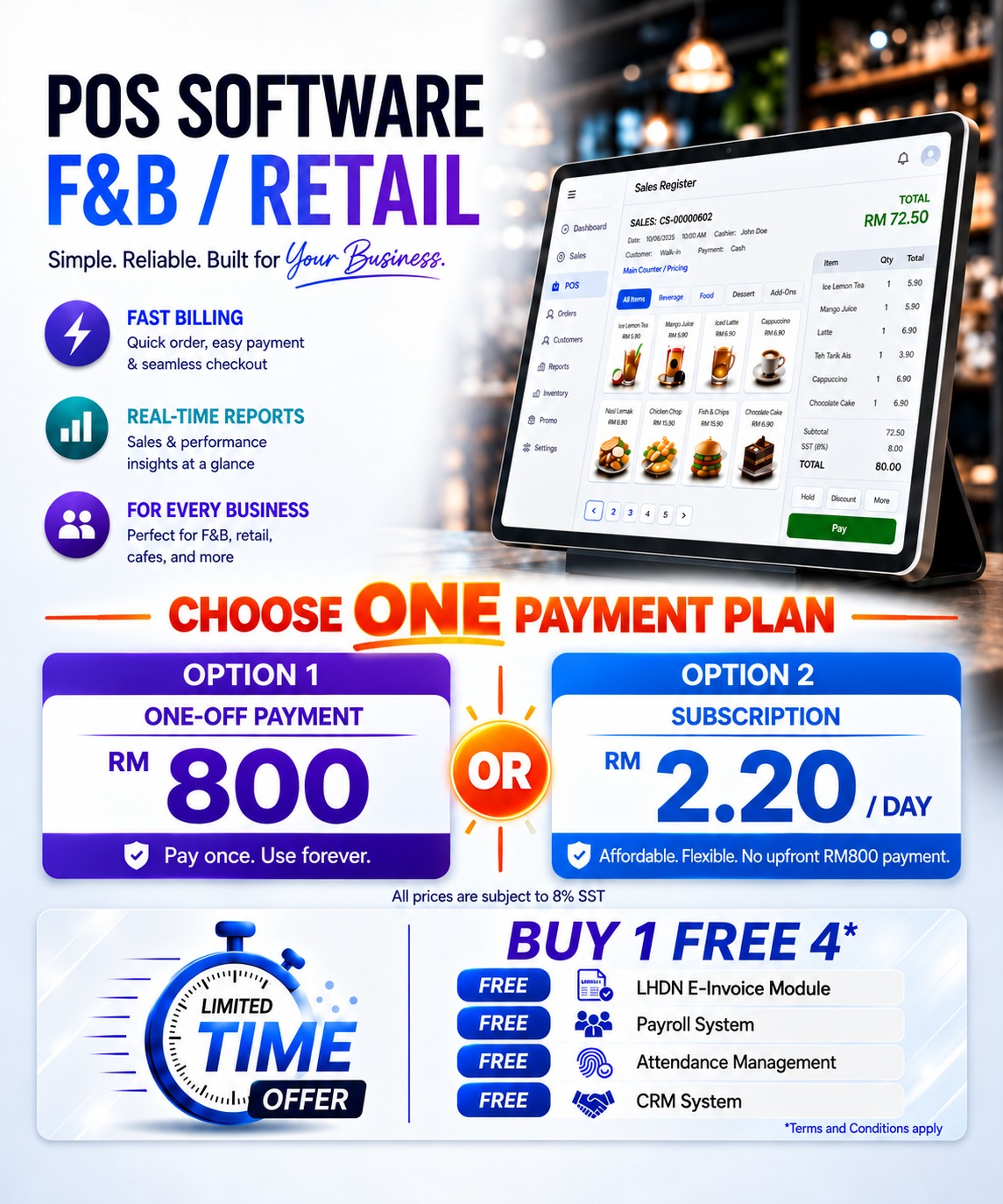
- POS Software
- Support Multiple Pricing / Advance Pricing
- Customer Loyalty Program (Membership, Promotion Discount, Coupons, Point or Rewards or Redemption, Blast SMS)
- Sales Reports
- Send Receipts by "WhatsApp"
- Automatic Send Daily Sales & Closing Reports
- E-Wallet / Credit Card Terminal Integration with POS
- LHDN E-Invoice Module
- FREE Training
- FREE Software Support
POS Software
Support Multiple Pricing / Advance Pricing
Sales Reports
Send Receipt by "WhatsApp"
Automatic Send Daily Sales & Closing Reports
E-Wallet / Credit Card Terminal Integration with POS
LHDN E-Invoice Module
FREE Training
FREE Software Support
POS System Malaysia
Many Choices for Your POS System
Our POS systems are designed to support many different types of businesses, including retail stores, minimarkets, grocery stores, boutiques, pharmacies, wholesalers, service centres and other growing businesses. With a variety of flexible solutions available, you can choose the right POS system based on your industry, business size and daily operational needs. Simplify sales transactions, manage inventory, track revenue, handle customer information and improve overall efficiency—all from one reliable system built to help your business grow. Running a restaurant, café or food court? See our F&B POS system for restaurants.
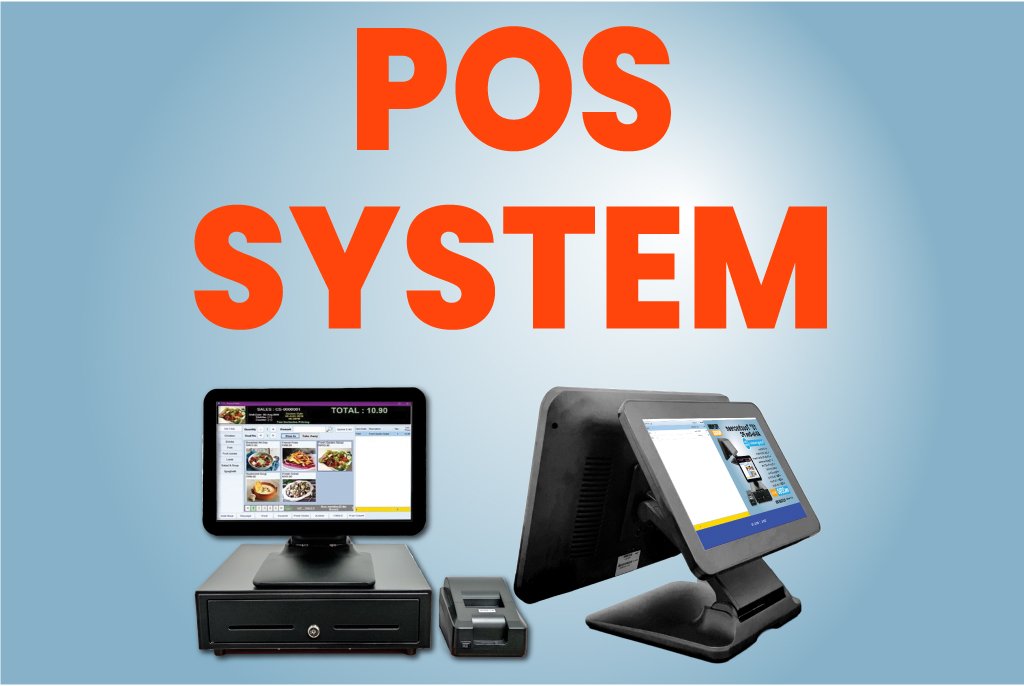
POS Hardware and Bundles
Synergy POS works with all-in-one touchscreen terminals, tablets, receipt and kitchen printers, barcode scanners, cash drawers and customer displays. See the POS machines and hardware we supply, including ready bundles with the POS software.
Android POS for Retail Shops
Turn an Android phone or tablet into a point of sale with the Synergy Order App in retail mode. Use it with your Synergy POS so staff can sell anywhere in the shop, or on its own as a complete POS for a small shop.
No computer in the shop? See Android POS for shops without a computer.
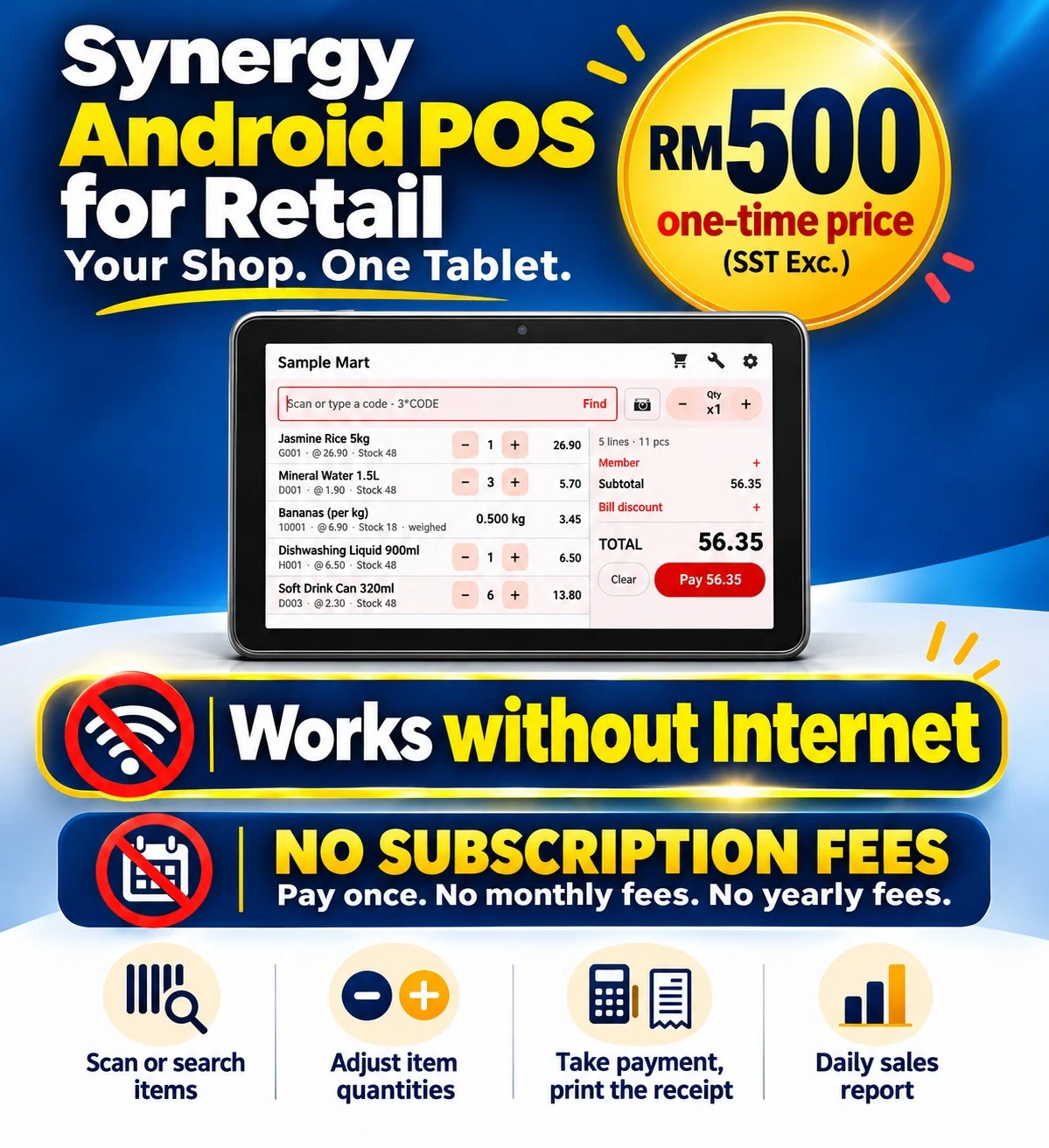
Sell anywhere in the shop, pay at the counter
With your Synergy POS
- Connect the app to your shop’s Synergy server. Items and prices come from your Synergy POS.
- Scan a barcode or type the code. Type 3*CODE to add three at once.
- No barcode? Press Find and search by name.
- Change quantities with plus and minus. The salesperson is recorded on the sale.
- Press Send to cashier. The cashier recalls the sale at the counter and takes payment.
A complete POS on one Android phone
Standalone, one phone
- Import your items from an Excel or CSV file.
- Scan or type a barcode, use 2*CODE for quantities, or search by name.
- Give a bill discount as a percentage or an amount.
- Press Pay and choose cash, card, e-wallet or other. For cash, the app shows the change, with 5 sen rounding.
- Open Bills or Daily sales to see sales by payment type and items sold.
Why shops use it: sell anywhere in the shop from a phone or tablet · same items and prices as your counter POS · barcode scan, name search and quick quantities · shorter queues at the cashier · for a small shop, no PC or server needed.
Also in the Android POS: stock balance from Synergy POS when linked, or a stock count kept on the device with out-of-stock warnings · bundle promotions from Synergy POS · Bluetooth, network and USB receipt printers · edit items, prices and photos on the device when not linked, protected by a manager PIN.
Every Payment Type at Your POS Counter
Payments: cash with quick-cash buttons and change, card, e-wallet, voucher, points, cheque and credit. Split one bill across two payment types, such as part card and part cash, and the receipt lists each payment. Card terminals and e-wallets including Touch ’n Go, GrabPay, Boost, ShopeePay, Alipay and WeChat Pay are supported.
See Synergy Retail POS in Action
Three short demos from a real Synergy POS counter, using sample items and members: a supermarket and grocery sale with barcode scanning and weighed items, item and bill discounts, and member prices with points redemption.
Supermarket: scan, weigh and pay
Item and bill discounts
Member prices and points redemption
Salon POS System for Hair Salons and Service Businesses
Synergy POS also runs salons, spas and other service businesses. Sell services and retail products in the same bill, assign a stylist or therapist to each service, and give members their prices and points. Follow-ups and reminders for regular clients can be kept in Synergy CRM, which shares the same customer records.
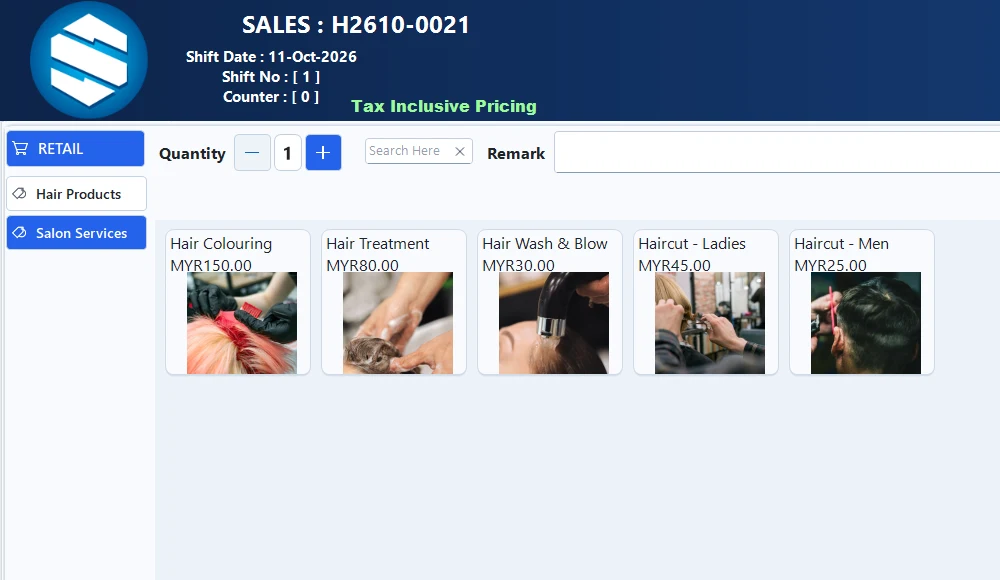
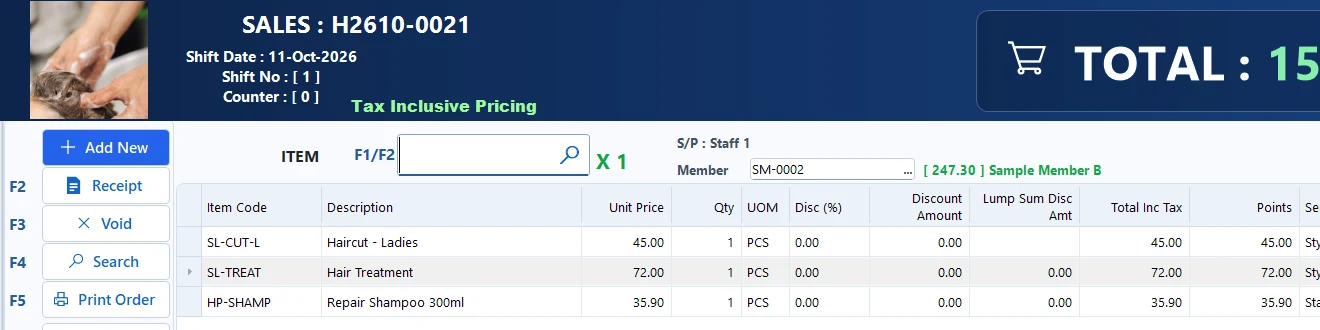
What a salon POS needs
- Services on a picture menu, with hair and beauty products in the same bill
- A stylist or therapist for each service line
- Member prices and reward points
- Card, e-wallet or cash payment
- Receipt shows who served each service
Salon and Spa Appointments
Book appointments by stylist in the same POS. See every stylist’s day, book one or more services in a row, and when the customer arrives the bill opens with each service and the stylist who does it. Sample salon and sample customers only.
How appointments work
- Open Appointments to see each stylist’s day, hour by hour, with a row for “any staff”.
- Double-click a free space: choose the services (their usual minutes fill in), a stylist for each, and the customer’s name and phone.
- A stylist or room that is already booked is refused, so there are no double bookings.
- When the customer arrives, press Arrived: the bill opens with every service, each with its stylist, so commission follows the stylist.
POS System Malaysia
Counter, Payments and Multi-Outlet Features
Easy To Use
- A clean, easy-to-learn screen, so new cashiers are ready in a short time.
- Scan barcodes, or search items by code or name, to add them to the bill quickly.
- Set your own shortcut function keys for the actions your counter uses most.
Multi-Store Management
- Set up items, prices and promotions once at headquarters and sync them to every branch.
- Branch sales flow back to the headquarters database automatically.
- Check the stock on hand at any branch from any shop.
- Stock is kept in step by Synergy inventory management software.
SMS Blasting Tool
- Send SMS blasts to your members for promotions, new arrivals and reminders.
- Personalise each message with the member’s name to bring customers back to the shop.
Credit Payment & Settlement Tracking
- Let regular customers buy on credit, and record their payments when they settle.
- See each customer’s outstanding balance and print credit statements.
- Settlements can be made in person or online.
Product Image for POS
- Add a product photo to each item.
- Cashiers see the photo on the sales screen, so items without a barcode are picked correctly.
Multiple Payment Type
- Take payment by cash, credit card, voucher, points cash back, credit, cheque, deposit or e-wallet.
- Every payment is recorded against the shift for an accurate closing.
Start Shift / Multi Shift / End Shift
- Run one shift a day or several, for example morning and evening.
- Sales and cash balance are tracked for each shift, with shift reports at closing.
Cash In / Cash Out
- Record cash taken out of or put into the drawer, with the amount, time and remarks.
- Know exactly how much cash should be in the drawer at any time.
SST Ready
- Ready for Sales Tax and Service Tax.
- Set your own tax rates, with SST-inclusive or exclusive pricing.
- SST is calculated for your tax return.
Mall Integration Ready
- Generate the daily sales file your mall requires and upload it to the mall’s system.
- Ideal for shops operating in shopping malls.
Supports Multiple Pos Hardware & Adjustable Printing format
- Works with receipt printers, barcode scanners, barcode printers, customer displays, cash drawers and weighing scales.
- Adjust receipt and barcode label layouts to suit your shop.
E-Wallet Payment / Credit Card Terminal Integration
- Accept e-wallets including GrabPay, Alipay, WeChat Pay, WeChat Pay Malaysia, Boost, Maybank QRPay and Touch ’n Go.
- Connect to credit card terminals, so the amount is sent to the terminal without retyping.
Multiple Pricing / Advance Pricing
- Set more than one selling price for an item, and choose the right one at the counter.
- Combine with member prices and promotions to price flexibly.
Synergy Accounting Integration
- POS sales post to Synergy accounting software automatically.
- Stock, sales and payments stay in step, with no double entry.
Promotion Price & Bundle
- Supports promotion price scheme with date validity.
Matrix
- Supports Matrix for items which has sizes, colors etc.
Multi Unit Of Measurement
- Sells items in different units
Package Item
- Sells multiple items as a single package. Stocks quantity of components are updated automatically.
Deposit Booking & Claim
- Allows customer to book/reserve goods in advance, and claim/pay when the item is ready/available.
Time Tracker Feature
- Tracks and bill rental items such as books, room, table etc.
MyKad Reader
- Reads the MyKad reader and stores information in the system.
Stock Adjustment (Received/Issues) / Consignment
- Performs Stock Adjustment to Increase and Reduce Stock Quantity.
View Stock Info / Branch Stock
- Optional to allow branches to view stock of other branches and HQ.
Weighing Scale Integration
- Allows scan barcode from generated by Weighing Scale and fetch Price and Quantity automatically.
- Read our barcode inventory guide
- Membership Pricing.
- Membership Points.
- Cashback Point Redemption.
- Point Rate for each item.
Automatic send reports to Management
- Send daily Sales & Closing reports to management automatically.
Serial Number Tracking
- Record the serial number of each item sold, or a range of serial numbers, for warranty and after-sales checks.
Returns by Receipt
- Process a return against the original receipt number and date, so refunds and stock stay correct.
Discount Vouchers
- Create vouchers with an amount, a valid-from and valid-until date, and the items or ranges they apply to.
Group and Bill Discounts
- Give a percentage discount on a group of items, or a discount on the whole bill.
Batch and Expiry Tracking
- Sell from the right batch and see expired stock, ideal for pharmacies, food and cosmetics.
Redeem Items with Points
- Members can check their points and redeem selected items at the counter.
FAQ
Frequently Asked Questions
Synergy POS is a point of sale system built in Malaysia for retail shops, minimarkets and boutiques. It handles sales, payments, stock, members and reports, and is used by 6,000+ businesses since 2011.
Retail shops, minimarkets, grocery stores, boutiques, pharmacies, hardware and electrical shops, wholesalers and service centres, from a single shop to multi-branch chains. Not sure what to look for? Read our checklist for choosing a POS system.
Pay once from RM800, or subscribe from RM2.20 a day. Hardware is extra, or you can take the POS bundle with scanner, receipt printer and cash drawer for RM1,399. Call Ms. Lee at 012-530 0800 for a quote.
Yes. Synergy POS is installed on your own computer, so it keeps selling when the internet is down.
Yes. The LHDN e-Invoice module is included, including consolidated e-invoices for walk-in customers. See how Synergy e-Invoice works.
Yes. You can set tax rates, choose SST-inclusive or exclusive pricing, and Synergy calculates the SST for your tax return.
Receipt printers, customer displays, cash drawers, barcode scanners, barcode printers, weighing scales and all-in-one touch terminals such as the Minitouch 3-in-1. Receipt and barcode layouts can be adjusted. See our POS hardware.
Yes. Synergy POS works with credit card terminals and e-wallets including GrabPay, Boost, Touch ‘n Go, Maybank QRPay, Alipay and WeChat Pay.
Yes. Set up items and prices once at headquarters and sync them to every branch. Branch sales flow back to headquarters, and each store can check stock at other branches.
Yes. Membership pricing, points, cashback redemption, promotions and coupons are built in, and you can send SMS blasts to members.
Yes. When bought together with Synergy accounting software, POS sales post to your accounts automatically and stock updates in real time.
Your data is kept in a Microsoft SQL Server database on your own computer or server, and you can back it up whenever you need.
Every purchase includes training and software support. Payroll, attendance (with an Android face recognition clock-in app) and CRM modules are also available with Synergy POS.