Retail POS System in Malaysia: 8 Common Problems Retail Shops Face
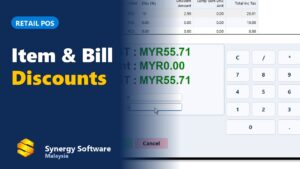
Watch: a retail sale with item and bill discounts on Synergy POS (1 min 30 s).
Quick Answer
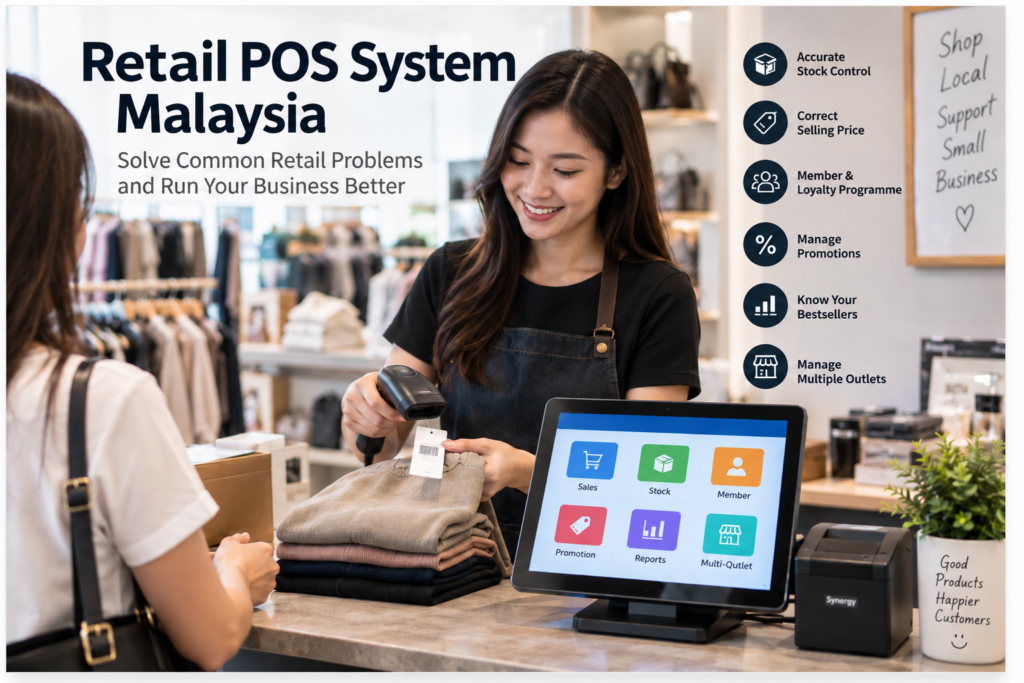
Retail shops most often run into 8 recurring problems: mismatched stock, wrong selling prices, hard-to-manage promotions, slow checkout during busy hours, unclear bestsellers, poor membership tracking, hard-to-track size/colour variations, and difficulty managing multiple outlets. A retail POS system connected to inventory, pricing, and reporting can address most of these by keeping sales, stock, and customer records in one place instead of scattered across manual notes, spreadsheets, and staff memory.
Running a Retail Shop Involves More Than the Counter
Running a retail business involves much more than collecting payment at the counter. Every day, retailers need to manage products, selling prices, stock, promotions, customers, payments, and sales records. As the business grows, small problems can become much harder to control.
Business owners may start asking questions such as: Why does the stock quantity not match? Did the cashier use the correct selling price? Which products are actually selling well? Do we still have stock at another outlet? Which promotion should apply today?
A suitable retail POS system can help businesses organise these daily operations more systematically. Here are the 8 most common problems retail shops face, and what business owners should look at for each one.
1. Stock Quantity Does Not Match the Actual Stock
This is one of the most frustrating problems in retail. The system may show that you have five units available, but when the customer asks for the product, your staff can only find three.
Possible reasons include: sales not recorded correctly, stock received not updated, returns handled incorrectly, damaged goods not adjusted, stock transferred without proper records, manual stock records updated late, or different staff maintaining separate records. When sales and stock are managed separately, discrepancies can become difficult to trace.
Why Accurate Stock Matters
Incorrect stock information can cause you to reorder items you already have, fail to reorder products that are running low, or tell customers an item is available when it’s actually out of stock. It also makes it harder to know how much money is tied up in inventory. A retail POS system connected with inventory records can make it easier to keep sales and stock movement together — when a product is sold, the related stock record can be updated accordingly. A stock control system linked to your POS keeps these numbers accurate. Our stock take guide shows how to count and fix variances step by step.
2. Cashiers Use the Wrong Selling Price
Retail businesses do not always have only one selling price. You may have a normal price, member price, promotion price, wholesale price, special customer price, quantity-based price, and temporary discounted price. If staff need to remember all these prices manually, mistakes can happen — one cashier knows about a new promotion, another forgets and charges the normal price, and the customer asks why the price was different.
Better Pricing Control
Instead of depending on staff to remember every price, businesses can maintain selling rules within the POS system, which then applies the relevant price according to the setup. This helps provide more consistent pricing at the counter and makes changing selling prices easier when the business handles many products.
3. Promotions Become Difficult to Manage
Promotions can help increase sales, but as the number of promotions increases, managing them manually becomes difficult. A retail shop may run weekend promotions, member discounts, buy-two-get-a-discount offers, bundle promotions, seasonal sales, festive pricing, voucher campaigns, and reward-point redemption at the same time.
Without a proper system, staff may need to remember which promotion applies to which item and when it starts or ends. This increases the risk of wrong discounts, promotions continuing after the end date, promotions not being applied, different cashiers giving different prices, and difficulty checking whether a promotion actually worked.
Promotions Should Be Easy to Control
Before starting a promotion, businesses should know which products are included, the promotion price, the start and end dates, whether it’s for everyone or members only, and whether it can be combined with another discount. Keeping these rules organised makes promotions easier for both management and counter staff.
4. Checkout Becomes Slow During Busy Hours
A queue of two customers may not be a problem. A queue of ten customers can be. During busy periods, every unnecessary step at the checkout counter adds time — staff may need to search for an item manually, check the selling price, calculate discounts, confirm promotions, enter payment, and prepare the receipt. If the process is slow, queues become longer, customers become impatient, cashiers become rushed, and mistakes become more likely.
Make Common Transactions Simple
A retail POS system should make normal sales transactions easy for staff to process. For businesses with barcoded products, barcode scanning can reduce the need to manually search for every item, and frequently used functions should be simple for cashiers to access. The goal: serve the customer accurately without creating unnecessary steps at the counter.
5. You Do Not Know Which Products Are Selling Well
Sales may look good overall, but which products are actually generating those sales? A shop owner may know the obvious bestseller simply by watching what customers buy, but as the number of products increases, it becomes difficult to rely on memory. Without proper sales records, purchasing decisions can become guesswork.
Sales Information Can Help You Make Better Decisions
Retail sales reports can help management review what has actually been sold, supporting decisions about reordering, promotions, product selection, stock quantity, pricing, and discontinuing slow-moving items. The purpose of a POS shouldn’t only be to complete a sale — the information created from those sales can also help you understand the business.
6. Managing Members and Repeat Customers Becomes Difficult
Retail businesses often depend on repeat customers, but if every transaction is treated as an anonymous sale, it becomes difficult to build a customer relationship. For a regular customer who shops every month, do you know how often they return, whether they’re a member, how many reward points they have, whether they qualify for a member price, or whether they have vouchers to redeem? Membership and loyalty programmes become difficult to manage manually as the customer base grows.
Keep Customer Programmes Organised
A proper customer or membership system can help businesses manage member information, member pricing, reward points, redemption, coupons, and promotional offers — making it easier for staff to apply the correct benefit during a transaction and reducing dependence on handwritten cards, spreadsheets, or staff memory.
7. Products With Different Sizes or Colours Are Hard to Track
This problem is especially common in fashion stores, shoe shops, sports shops, uniform shops, and accessories retailers. A single shirt design in 5 colours and 5 sizes already creates 25 different combinations. The customer doesn’t simply ask “Do you have this shirt?” — they ask “Do you have this shirt in black, size M?” If product variations aren’t organised properly, staff may struggle to check what’s actually available, and the problem grows with hundreds of designs.
Product Variations Need Clear Records
Businesses selling products with different sizes, colours, or other variations should track stock separately for each combination — for example, Black/S at 5 units, Black/M at 2 units, Black/L at 0 units, White/S at 3 units, and White/M at 6 units. Keeping these variations organised makes stock checking and replenishment easier. See our barcode inventory guide for setting up variants.
8. Managing More Than One Outlet Becomes Complicated
Running one shop is very different from running three, five, or ten outlets. With multiple locations, management may need to know how much each outlet sold today, which outlet has the most stock, whether stock can be transferred between outlets, whether all outlets are using the correct selling prices, which branch is performing better, and whether another branch has the item a customer wants.
Without a proper structure, businesses may depend heavily on phone calls, WhatsApp messages, spreadsheets, and separate reports from each outlet — which becomes harder to manage as the business expands. When a customer asks whether another branch has an item, staff without branch stock visibility may need to call and ask someone to check manually, which takes time across several branches.
Centralising Branch Information
A multi-outlet retail system can make branch information easier to manage from a central operation, rather than relying on phone calls and separate spreadsheets per outlet.
Retail Problems Are Often Connected
These 8 problems may look separate, but many are connected. A single cashier completing a sale affects sales records, stock quantity, customer or membership records, promotion information, and management reports all at once. If these areas are managed separately, the business may need to enter or check the same information several times, creating more opportunities for mistakes. A well-organised POS system can help connect different parts of the retail transaction so the business isn’t relying entirely on manual records.
What Should a Retail Business Check Before Choosing a POS System?
Don’t choose a POS system only because the checkout screen looks attractive. Ask how it handles the way your shop actually works.
Products
- Can it manage all of my items?
- Can I use barcodes?
- Can it handle different sizes and colours?
- Can I sell products in different units?
Pricing
- Can I maintain different selling prices?
- Can I set member prices?
- Can promotions have start and end dates?
- Can I create bundle promotions?
Customers
- Can I maintain members?
- Can I manage reward points?
- Can customers redeem rewards or coupons?
Stock
- Does a completed sale update stock?
- Can I check stock quantity?
- Can I make stock adjustments?
- Can I manage stock between outlets?
Multiple Outlets
- Can headquarters receive branch sales information?
- Can management compare outlet performance?
- Can staff check stock at another branch?
- Can stock be transferred between locations?
Reports
- Can I check daily sales?
- Can I identify bestselling products?
- Can I compare sales periods?
- Can management review sales without manually combining different records?
The right questions depend on your business — a small boutique may have different requirements from a minimarket or retail chain.
Do Not Buy More POS Than Your Business Needs
A good POS system doesn’t need to be the system with the longest feature list — it needs to support the way your business operates.
A Small Shop May Mainly Need
- Fast sales entry
- Barcode scanning
- Stock control
- Sales reports
A Fashion Retailer May Prioritise
- Size and colour variations
- Promotions
- Membership
- Stock by variation
A Multi-Outlet Retailer May Need
- Branch management
- Stock visibility
- Stock transfer
- Centralised reporting
Before choosing a POS, identify the problems you actually want to solve, then ask the provider to demonstrate those specific workflows.
When Is It Time to Upgrade From a Basic Cash Register?
A simple cash register may be enough when the business is very small. You may need a more complete retail POS system once you start facing problems such as:
- Too many products to track manually
- Stock quantity is often inaccurate
- Cashiers struggle with different prices
- Promotions are becoming complicated
- You need membership or reward programmes
- You cannot easily identify bestselling products
- You have more than one outlet
- You spend too much time preparing sales information manually
At that point, the business may need more than a machine that simply records the amount collected — it may need a system that helps manage the information behind each sale.
How a Retail POS System Can Help
A suitable retail POS system can help bring important retail information together, including sales transactions, product information, selling prices, promotions, customer membership, inventory, payment records, branch information, and sales reports. This gives business owners a clearer view of what’s happening at the counter and beyond.
Instead of asking only “How much did we sell today?”, you can start asking: What did we sell? Which products are running low? Which items are selling slowly? Which branch has stock? Which promotion is working? Those questions matter for managing a growing retail business.
Synergy Retail POS System Malaysia
Synergy provides POS solutions for Malaysian retail businesses ranging from individual shops to businesses with multiple outlets. Businesses looking for a retail POS system should consider their actual requirements in areas such as sales, inventory, pricing, promotions, customer management, and branch operations.
The objective isn’t simply to replace a cash register — it’s to make everyday retail operations easier to organise and give management better information about what’s happening in the business. Explore Synergy POS System Malaysia to find out which POS setup suits your retail operation.
Choose a POS System Based on Your Daily Problems
Every retail business is different. A minimarket may process a large number of barcode transactions. A boutique may need to manage sizes and colours. A wholesaler may use different prices for different customers. A retail chain may need to know what’s happening across several outlets.
Before choosing a system, write down the daily problems your staff and management are facing, then check whether the POS can help address those problems. The best system for your business isn’t simply the one with the most functions — it’s the one that fits the way your business actually sells, manages stock, and serves customers.
Frequently Asked Questions
What is a retail POS system?
A retail POS system records customer sales and can also help manage related information such as products, pricing, payments, inventory, customers, and sales reports.
What type of business can use a retail POS system?
Retail POS systems can be used by businesses such as boutiques, minimarkets, convenience stores, fashion stores, shoe shops, gift shops, wholesalers, and other businesses selling products at a counter.
Can a POS system manage stock?
A POS system connected with inventory functions can update the related stock records when products are sold and help businesses monitor stock quantities.
Can a retail POS handle different selling prices?
Depending on the system, retailers may be able to maintain different prices such as normal prices, member prices, promotional prices, or other price levels.
Can a POS system manage promotions?
Many retail POS systems support promotion rules such as discounted prices, member promotions, bundles, or other promotional arrangements. Available functions depend on the system.
Can a POS system manage different sizes and colours?
Retail systems designed for products with variations may support items by size, colour, or other attributes, which is useful for industries such as fashion and footwear.
Can a POS system be used for multiple outlets?
Multi-store POS systems can help businesses manage sales and related information across several outlets. The exact workflow depends on the system configuration.
What should I check before buying a POS system in Malaysia?
Check how the system handles your actual daily requirements, including products, stock, pricing, promotions, customers, payment methods, reports, branch operations, support, and future expansion.