A POS system (point of sale system) is the software and hardware a business uses to sell. It records every sale, takes the payment, prints the receipt and updates your stock, all in one step. This guide explains what a POS system is, how it works, the main types used in Malaysia, the hardware you need and how to choose the right one.
What does POS stand for?
POS stands for point of sale: the moment and the place where your customer pays. In a shop it is the checkout counter. In a restaurant it can be the cashier, a waiter’s tablet at the table or a QR code the guest scans. A POS system is everything that happens at that moment: ringing up items, applying discounts, taking payment and recording the sale.
Older businesses used a cash register, which only adds up the bill and stores cash. A modern POS system does much more, because every sale is saved in a database that feeds your stock, reports and accounts.
How does a POS system work?
A typical sale goes through six steps:
- Add the items. Staff scan a barcode, tap a picture of the item on the screen or search by name.
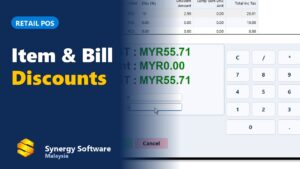
- Apply prices and promotions. The system picks the right price, member price, discount or bundle promotion by itself.
- Take payment. The customer pays by cash, debit or credit card, e-wallet or QR payment, or a mix of these.
- Print or send the receipt. The receipt prints on a thermal printer, and an LHDN e-Invoice can be issued when the customer asks for one.
- Update stock. Each item sold is taken out of stock straight away, so you always know what is left.
- Report the sale. Sales, payments and cash in the drawer are totalled for the shift and the day, and can go straight into your accounts.
What can a POS system do?
Beyond checkout, a good POS system helps you run the whole business:
- Fast checkout: barcode scanning, item pictures, quick keys and hold bills, so queues move.
- Payments: cash, card terminals, e-wallets and split payments on one bill.
- Stock control: stock on hand, low-stock alerts, purchases, transfers and stock take.
- Members and loyalty: member prices, points and vouchers to bring customers back.
- Promotions: discounts, bundles and time-limited offers set up once and applied automatically.
- Staff and shifts: user rights, cash drawer counts at shift close and sales by cashier.
- Reports: best-selling items, sales by hour, margins and sales by outlet.
- Multiple outlets: prices, items and promotions controlled from head office for every branch.
- E-Invoice: LHDN e-Invoice for customers who need one, and consolidated e-Invoices for the rest.
Types of POS systems
Different businesses sell in different ways, so POS systems come in a few main types.
Retail POS
Built for shops, minimarts, pharmacies and hardware stores. The focus is fast barcode checkout, many items, member prices, promotions and accurate stock. See our retail POS system for an example.
F&B and restaurant POS
Restaurants and cafés need a table layout, orders sent to the kitchen printer, dine-in and takeaway, split bills and service charge. A restaurant POS is built around that workflow. See our F&B POS system.
Salon and service POS
Salons, spas and other service businesses sell time and services as well as products. They need staff commission, member packages and appointments. Read more about our salon POS system.
Android tablet and mobile POS
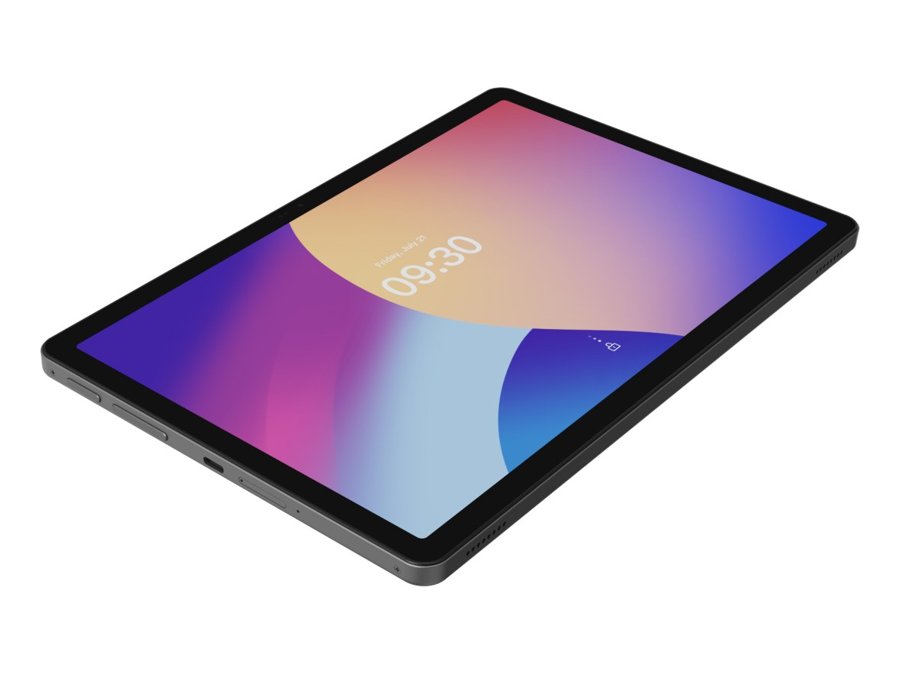
A POS on an Android tablet or phone lets staff take orders at the table, sell at a pop-up stall or bust queues at a busy counter. Orders still reach the kitchen and the main POS.
Self-order POS: QR ordering and kiosks
With self-ordering, customers order for themselves, either by scanning a QR code at the table or on a self-order kiosk in the shop. This saves staff time and reduces wrong orders. See our QR ordering and self-order kiosk page.
Offline POS vs cloud POS
A cloud POS keeps your data on the internet and is usually paid by monthly subscription. An offline (on-premise) POS runs on your own computer, so it keeps selling when the internet goes down, and is often bought once.
In Malaysia, internet drops still happen, especially in malls, older shoplots and rural areas. If your counter stops when the line is down, you lose sales. Many businesses therefore choose a POS that keeps working offline and sends data to head office or the cloud when the line is back. Read buy once or pay monthly? for the pros and cons of each.
What hardware does a POS system need?
The software is only half of a POS system. A typical counter uses:
- A POS terminal: a touch-screen PC, an all-in-one POS machine or an Android tablet.
- A receipt printer: usually a 58 mm or 80 mm thermal printer.
- A barcode scanner for retail checkout.
- A cash drawer that opens when a sale is paid.
- A card terminal from your bank or payment provider.
- A kitchen printer for restaurants, so orders print in the kitchen.
See our POS hardware page for terminals, printers and scanners that work with Synergy POS.
POS system vs cash register
| Cash register | POS system | |
|---|---|---|
| Records sales | Totals only | Every item, price, staff and payment |
| Stock | Not tracked | Updated with every sale |
| Payments | Mostly cash | Cash, card, e-wallet, QR, split payment |
| Members and promotions | Manual | Applied automatically |
| Reports | Daily total | Sales by item, hour, staff and outlet |
| E-Invoice and accounts | Keyed in by hand | Sent from the system |
POS and LHDN e-Invoice
Under Malaysia’s e-Invoice rules, a business must issue an e-Invoice when a customer asks for one, and can submit a consolidated e-Invoice for the other retail sales. A POS system that is connected to MyInvois lets you do both without retyping sales. Learn more about e-Invoice Malaysia.
POS and accounting
When the POS is connected to your accounting software, daily sales, payments and cost of goods flow into the accounts by themselves. Your accountant gets correct figures, and you stop re-keying the day’s sales at night.
How to choose a POS system
Start with how your business sells, then check the must-haves: offline selling, the payments you accept, stock control, e-Invoice and connection to your accounts. Ask about training, support and what happens when you open another branch. Our step-by-step checklist, how to choose a POS system in Malaysia, walks you through it.
Synergy POS for Malaysian businesses
Synergy POS has been used by more than 6,000 businesses since 2011, from minimarts and pharmacies to restaurants, cafés and salons. It keeps selling when the internet is down, issues LHDN e-Invoices, connects to Synergy accounting and inventory, and runs on PCs and Android tablets. You can buy it once or subscribe, and training is provided. Book a demo to see it with your own items.
Frequently asked questions
What is a POS system in simple words?
A POS system is the software and hardware you use to sell: it records each sale, takes payment, prints the receipt and updates your stock.
What is the difference between a POS system and a cash register?
A cash register only totals the bill and holds cash. A POS system records every item and payment, tracks stock, runs promotions and member points, and produces reports and e-Invoices.
Does a POS system work without internet?
It depends on the system. Cloud-only POS systems may stop when the internet is down. An offline-capable POS, such as Synergy POS, keeps selling and sends the data when the line is back.
What hardware do I need for a POS system?
Usually a POS terminal or Android tablet, a thermal receipt printer, a barcode scanner, a cash drawer and a card terminal. Restaurants also add a kitchen printer.
Can a POS system issue LHDN e-Invoices?
Yes, if it is connected to MyInvois. Synergy POS issues an e-Invoice when a customer asks for one and handles consolidated e-Invoices for the other sales.
Which POS system is best for a small business in Malaysia?
The best POS system is the one that fits how you sell: retail, F&B or services. Look for offline selling, the payments you accept, stock control, e-Invoice and connection to your accounts. Book a demo to see how Synergy POS fits your business.