Baca dalam Bahasa Melayu: Cara Memilih Sistem POS untuk Perniagaan Kecil
A POS system is the one piece of software your staff use all day, every day. Pick the wrong one and you live with slow queues, stock that never matches and sales you have to re-key into your accounts. This checklist covers what a small business in Malaysia should look for, the questions to ask before you buy, and the mistakes to avoid.
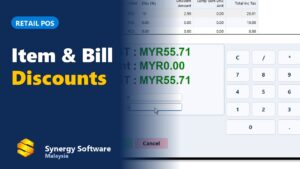
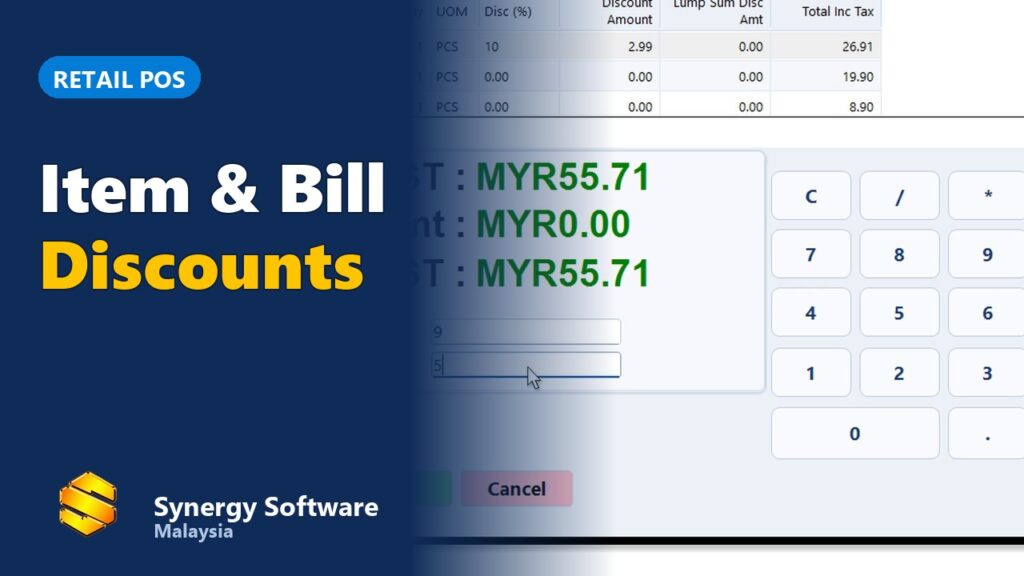
Watch: a sale with item and bill discounts on Synergy POS (1.5 min).
Step 1: start with how your business sells
Different businesses need different things from a POS system. Before comparing brands, write down how a normal day at your counter works.
- Retail shops and minimarkets: fast barcode scanning, many items, promotions, member prices and accurate stock.
- Restaurants, cafés and food courts: table layout, kitchen printing, split bills, dine-in and takeaway, and ordering from tablets or phones.
- Salons and service businesses: services and products in one bill, a staff member for each service, and repeat customers.
- Several outlets: central control of items and prices, stock transfers and combined reports.
Step 2: the must-have checklist
| Feature | Why it matters |
|---|---|
| Fast checkout and barcode scanning | Shorter queues and fewer wrong prices at busy times. |
| Works offline | If the internet goes down, you must still be able to sell. |
| Inventory linked to sales | Every sale reduces stock, so you know what to reorder. |
| LHDN e-Invoice | Customers can request an e-Invoice, and walk-in sales can go into a consolidated e-Invoice. |
| Discounts, promotions and membership | Item and bill discounts, member prices and points without manual calculation. |
| Staff rights and controls | Limit who can void, refund or give discounts, and see who did what. |
| Reports | Daily sales, best sellers, payment types and cashier closing. |
| Connection to accounting | Sales flow into your accounts without re-keying. |
| Hardware support | Works with your receipt printer, cash drawer, scanner and customer display. |
| Local support and training | Someone who answers when the counter stops on a Saturday night. |
New to barcodes? Read our barcode inventory guide.
Extra features for restaurants and cafés
- Table layout so staff see which tables are in use.
- Kitchen printers or a kitchen display, so orders reach the right station.
- Split bills, dine-in and takeaway on the same screen.
- Ordering from a tablet or phone at the table, and QR ordering for customers.
See what this looks like in the Synergy F&B POS system for restaurants.
Step 3: questions to ask before you buy
- What happens to my counter if the internet goes down?
- How does the system handle LHDN e-Invoice for my business?
- Does it work with the hardware I already have?
- Can I move my item list and customers in from Excel or my old system?
- How are sales posted to my accounts?
- Is training included, and how do I get support after hours?
- What is included in the price: updates, support, hardware, extra outlets or terminals?
- Can I see a demo with my own type of items?
One-time licence or subscription?
Both can work. A one-time licence costs more on day one but has no monthly fee, which suits businesses that plan to keep the system for years. A subscription spreads the cost and suits new businesses watching cash flow. Whichever you choose, compare what is included rather than the headline price. We explain the trade-offs in buy once or pay monthly.
Common mistakes
- Choosing on price alone, then paying later in lost time and stock errors.
- Buying a POS that does not talk to your accounting, so every day’s sales are keyed in twice.
- Forgetting e-Invoice until a customer asks for one.
- Skipping training, so staff only use a fraction of the system.
- Not testing the system offline before going live.
How Synergy POS fits
Synergy POS is built in Malaysia and used by more than 6,000 businesses since 2011. It keeps selling when the internet is down, includes LHDN e-Invoice, links to Synergy accounting and inventory, and supports retail shops, salons, restaurants and multi-outlet businesses. You can pay once or subscribe, and training is included. Read about the common problems retail shops face and how a POS solves them.
Comparing the best POS system for your small business in Malaysia? For restaurants and cafés, see our restaurant POS system Malaysia page; for counters and devices, see POS machines in Malaysia.
Frequently asked questions
What is the best POS system for a small business in Malaysia?
The best POS system is the one that fits how your business works: fast checkout and barcode scanning for retail, table and kitchen features for F&B, services and staff commission for salons. It should also keep selling offline, handle LHDN e-Invoice and connect to your stock and accounts.
Does a POS system need internet to work?
Not always. Some cloud POS systems stop selling when the internet is down. Synergy POS keeps working offline and syncs when the connection is back.
Is my POS system ready for LHDN e-Invoice?
Ask the vendor how the POS issues e-Invoices for customers who request one and how it handles consolidated e-Invoices for walk-in sales. Synergy POS includes LHDN e-Invoice.
Should I choose a one-time licence or a monthly subscription?
A one-time licence costs more upfront but has no monthly fee; a subscription spreads the cost. Compare what each option includes, such as updates, support, training and hardware.
What hardware does a POS system need?
Usually a POS terminal or PC, receipt printer, cash drawer and barcode scanner. Many shops add a customer display, and restaurants add kitchen printers. Check the software supports the hardware you already have.
Can one POS system handle several outlets?
Yes, if it supports multi-outlet. Look for central item and price control, stock transfers between outlets and combined sales reports.
See Synergy POS with your own items. Book a demo.