When people think about a POS, they often think about one thing: collecting payment at the counter.
But for a retail shop, restaurant or multi-branch business, the transaction at the counter is only the beginning.
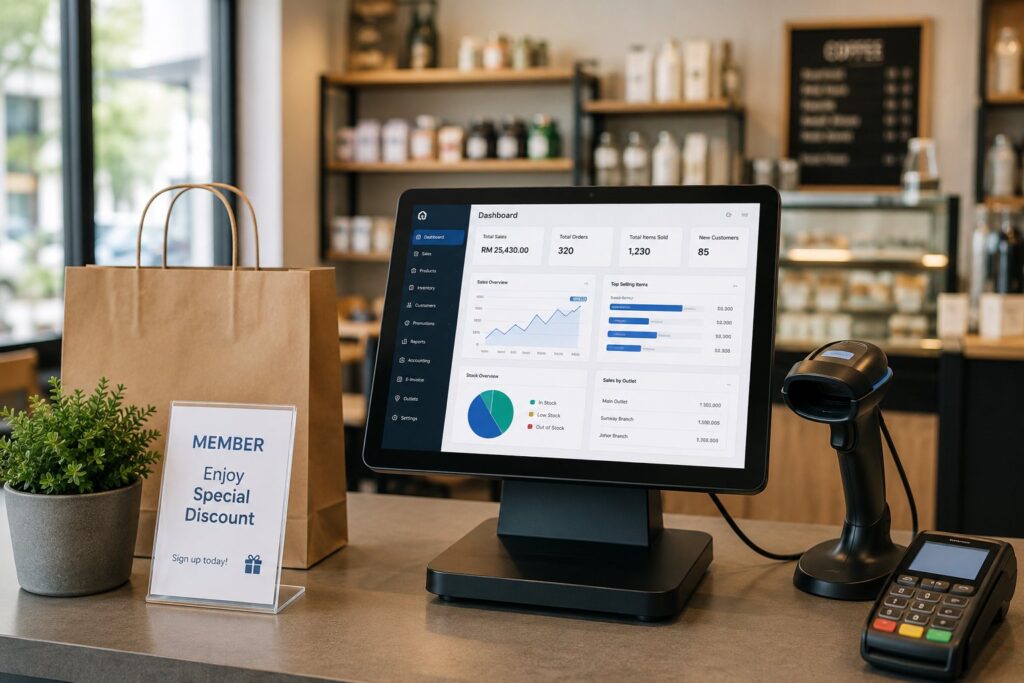
A well-planned POS system can also help manage products, stock, pricing, promotions, customers, outlets, reports, accounting information and E-Invoice workflows.
That is why choosing a POS should not be based only on how the checkout screen looks.
The more important question is:
What can the system help you manage after the sale is completed?
What Is a POS System?
POS stands for Point of Sale.
A POS system records the transaction when a customer purchases a product or service.
Depending on the business setup, it may work together with hardware such as:
- Touchscreen or computer
- Barcode scanner
- Receipt printer
- Cash drawer
- Customer display
- Supported payment terminal
But the software behind the counter is what makes a modern POS useful.
Instead of simply recording how much money was collected, the system can connect the transaction to other business information such as product pricing, stock quantity, promotions, membership and sales reports.
This allows the POS to become part of the business management process rather than just an electronic cash register.
How Does a POS System Work?
A normal retail transaction may look simple from the customer’s side.
1. Scan or Select the Product
The cashier scans a barcode or selects an item from the POS screen.
The system retrieves the product and selling price that have already been maintained.
2. Apply the Correct Pricing
Depending on the business setup, the system can handle pricing such as:
- Normal selling price
- Different price levels
- Promotion price
- Membership price
- Discounts
- Package pricing
- SST configuration
This gives the business better control over how products are sold instead of depending on staff to remember every pricing rule.
3. Complete the Payment
The cashier records the appropriate payment method and completes the transaction.
A POS can support different payment types and, where configured, can also integrate with supported payment terminals.
4. Update the Related Records
After the sale is completed, the transaction becomes part of the business’s sales records.
For businesses using inventory functions, the relevant stock quantity can also be updated.
Management can then review the transaction through reports rather than maintaining separate sales records manually.
For multi-branch operations, sales and stock information can also be exchanged between branches and headquarters according to the system setup.
A POS Should Do More Than Process Payments
Processing a payment is important, but that happens only once during each sale.
The information created by that sale may be useful many more times.
For example, the same transaction can help a business understand:
- What products are selling
- Which outlet made the sale
- What price was used
- Whether a promotion was applied
- Which customer made the purchase
- How much stock remains
- Which payment method was used
- How the sale should appear in business reports
- How the transaction relates to accounting or E-Invoice
This is where a more complete POS system becomes valuable.
The POS should not only help you complete a sale. It should help make the information from that sale useful to your business.
Which POS Setup Fits Your Business?
Different businesses have different operating requirements.
A retail shop should not be forced to work like a restaurant, and a business with ten outlets should not be managed like a single standalone counter.
Retail POS
A retail POS system is designed around products, pricing, stock and customer transactions.
Depending on the type of retail business, useful functions may include:
- Barcode scanning
- Inventory management
- Multiple selling prices
- Promotion pricing
- Membership
- Reward points and redemption
- Customer records
- Product images
- Package items
- Sales reporting
- Stock movement
- Multi-branch stock visibility
Different Products May Need Different Ways of Selling
Not every retailer sells simple individual items.
A fashion retailer may need to manage the same design in different colours and sizes.
A wholesaler may sell the same item by piece, box or carton.
Another business may sell several components together as one package.
This is why functions such as matrix items, multiple units of measurement and package items can become important when the product range becomes more complex.
The POS should fit the way the business actually sells its products.
Restaurant & F&B POS
An F&B business has a very different workflow.
The transaction may begin when a customer places an order, long before payment is collected.
A restaurant POS can therefore support functions such as:
- Table layout and management
- Food and drink menu setup
- Add-on items
- Order remarks
- Kitchen order printing
- Multiple kitchen or preparation stations
- Joining tables
- Splitting bills
- Different payment methods
- Shift management
- Sales reports
For example, drink orders can be directed to one preparation area while food orders are sent to another.
Items can also include options such as:
- Extra cheese
- Extra rice
- Less sugar
- Less spicy
- Hot or cold
- Different sizes
These functions help the POS follow the actual restaurant workflow rather than forcing staff to rely on handwritten instructions.
Don’t Forget Raw Materials
For some F&B businesses, inventory is not simply the number of menu items remaining.
Selling one meal may consume several ingredients.
Where required, a bill-of-material setup can link finished menu items to their raw materials so the related ingredient stock can be deducted when the item is sold.
This makes inventory management more meaningful for businesses that need to monitor ingredients rather than just finished products.
Multi-Branch POS
Once a business operates more than one outlet, the challenge changes.
It is no longer enough for each branch to know its own sales.
Management may also need to know:
- What each branch sold
- What stock each branch has
- Whether prices are consistent
- Which products are performing well
- Whether stock should be transferred between locations
- How the outlets are performing together
A multi-branch POS system helps connect headquarters and individual outlets.
Depending on the configuration, headquarters can maintain information centrally and synchronise relevant data with branches, while branch sales transactions can update the headquarters database.
Branches may also be allowed to view stock quantities at other locations when required.
This becomes particularly useful when a customer asks:
“Your outlet here has no stock. Does your other branch have it?”
Instead of making several phone calls, staff can check the available information from the system when the setup permits it.
Which Setup Is Suitable for You?
| Business | Important POS Areas |
| Retail shop | Sales + Inventory + Pricing |
| Fashion / footwear | Retail + Matrix + Inventory |
| Mini market | Barcode + Inventory + Promotions |
| Restaurant / café | F&B + Kitchen + Table Management |
| Retail chain | Retail + Multi-Branch + Inventory |
| Restaurant chain | F&B + Multi-Branch |
| Wholesaler | Inventory + Multiple Pricing + Multi-Unit |
| Multi-outlet business | HQ Control + Branch Data + Reporting |
There is no reason to pay attention to functions that your business will never use.
But it is equally important not to discover too late that an important function is missing.
Inventory: Know More Than What You Sold
Sales tell you what has already left the business.
Inventory helps you understand what remains.
For businesses carrying stock, POS and inventory work closely together.
Inventory functions can help manage areas such as:
- Stock received
- Stock issued
- Stock adjustment
- Stock transfers
- Stock on hand
- Package item components
- Product variations
- Stock taking
- Branch stock
- Sales-related stock movement
Synergy’s inventory management software is designed to integrate with its POS and accounting systems, and its current inventory features also include multi-store inventory management, stock taking, matrix items and branch/location stock transfers.
Why Branch Stock Visibility Matters
Imagine a customer wants an item that is unavailable at the current outlet.
Without proper branch information, staff may need to contact other outlets individually.
With a multi-store inventory setup, staff can have better visibility of stock held at different locations.
This can help the business make better use of stock that it already owns.
Pricing, Promotions and Membership Are Part of the POS Too
A POS does not need to treat every customer and every sale exactly the same.
Depending on the business model, a business may use:
- Normal selling prices
- Member prices
- Wholesale prices
- Promotion prices
- Date-based promotions
- Bundle promotions
- Points
- Rewards
- Redemption
- Coupons
Synergy POS currently supports multiple/advanced pricing as well as membership, promotion, coupon, points, rewards and redemption functions.
These functions allow a business to build its sales rules into the system instead of depending only on staff memory.
Bringing Customers Back Matters Too
The value of a customer does not necessarily end after the first transaction.
For businesses using a loyalty programme, the POS can help maintain customer membership and reward information as part of the sales process.
This can support strategies designed to encourage repeat business rather than treating every transaction as an isolated sale.
Reports Turn Transactions Into Business Information
Recording thousands of transactions is not very useful if the owner cannot understand what they mean.
A POS should provide reports that help management review the business.
Depending on the setup, this can include information such as:
- Daily sales
- Sales by outlet
- Item sales
- Payment information
- Closing information
- Stock movement
- Sales performance
Synergy POS also supports automatically sending daily sales and closing reports to management.
This can be particularly useful for owners who do not spend every day standing at the POS counter.
POS + Accounting: Avoid Treating Every System as a Separate Island
A sale affects more than the POS.
Eventually, that information may also be relevant to:
- Revenue
- Customer accounts
- Cash and payment records
- Stock
- Tax
- Financial reporting
If POS and accounting systems are completely separate, staff may need to move information from one place to another.
Synergy POS can integrate with Synergy Accounting when the applicable systems are implemented together, while Synergy’s inventory solution is also designed to work with both accounting and POS.
The objective is not simply “automation for the sake of automation.”
It is to reduce unnecessary repeated work and keep related business records better connected.
POS and Malaysia E-Invoice
E-Invoice has added another important step to Malaysian sales workflows.
For businesses with many daily transactions, entering the same transaction information again into another system can create additional work.
Synergy’s E-Invoice solution can create, validate, submit and track E-Invoices from its accounting and POS workflow, reuse transaction data for field mapping, return MyInvois validation information and support eligible B2C consolidated E-Invoice workflows.
For businesses evaluating a POS today, it is therefore worth asking:
- How does the POS handle buyer information?
- Can the transaction connect to E-Invoice?
- How are individual E-Invoices handled?
- How are eligible consolidated transactions handled?
- Can submission status be linked back to the original transaction?
- How does the POS work together with accounting?
The important consideration is not simply whether the supplier places an “E-Invoice Ready” label on the product.
Ask to see how the actual workflow works.
Useful Add-Ons Can Make a Big Difference
Not every business needs every function.
But businesses should know what is available before assuming they will need to replace their POS when requirements change.
Depending on the selected Synergy solution, module and configuration, additional capabilities can include:
Payment Terminal Integration
Supported e-wallet or credit card terminals can be integrated with the POS to reduce separate payment handling.
WhatsApp Receipt
Receipts can be sent through WhatsApp where the applicable setup is used.
Automatic Management Reports
Daily sales and closing reports can be sent to management automatically.
Weighing Scale Integration
Businesses selling weighed products can use compatible barcode information generated by a weighing scale to retrieve quantity and pricing information.
Mall Integration
For retailers operating inside participating malls, POS information can be used for the required mall sales reporting workflow where supported.
Customer Loyalty
Membership pricing, reward points, cashback redemption and related customer programmes can be incorporated into the POS workflow.
Stock Taking Tools
Businesses with larger inventories can use stock-taking functions and compatible collection/scanning methods to compare physical stock against system quantities.
Accounting Integration
POS transactions can form part of a connected Synergy accounting workflow when the applicable modules are used together.
E-Invoice Integration
Transactions can be connected to the Synergy E-Invoice and MyInvois workflow rather than being treated as a completely separate process.
The best setup is not the one with the longest feature list.
It is the one that provides the functions your business actually needs without limiting you when those needs become more complex.
Can Your POS Support the Business You Are Building?
A business may have one outlet today.
Later, it may have:
- More products
- More users
- More price levels
- More customers
- Membership programmes
- Additional counters
- Another branch
- Several branches
- More complicated stock control
- Accounting integration
- E-Invoice requirements
Changing an entire POS system after the business has accumulated years of products, customers, transactions and operating procedures can be disruptive.
That is why it is worth considering future requirements before choosing a system.
This does not mean buying every available module immediately.
It means choosing a solution where the functions you are likely to need are available when required.
What Should You Ask During a POS Demo?
Don’t spend the whole demonstration looking at whether the sales screen is attractive.
Ask the supplier to show you how the system handles your actual work.
For Retail
- Show me how stock changes after a sale.
- Can I maintain several selling prices?
- How are promotions handled?
- How does membership work?
- Can it manage colour and size variations?
- Can I sell by different units?
- Can I see stock at another branch?
For F&B
- Show me how an order goes to the kitchen.
- Can different items go to different preparation areas?
- How do add-ons and remarks work?
- Can I split a bill?
- Can I join tables?
- Can ingredients or raw materials be deducted?
For Multi-Branch
- What is controlled by headquarters?
- How does branch data reach HQ?
- Can I compare outlet sales?
- Can branches view stock at other locations?
- How are stock transfers managed?
For Business Management
- What reports can management see?
- Can POS integrate with accounting?
- How does the E-Invoice workflow work?
- What training is provided?
- What support is included?
- What additional modules are available if my requirements change?
These questions tell you much more about a POS than watching someone issue one receipt.
Why Consider Synergy?
Synergy POS is designed for Malaysian retail, restaurant and multi-branch operations, with functions that can extend beyond basic checkout.
Depending on the solution selected, Synergy supports areas including:
- Retail POS
- Restaurant & F&B POS
- Inventory management
- Multiple pricing
- Promotions
- Membership and loyalty
- Matrix items
- Multiple units
- Package items
- Multi-store management
- Branch stock visibility
- Stock transfers
- Sales reporting
- Automatic management reports
- Payment terminal integration
- Accounting integration
- SST
- E-Invoice / MyInvois integration
- Local training and software support
Synergy’s current POS product pages list multi-store management, multiple pricing, loyalty, payment-terminal integration, SST, retail-specific functions and restaurant-specific functions, while its inventory and E-Invoice products extend this into stock management, accounting and MyInvois workflows.
The objective is simple:
Don’t use your POS only to collect money. Use the information created at the counter to help manage the rest of the business.
Choose Based on How Your Business Really Works
A POS may be used thousands of times every month and remain in the business for years.
So before deciding, look beyond the checkout screen.
Consider:
- How you sell
- How you price
- How you manage stock
- How you serve repeat customers
- How you manage branches
- What management needs to see
- How your accounting works
- How you handle E-Invoice
- What you may need later
A POS that fits the whole operation can become much more valuable than one that simply records the amount collected.
See the actual workflow before you decide.
Arrange a Synergy POS demonstration and let us show you the functions that are relevant to your retail, F&B or multi-branch business.
Frequently Asked Questions
What is the difference between a POS system and a cash register?
A basic cash register is mainly used to record sales and payments. A POS system can also connect the transaction to functions such as inventory, pricing, promotions, membership, reporting and other business processes.
What type of POS is suitable for a retail shop?
Retail businesses should consider functions such as barcode scanning, inventory management, pricing, promotions, membership and reporting. Businesses with products that vary by size, colour or unit may also benefit from matrix and multi-unit functions.
What type of POS is suitable for a restaurant?
Restaurants and cafés should consider an F&B POS designed for restaurant workflows such as table management, menu setup, add-ons, order remarks, kitchen printing, bill splitting and multiple kitchen stations.
What is a multi-branch POS?
A multi-branch POS connects sales and related information from different outlets with a headquarters operation. Depending on the setup, it can help management handle areas such as branch sales, products, prices, stock and reporting across locations.
Can a POS system manage inventory?
Yes. When POS and inventory functions are connected, completed sales can update the relevant stock records. More advanced inventory requirements can also include stock transfers, stock taking, product variations and branch stock management.
Can POS integrate with accounting software?
Yes. Synergy POS can integrate with Synergy Accounting when the applicable systems are implemented together, reducing the need to treat sales and accounting as completely separate records.
Can a POS system support Malaysia E-Invoice?
Yes. Synergy provides an integrated E-Invoice workflow that can use POS and accounting transaction data for MyInvois submission. Available functions depend on the selected software package, modules and configuration.
Can one POS manage several outlets?
A POS with multi-store functions can support headquarters and multiple branch operations. Synergy supports multi-store management, branch data synchronisation and branch stock visibility according to the system configuration.