
Stall and Pasar Malam POS Demo Videos
Sell from an Android phone or tablet at a stall, even with no internet. Watch the videos below, then message us on WhatsApp for a live walkthrough.
WhatsApp 012-530 08001. Sell offline at a stall, then sync to head office
Open a shift, sell with no internet, print receipts, close the shift with a cash count, then send everything to head office.
 ▶
▶1b. Set up your menu yourself on Android
On a standalone shop: start with an empty menu, add categories and items in Back Office, then sell from the ordering screen. When the app is linked to the desktop software, the menu comes from the desktop instead.
 ▶
▶2. A burger stall on an Android tablet (Bahasa Melayu)
Picture menu, add-ons, cash payment, kitchen slip, receipt and daily sales, with sample shop data.
 ▶
▶3. Order and pay at once on a counter or self-service tablet
Pick the items and pay straight away by cash, card or e-wallet; the slip and receipt print after payment.
 ▶
▶4. Android POS on a tablet
The same POS on a tablet at the counter.
 ▶
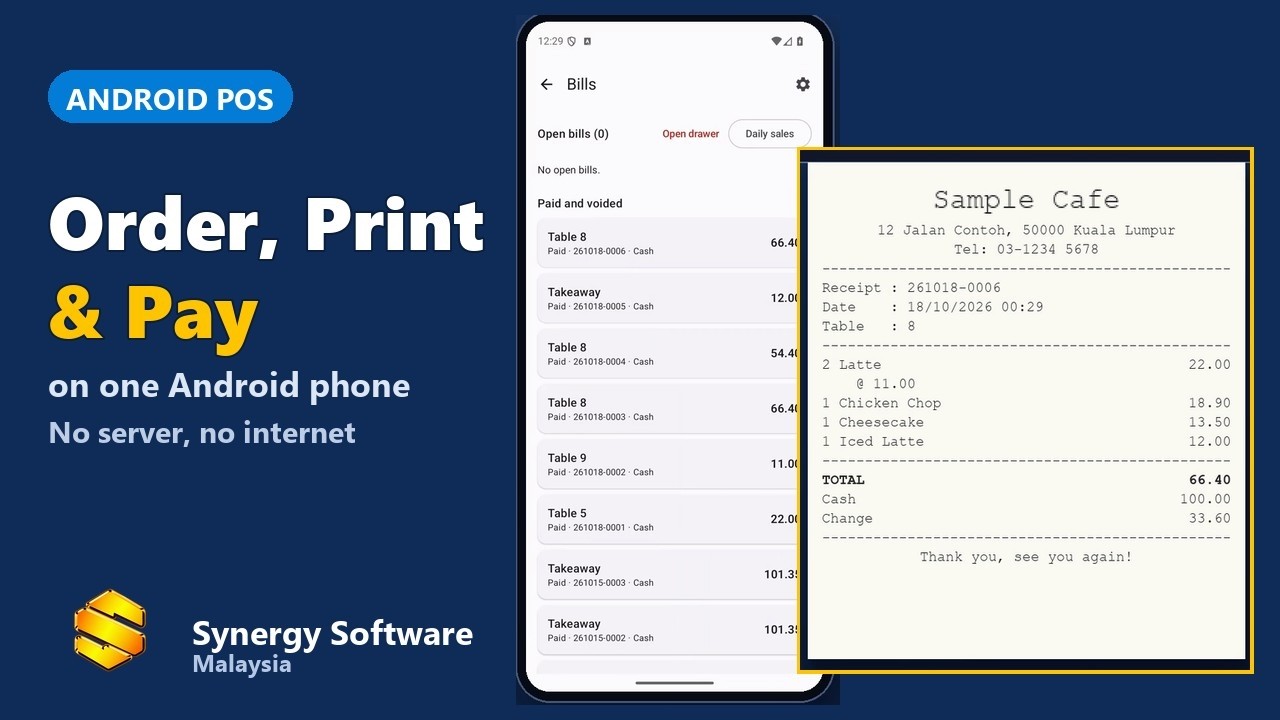
▶5. A café run from one phone
Order, slip, payment and receipt, all from one phone.
 ▶
▶6. End-of-day sales report
Daily sales summary, payments by type, items sold and the printed report with the cash count.
 ▶
▶7. Payment: cash, card, e-wallet, split
Take every kind of payment, including split bills.
 ▶
▶What works without internet
Works offline: opening and closing a shift, taking orders, payments, receipts and totals.
Needs a connection to head office: the first menu and price download, later menu and price changes, sending bills and the shift (they wait on the phone until the connection is back), and new member sign-ups.
Frequently asked questions
Can I sell if there is no internet at my stall?
Yes. Orders, payments, receipts and shift totals work offline. See video 1 above. The bills wait on the phone and are sent to head office when the connection is back.
What do I need internet for?
The first menu and price download, later menu and price changes, and sending the bills and shift to head office.
Can I take cash and e-wallet?
Yes. See videos 1 and 7 above.