
Android POS for Shops Without a Computer
Your shop. One phone or tablet.
Take orders, take payment, print the receipt, keep stock and see the day’s sales, all on an Android phone or tablet. It keeps selling when the internet is down, and it can grow with you from one device to many outlets.
WhatsApp 012-530 0800What you need
What it does
More than one phone, more than one outlet
- Waiters and counter: phones and tablets join the shop’s main device, so an order taken on one can be paid on another.
- Each outlet sells offline: a stall or branch closes its shift and sends the sales to head office when it is back online.
- Owner’s phone: the owner adds each branch and sees sales for all outlets or one shop, including item sales by shop.
Grow later without starting over
If you later buy a Synergy POS computer or the accounting software, the sales history from your phones can be moved across, so you do not start from zero. The Android POS also works alongside the Synergy POS in the same shop.
Watch it work
Seven short videos. Tap a picture to play.
Set up your menu yourself on Android
Start with an empty menu, add categories and items in Back Office, then sell from the ordering screen.
 ▶
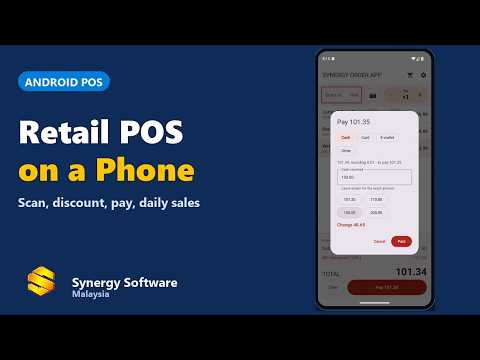
Android POS for a small retail shop
A complete POS on one Android device for a small shop.
 ▶
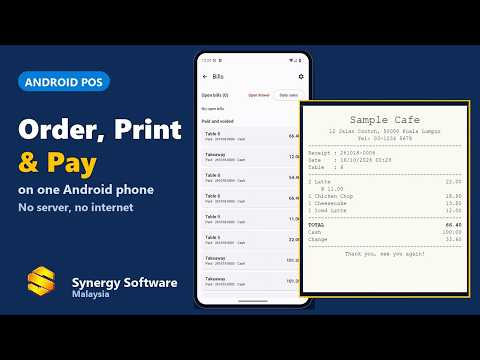
A café run from one phone
Order, slip, payment and receipt, all from one phone.
 ▶
Sell offline at a stall, then sync to head office
Open a shift, sell with no internet, print receipts, close the shift with a cash count, then send everything to head office.
 ▶
Payment: cash, card, e-wallet, split
Take every kind of payment, including split bills.
 ▶
End-of-day sales report
Daily sales summary, payments by type, items sold and the printed report with the cash count.
 ▶
See every outlet’s sales on one phone
The owner’s phone adds each branch and shows sales for all outlets or one shop.
 ▶
Illustrated screens. Sample shop data only.
Frequently asked questions
Do I need a computer to run the shop?
No. A phone or tablet with the Synergy Order App is enough to take orders, take payment, print receipts, keep stock and see reports.
What happens when the internet goes down?
The shop keeps selling. Everything is stored on the device and sent to head office when the connection returns.
Which printers can I use?
Bluetooth, network and USB receipt printers, and a label printer for barcode stickers. Please ask us on WhatsApp if you are not sure about your printer.
Can I use more than one phone or tablet?
Yes. Waiters’ phones and tablets can join the shop’s main device, so one order can be taken on a phone and paid on the counter tablet.
Can staff see everything?
No. Staff sign in with a PIN. A cashier can sell, a supervisor can approve discounts and voids, and a manager can open the settings and reports.
What if I buy a Synergy POS computer later?
The sales history from your phones can be moved into the new Synergy POS, so you do not start from zero.
Where do I start?
Message us on WhatsApp at 012-530 0800 and we will show you with your own menu.