
This guide shows you how to update Synergy StockTake, Sales, Attendance or OCR to the newest version from inside the app. The Synergy Order App has its own updater.
Before you start
- The phone must be online.
- Before updating, finish what you are doing. Send unsent orders or counts, and save finished documents to the server.
- Your data stays on the phone when you update.
Steps
1. Wait for the message
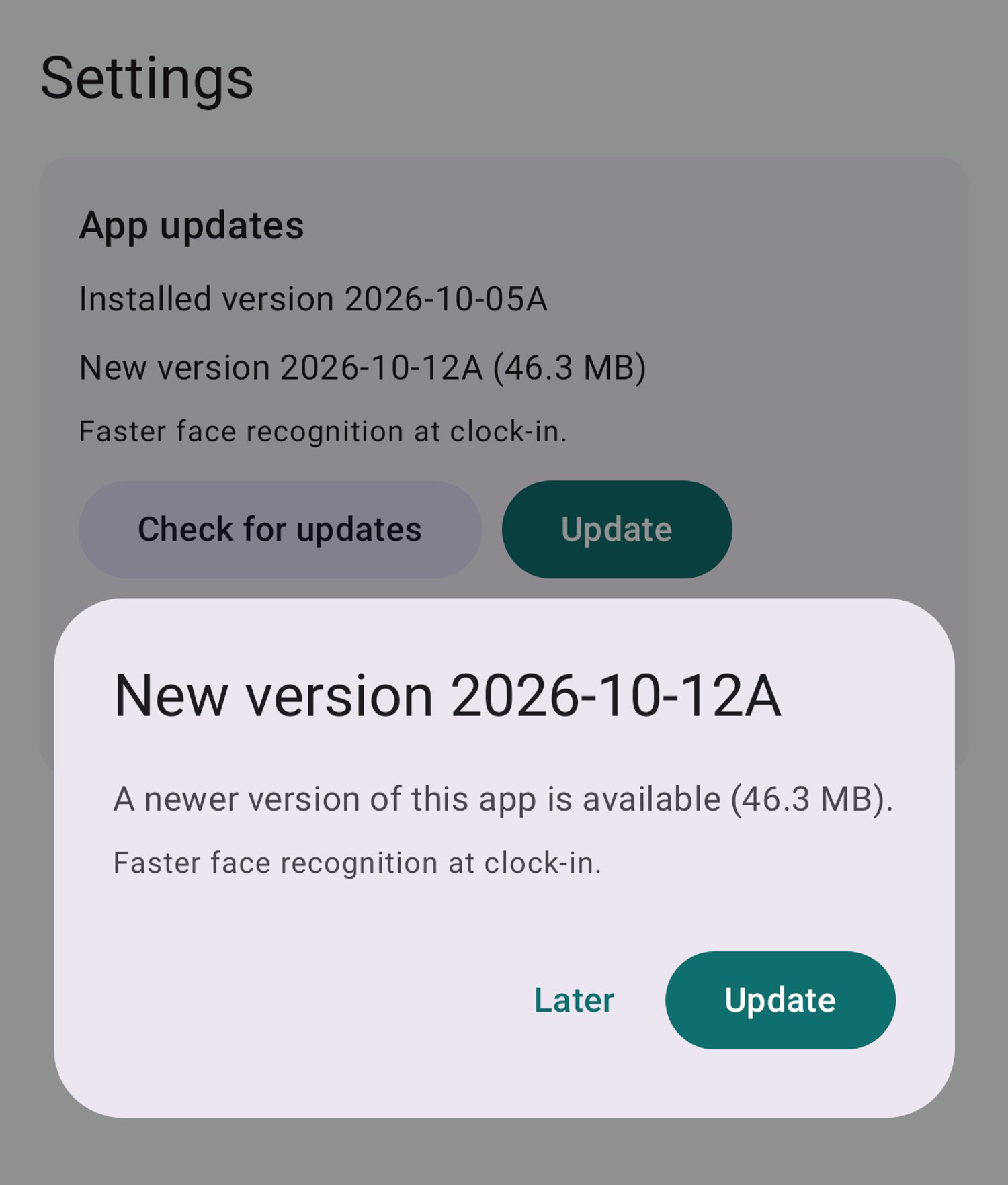
The app checks for a new version by itself. When one is found, a New version message appears with Later and Update buttons.
2. Update now or later
Tap Update to install now. Tap Later to be reminded another day; the update still shows in Settings.
3. Or check yourself
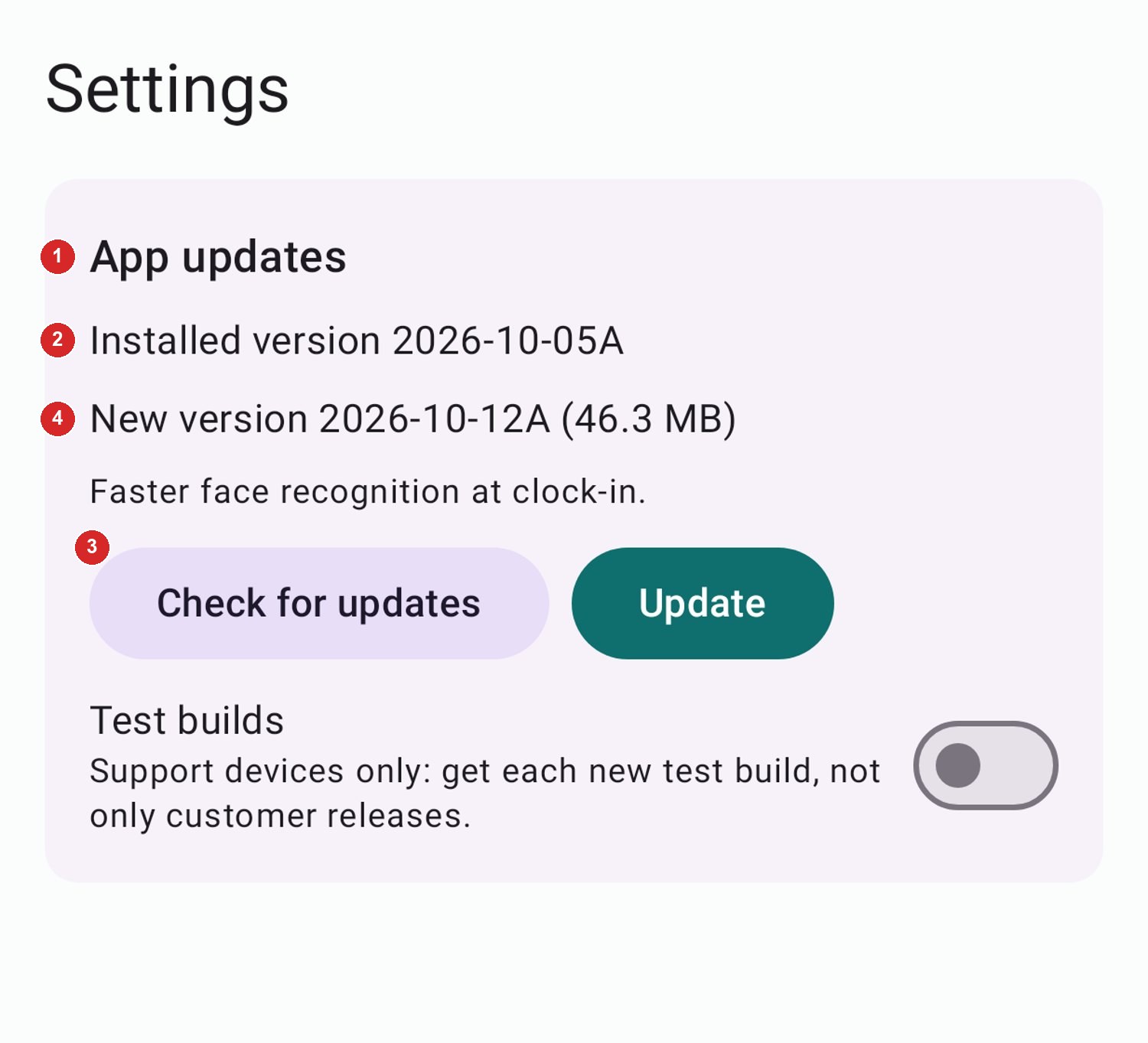
If there is no new version, it says This is the latest version.
| Step | What to do |
|---|---|
| 1 | Open Settings and look at App updates. |
| 2 | You see the Installed version. |
| 3 | Tap Check for updates. |
| 4 | If a new version is found, it shows the New version and its size. |
4. Tap Update
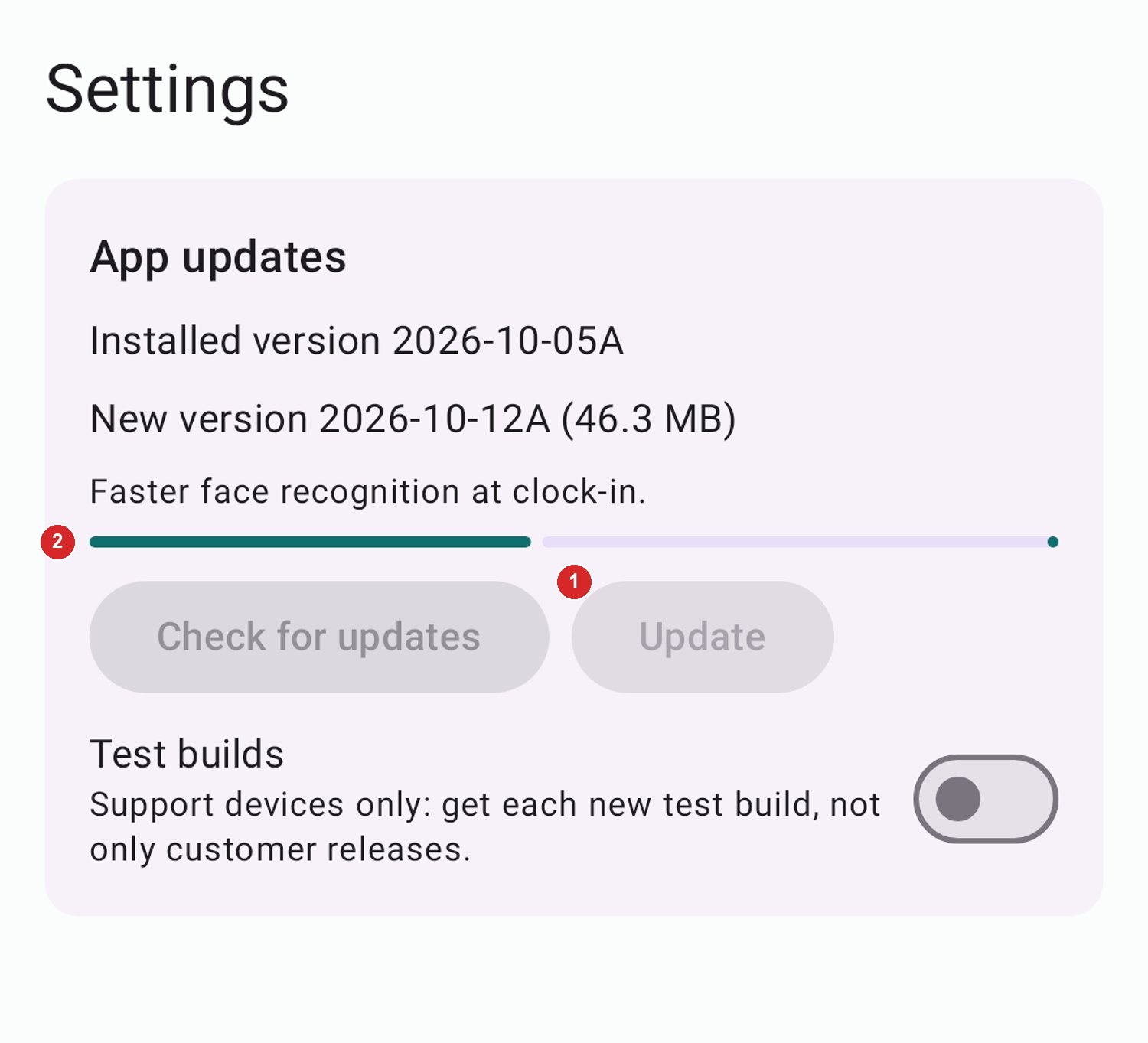
The download can carry on if it is interrupted.
| Step | What to do |
|---|---|
| 1 | Tap Update. |
| 2 | A progress bar shows the download. |
5. Allow installing if asked
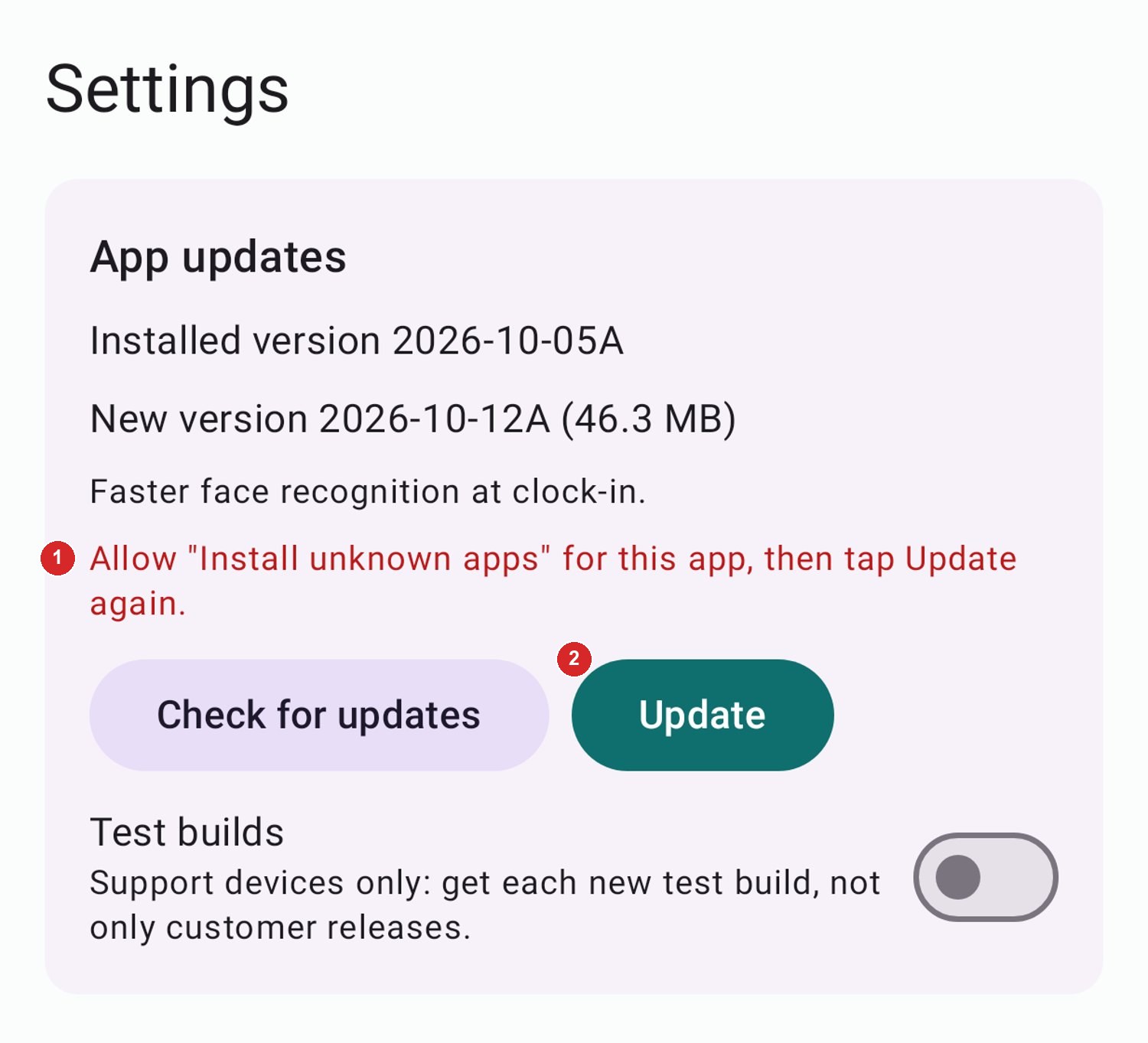
This happens the first time.
| Step | What to do |
|---|---|
| 1 | Android may say you must allow Install unknown apps for this app. Allow it. |
| 2 | Tap Update again. |
6. Install
When the download finishes, Android opens its installer. Tap Install, then open the app again.
Tips
- Android may show a Google Play Protect message the first time an app is installed outside Google Play. Ask Synergy if you are not sure.
- If you use more than one Synergy app, update each of them inside its own Settings.
- Always update to the newest version Synergy offers. Older versions may stop working with a newer server.
Common problems
“Could not reach the update site”.
The phone is offline or the update site cannot be reached. Connect to the internet and tap Check for updates again.
“The download was damaged. Tap Update to try again.”
Tap Update again. The app checks the download before installing.
“Download failed. Tap Update to try again.”
Check the internet and tap Update again.
“Could not open the installer”.
Tap Update again. If it keeps failing, open the Downloads folder and install the file from there, or ask Synergy.