
Messages you may see when preparing, saving or submitting e-invoices (MyInvois) in Synergy Acc2026, including a customer’s e-invoice request on a POS sale. Each one says what it means in plain words and the first thing to try.
Before you start
- The exact wording of the message on your screen (take a photo or a screenshot).
- The screen you were using and what you clicked just before the message appeared.
Steps
1. Invoice Total over Rm10,000 is required to Issue E-Invoice. Please tick [Request MyInvois] and enter required information.
Tick Request MyInvois on the Address tab and fill in the details with Edit MyInvois Info. Depending on your e-invoice setting, the message may ask for permission, ask you to confirm, or stop the save. Full guide: Synergy Acc2026 – Sales Invoice: Address Tab and E-Invoice (MyInvois) Details
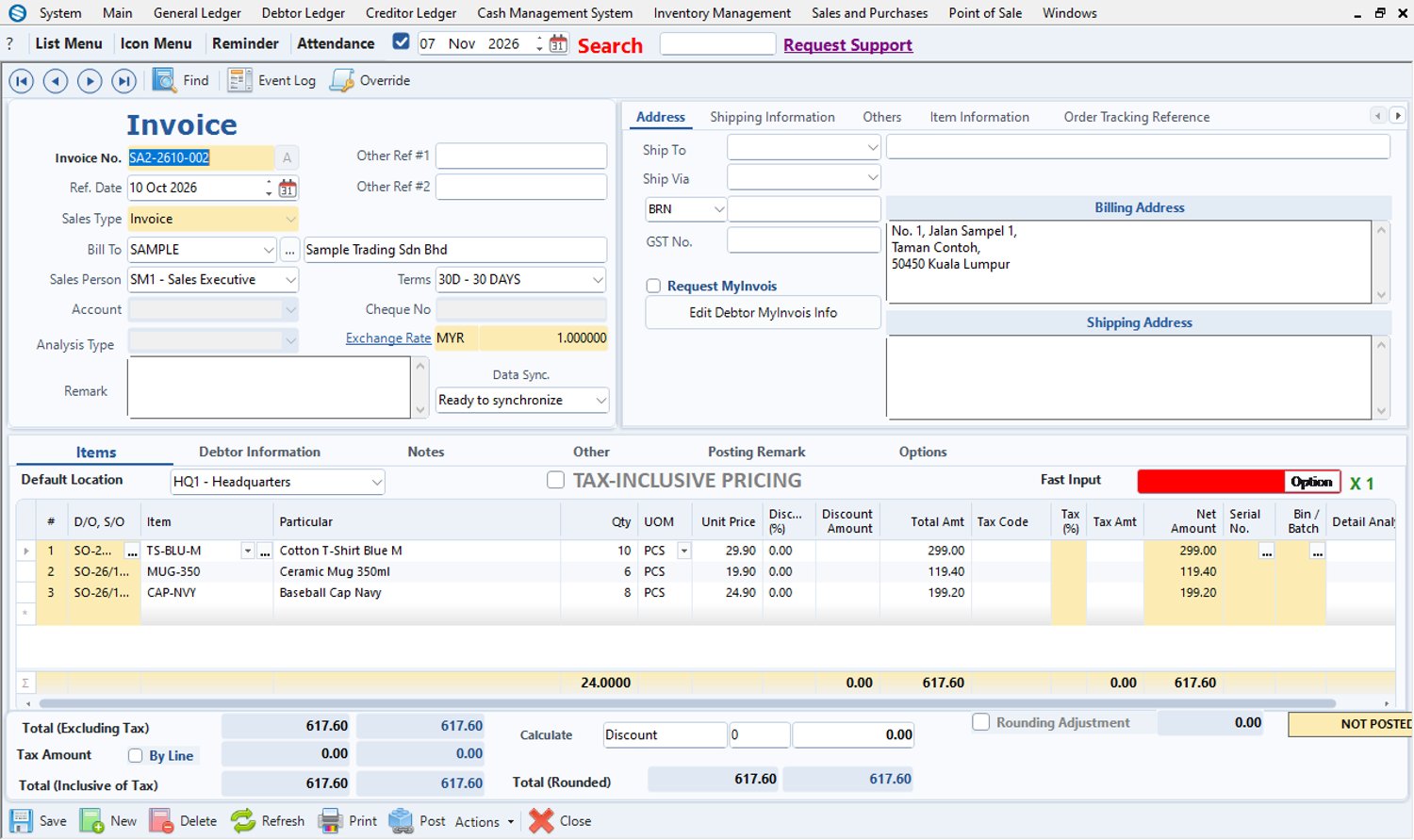
2. This transaction has items which cannot be consolidated for E-Invoice. Please tick [Request MyInvois] and fill up required fields.
The save is stopped until Request MyInvois is ticked and its details are completed on the Address tab. Full guide: Synergy Acc2026 – Sales Invoice: Header, Discount and Totals
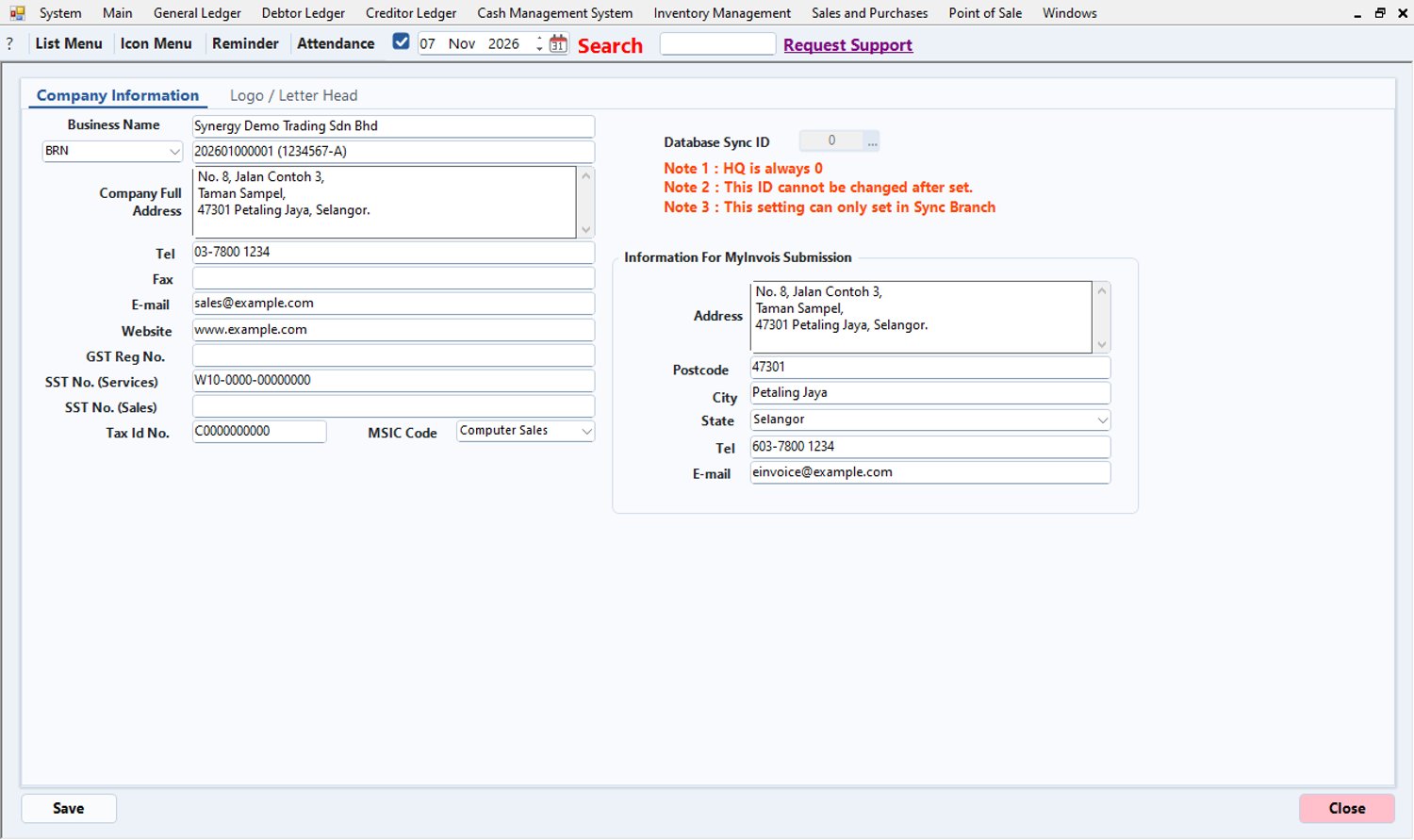
3. Company Name in License and Database is different.
Open Company Information and click Save. Otherwise submission uses the wrong name. Full guide: Synergy Acc2026 – Starting E-Invoice (MyInvois)
4. Currency Code [ ] is not a valid code recognized by LHDN.
The code is not in the list of currencies accepted for e-invoicing. You can continue, but e-invoices using it may be rejected. Use the standard international currency code. Full guide: Synergy Acc2026 – Foreign Currencies and Exchange Rates
5. Invalid BRN Type/TIN/Reg. No
The tax authority did not accept the identity type, tax number and registration number together. Check all three. Full guide: Synergy Acc2026 – Enter Customer Details and MyInvois Request on a POS Sale
6. Failed Retrieving State
This appears after Fetch Info. The state or country from the MyTax profile could not be found or added. Choose the State and Country yourself. Full guide: Synergy Acc2026 – Enter Customer Details and MyInvois Request on a POS Sale
Tips
- Read the whole message before you click OK. It often names the field or number that is wrong.
- The program shows these messages in English, so this guide keeps them in English.
- If the first fix does not work, do not retry again and again. Note the exact message text and contact Synergy support.