
Your bills, menu and settings are kept only on this device. This guide shows you where to find Backup in Settings and how to make a backup right now.
Before you start
- Open the Synergy Order App on the order screen.
Steps
1. Open Settings
On the order screen, tap the gear icon at the top right to open Settings.
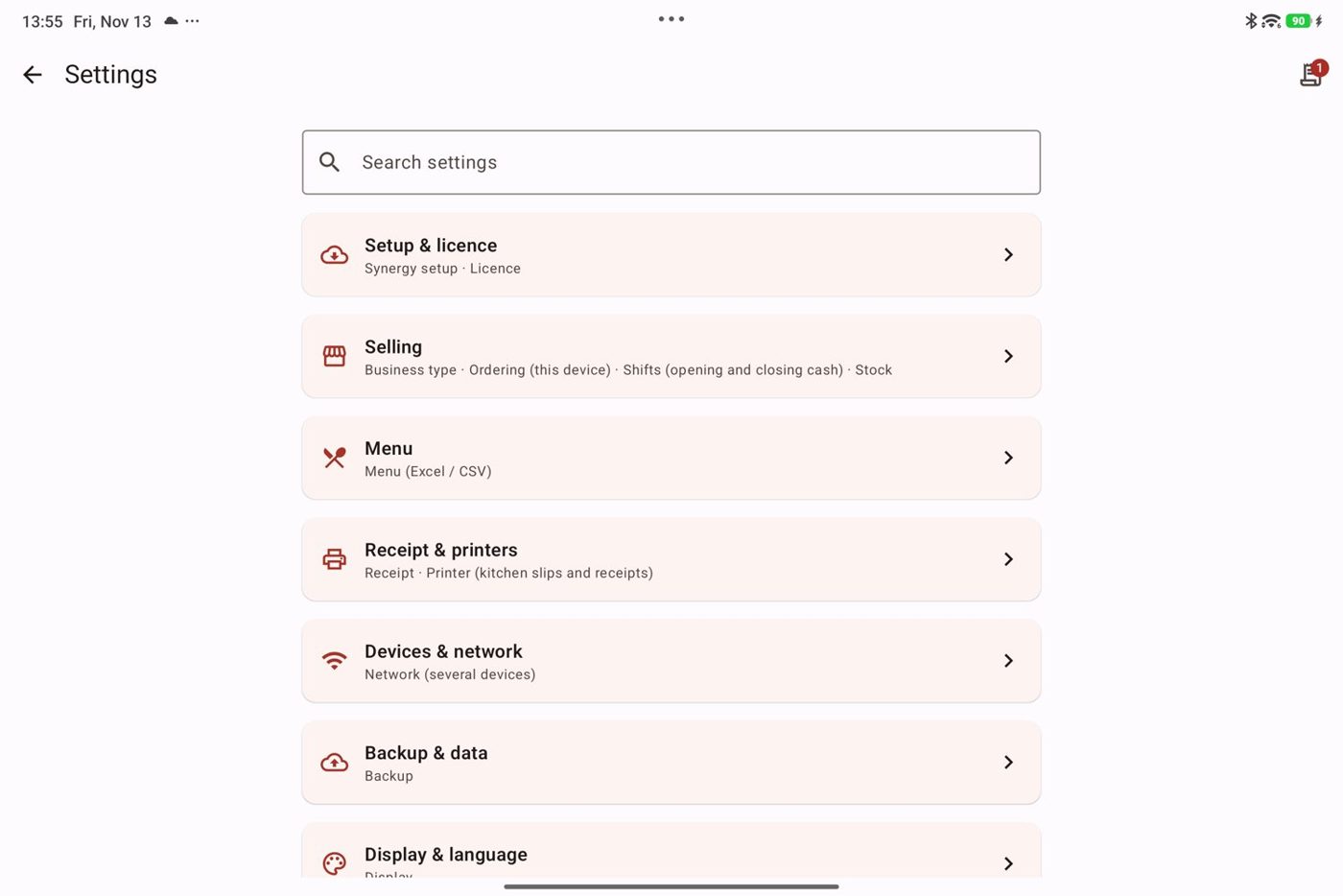
2. Open Backup & data
In Settings, open the group Backup & data and find the Backup section. A backup is made automatically every day.
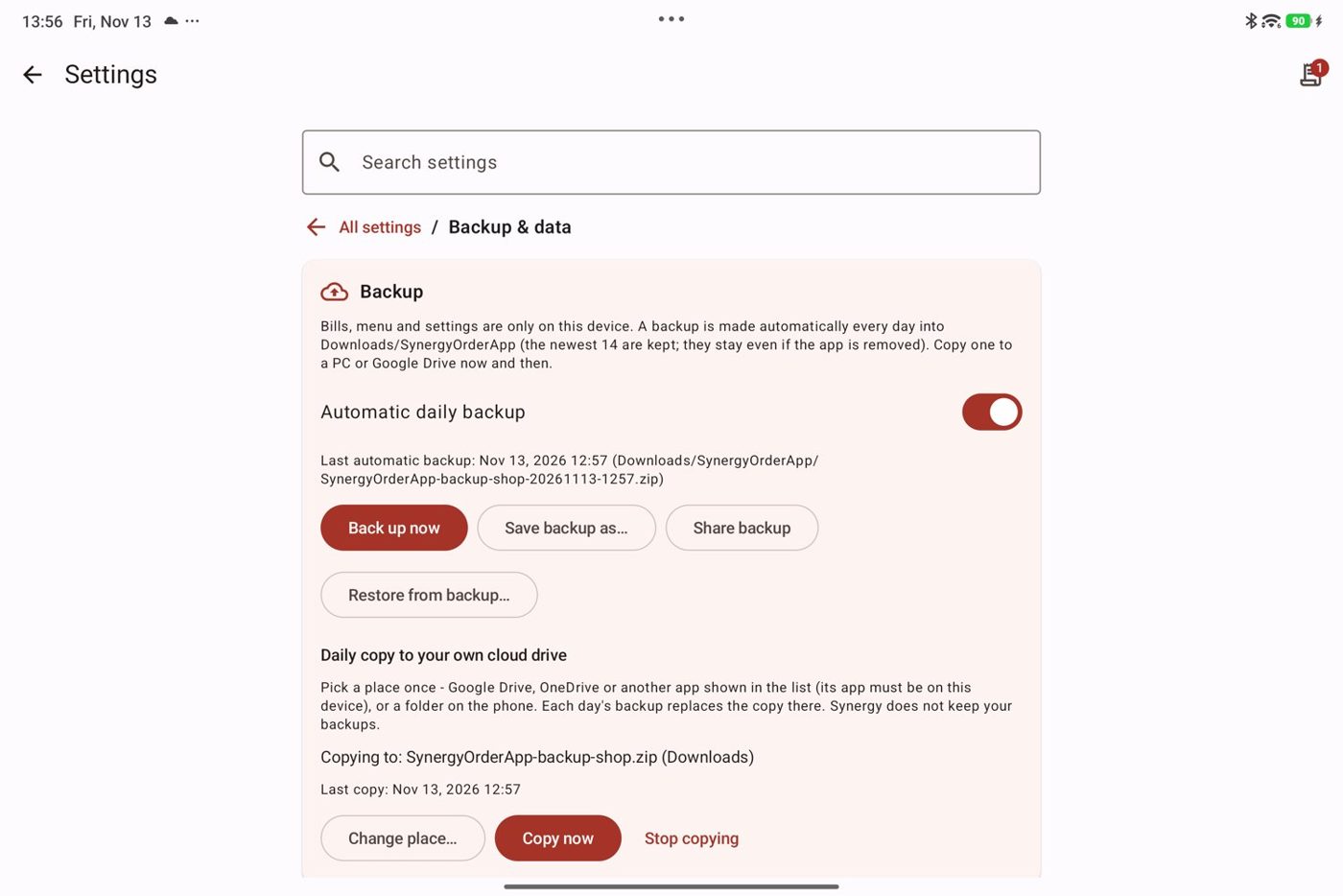
3. Make a backup now
To make a backup right away, tap Back up now.
4. Find Restore from backup
Restore from backup… is just below the other backup buttons. Only use it when you want to bring back a saved backup.
Tips
- A backup is made automatically every day into Downloads/SynergyOrderApp. The newest 14 are kept, and they stay even if the app is removed.
- Copy a backup to a PC or Google Drive now and then.
- Restore replaces all bills, the menu and the settings. The current data is saved first, and the app restarts.
Common problems
I cannot restore a backup.
A backup from a newer app version cannot be restored. Update the app first, then try again.