
A short explainer: how the app works out a bill total, when the service charge is added, and how cash is rounded to 5 sen.
Before you start
- The examples use the sample cafe menu and a service charge of 5 percent for dine-in bills.
Steps
1. Each line is worked out to the sen
Each line is the quantity times the price, worked out to the sen, and a half sen is rounded up. Here the items come to 23.80.
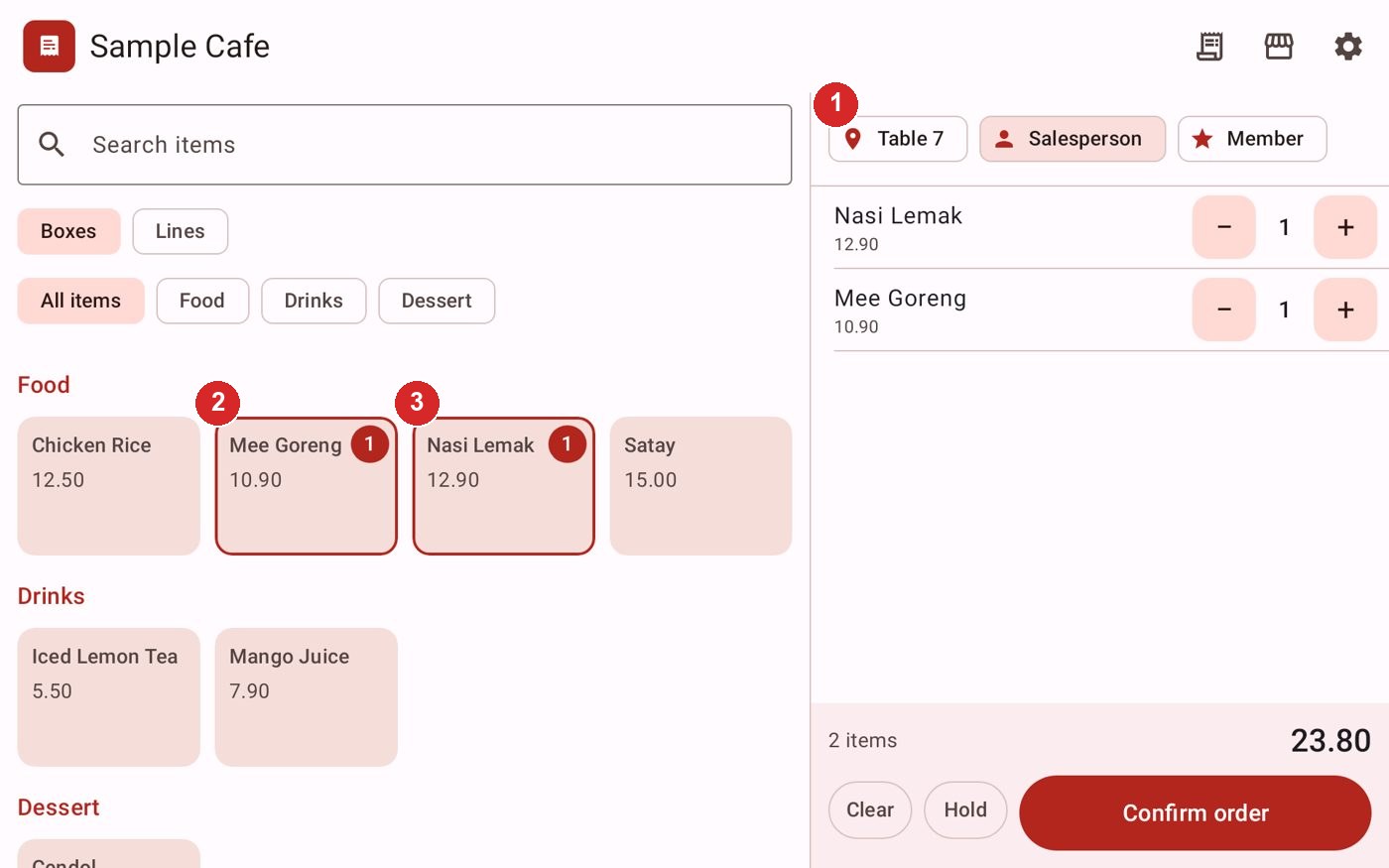
| Step | What to do |
|---|---|
| 1 | Choose the table. |
| 2 | Tap Mee Goreng at 10.90. |
| 3 | Tap Nasi Lemak at 12.90. |
2. The service charge is added
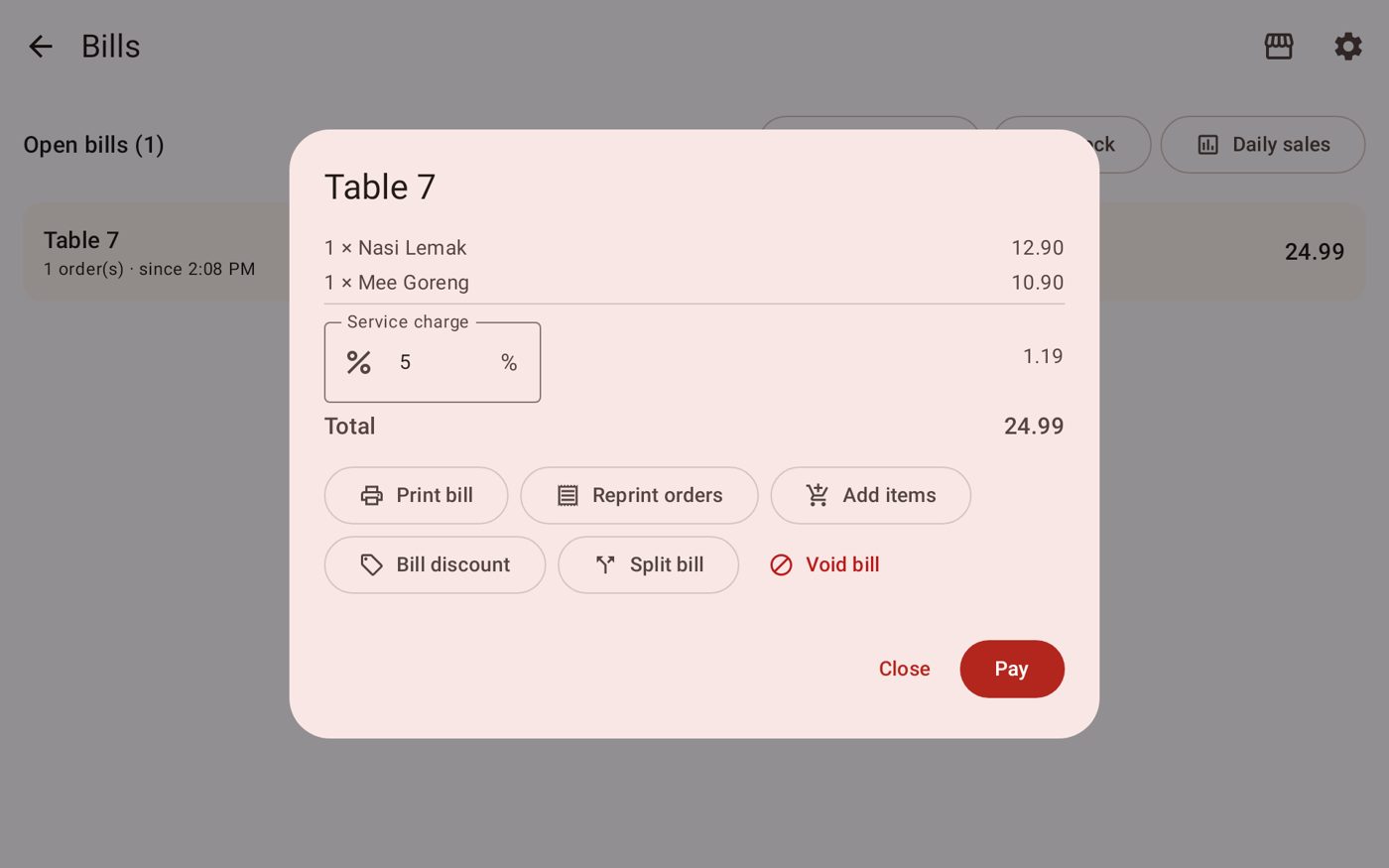
In Bills, open the bill. On a dine-in bill the service charge percent is added: 5 percent of 23.80 is 1.19, so the total is 24.99. The service charge is not taxed.
3. Cash is rounded to 5 sen
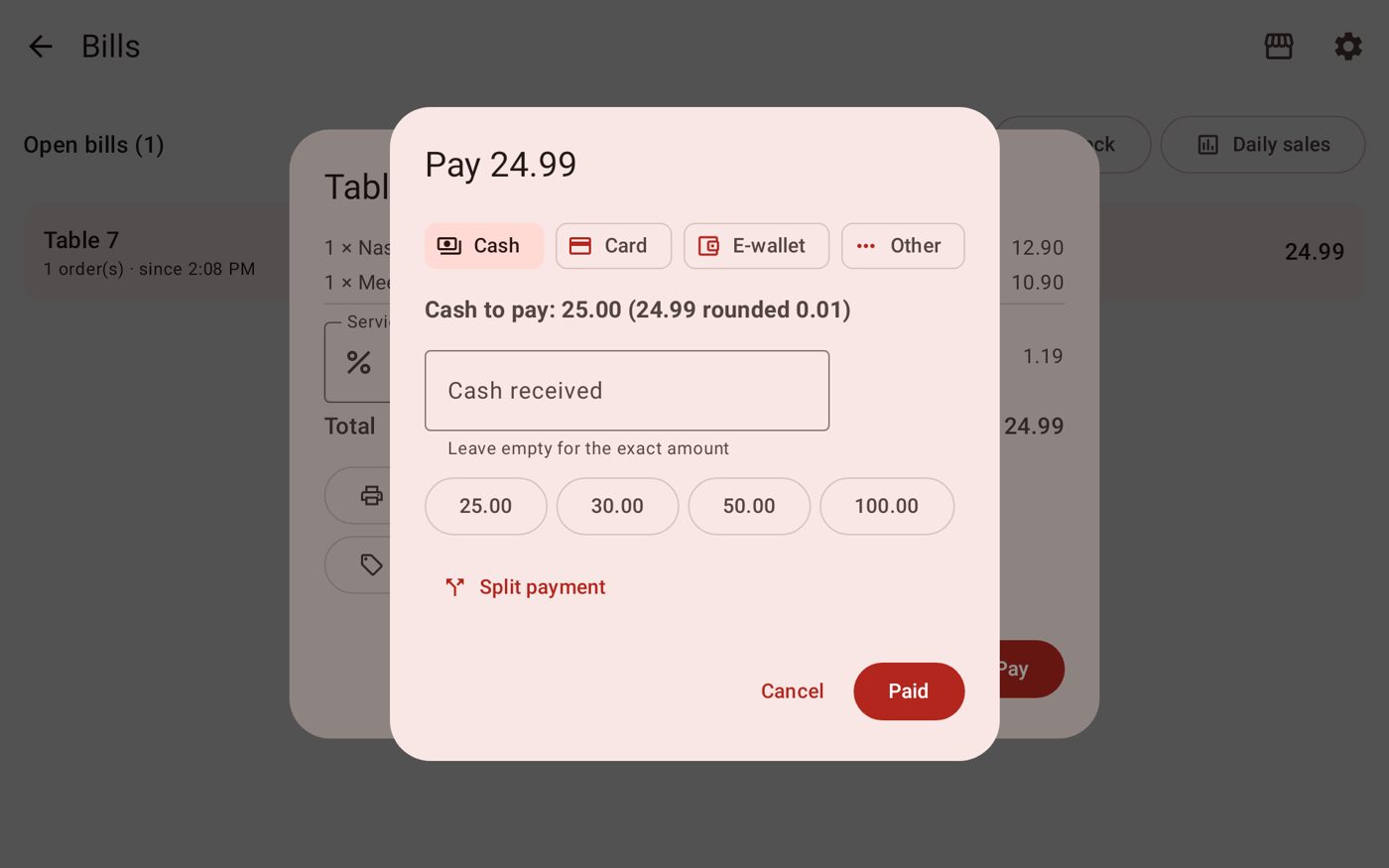
Tap Pay with Cash chosen. The window says Cash to pay: 25.00 (24.99 rounded 0.01). Cash is rounded to the nearest 5 sen.
4. Other payment types stay exact
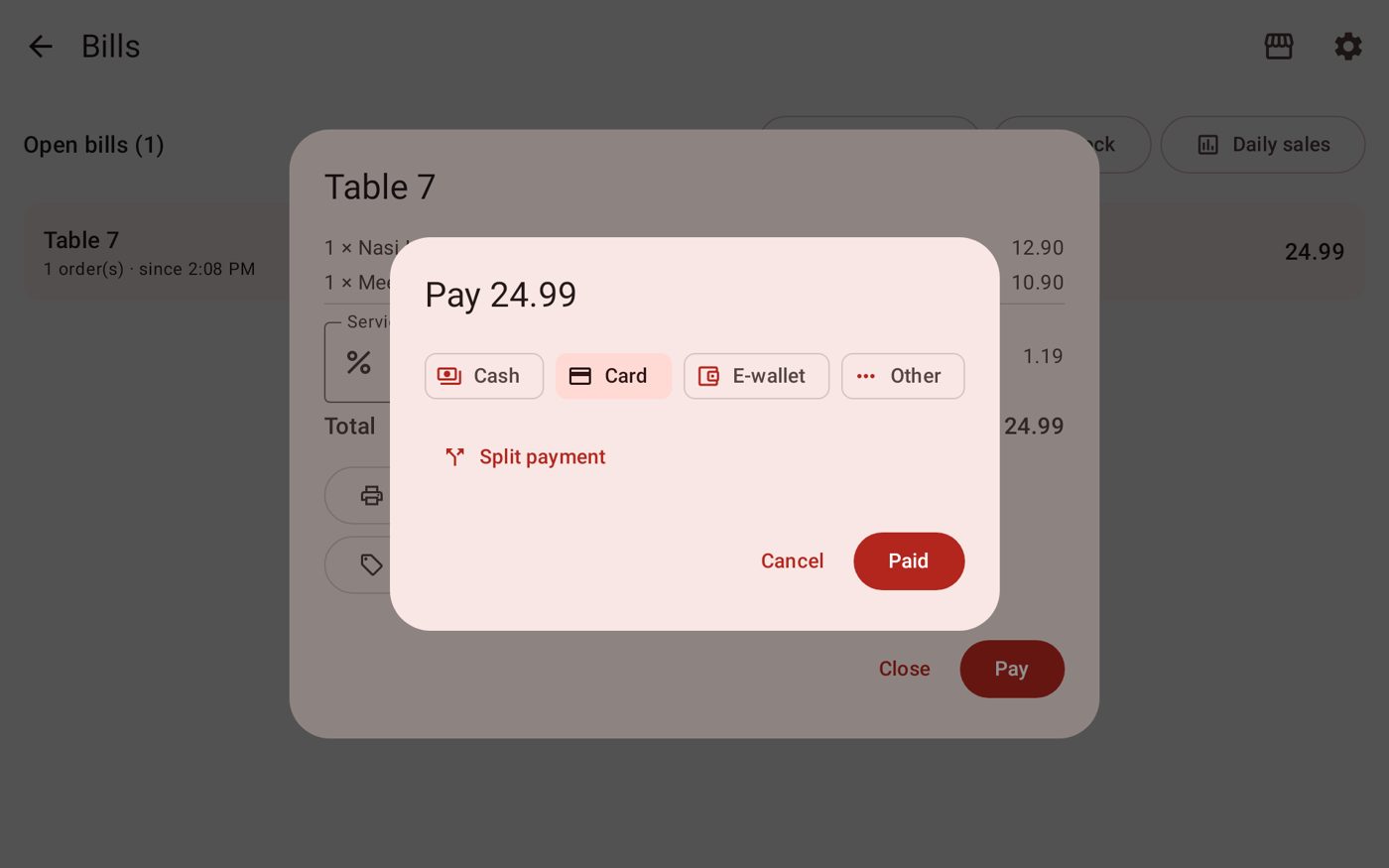
Tap E-wallet. The amount to pay stays exact, 24.99. The title of the window, Pay 24.99, is always the exact total.
5. Split payments
When a bill is paid in parts and one part is cash, the whole bill is rounded to 5 sen. The guide Paying One Bill by Cash and E-wallet shows how.
6. Switch the rounding off
Round cash payments to 5 sen is a switch in Settings > Receipt & printers > Receipt. Switch it off if cash should be paid to the exact sen.
Tips
- The rule: x.x1 and x.x2 go down to x.x0. x.x3 and x.x4 go up to x.x5. x.x6 and x.x7 go down to x.x5. x.x8 and x.x9 go up to the next x.y0. For example 6.62 is paid as 6.60 and 6.63 as 6.65.
- The service charge for dine-in bills is set in Settings > Receipt & printers > Receipt. Each bill can change the percent, and takeaway bills start without a service charge.
- Each item has its own Tax % and a Price includes tax switch in Back Office > Items. A discount lowers the amount that the tax is worked out on.
Common problems
The cash total is a few sen different from the bill total.
Cash is rounded to 5 sen. Pay with another payment type for the exact amount, or switch the rounding off in Settings > Receipt & printers > Receipt.
My own sum is 1 sen different from the bill.
The app rounds every line to the sen before it adds them up, and a half sen is rounded up. Work out each line to the sen first.