
After branch sales have been synchronised to head office, this guide shows how to turn them into Sales invoices and Credit Notes in the accounting system, and how to undo a posting if needed.
Before you start
- The branch sales for the day must already have been uploaded to head office.
- You need an automatic numbering set up for Sale Reference No. and another for Credit Note. Manual numbering is not accepted.
Steps
1. Open Post Transaction
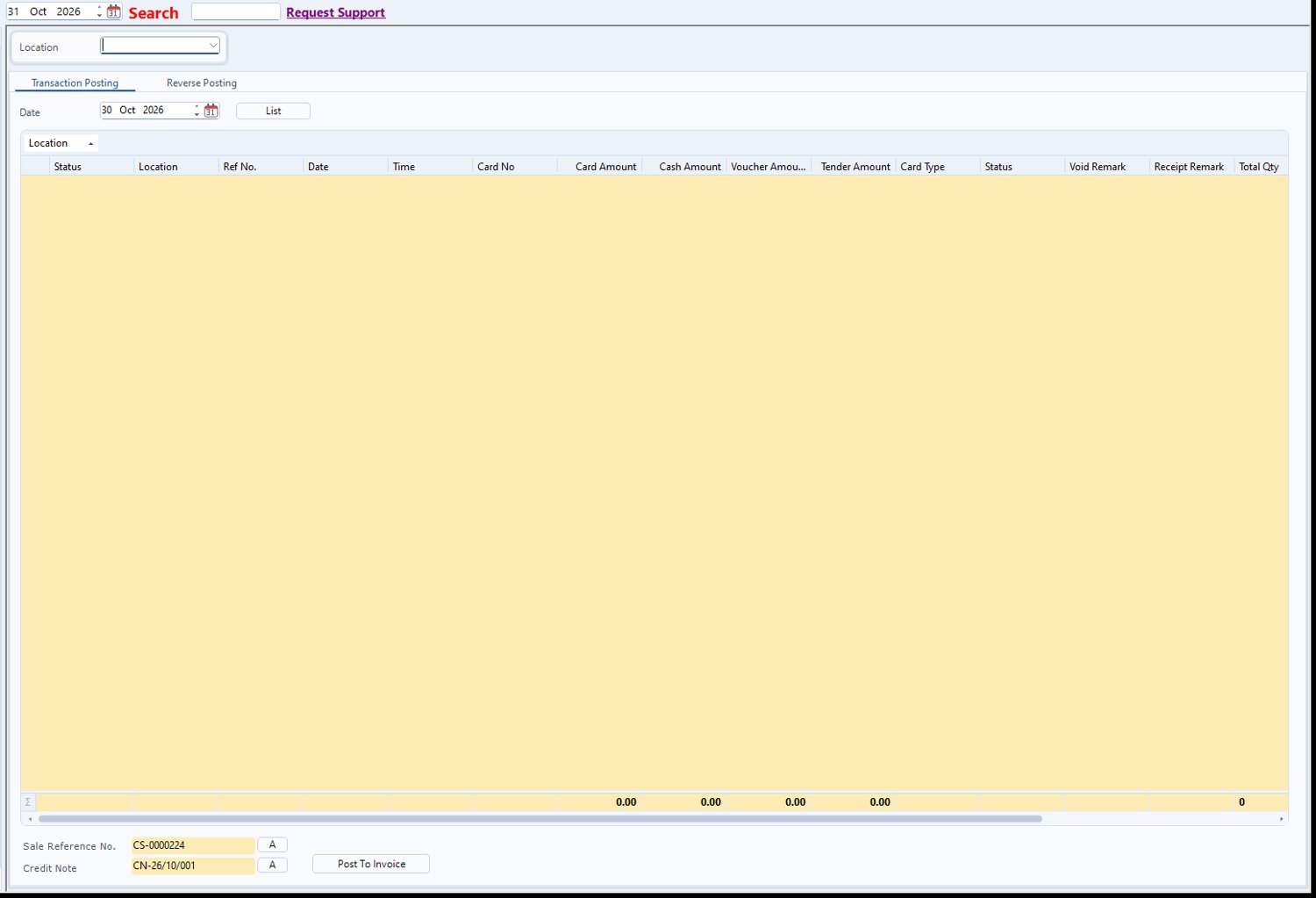
Go to Sales and Purchases > POS Integration > Post Transaction. Open the Transaction Posting tab.
2. Choose the location and date
Choose the Location (branch). Set the Date. It starts as yesterday.
3. List the days waiting
Click List to see the POS days waiting for posting. Rows that are already posted are shown in a different colour.
4. Choose the numbering
Choose the numbering for Sale Reference No. and for Credit Note. Both must be an automatic numbering. Your choice is remembered for next time.
5. Post to invoice
Click Post To Invoice and answer Do you want to post Sales/CN for the selected date? Wait for Transaction posted successfully.
6. To undo, open Reverse Posting
Open the Reverse Posting tab. Set Date From and Date To (both start as yesterday) and click List.
7. Reverse the posting
Tick the days to reverse, click Reverse Posting and answer Do you want to reverse selected transaction? Wait for Transaction reversed successfully.
Tips
- The Location list depends on the locations your user is allowed to see.
- If one location fails when posting, its error is shown and the other locations carry on.
Common problems
Please select Auto Reference Number for Sales (or for Credit Note)
The numbering is still on manual. Pick an automatic numbering for both Sale Reference No. and Credit Note.
No Transaction to post
Nothing is available for that date. Check that the branch has uploaded the day and that it is not already posted.
No transaction to reverse.
The list is empty or no day was ticked. Set the dates, click List and tick the days to reverse.
A day is missing from the list.
It may not have been uploaded from the branch yet, or it is already posted.