
Use this guide when you want to add text such as terms and conditions to the receipt, the format is lost on reprint, the print is blurry or very light, or you want to change the font or layout. Receipt reports are fixed layouts, so a few changes need Synergy support.
Before you start
- Know the paper: 58mm, 80mm thermal or A4.
- Know whether it is the main PC or a client PC.
- Know which receipt: tax invoice, simple tax invoice, delivery order or petty cash voucher.
Steps
1. Add terms and conditions or other wording
Open the POS hardware settings: go to Point of Sale > Point of Sale Setup > Point of Sale Settings.
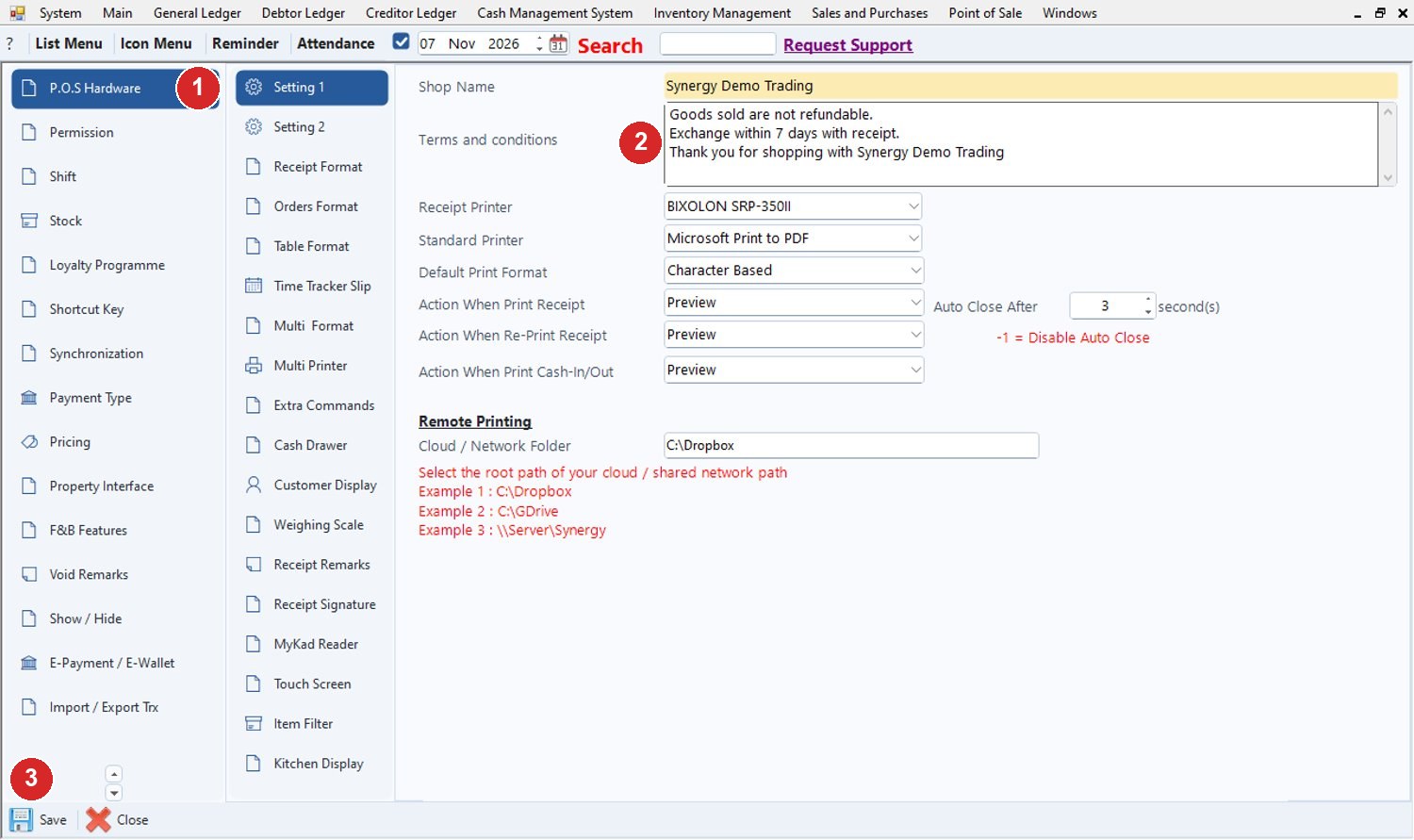
| Step | What to do |
|---|---|
| 1 | Click P.O.S Hardware in the menu on the left, then open the Setting 1 tab. |
| 2 | Type the text in the Terms and conditions box. |
| 3 | Click Save. |
2. The format is lost when you reprint
Tick the user-defined format option in the setting and in Reprint, so a reprint keeps the format. Make sure the receipt format is set on both Tax Invoice and Simple Tax Invoice: copy the format across.
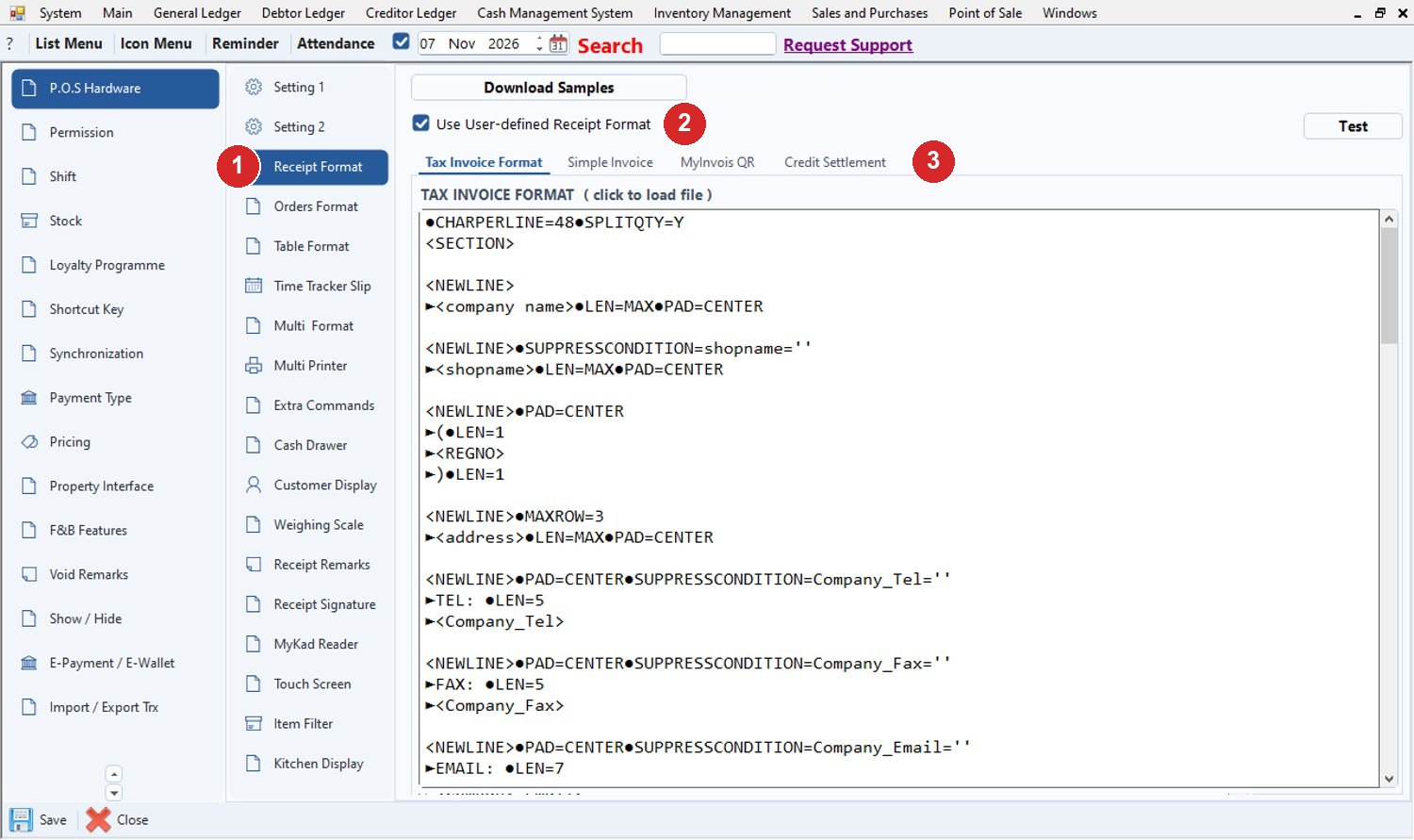
| Step | What to do |
|---|---|
| 1 | Open the Receipt Format tab. |
| 2 | Tick Use User-defined Receipt Format. |
| 3 | Check the format on the Tax Invoice Format tab and on the Simple Invoice tab too, then click Save. |
3. Change the font size
For font size, use the detail size in the report setting.
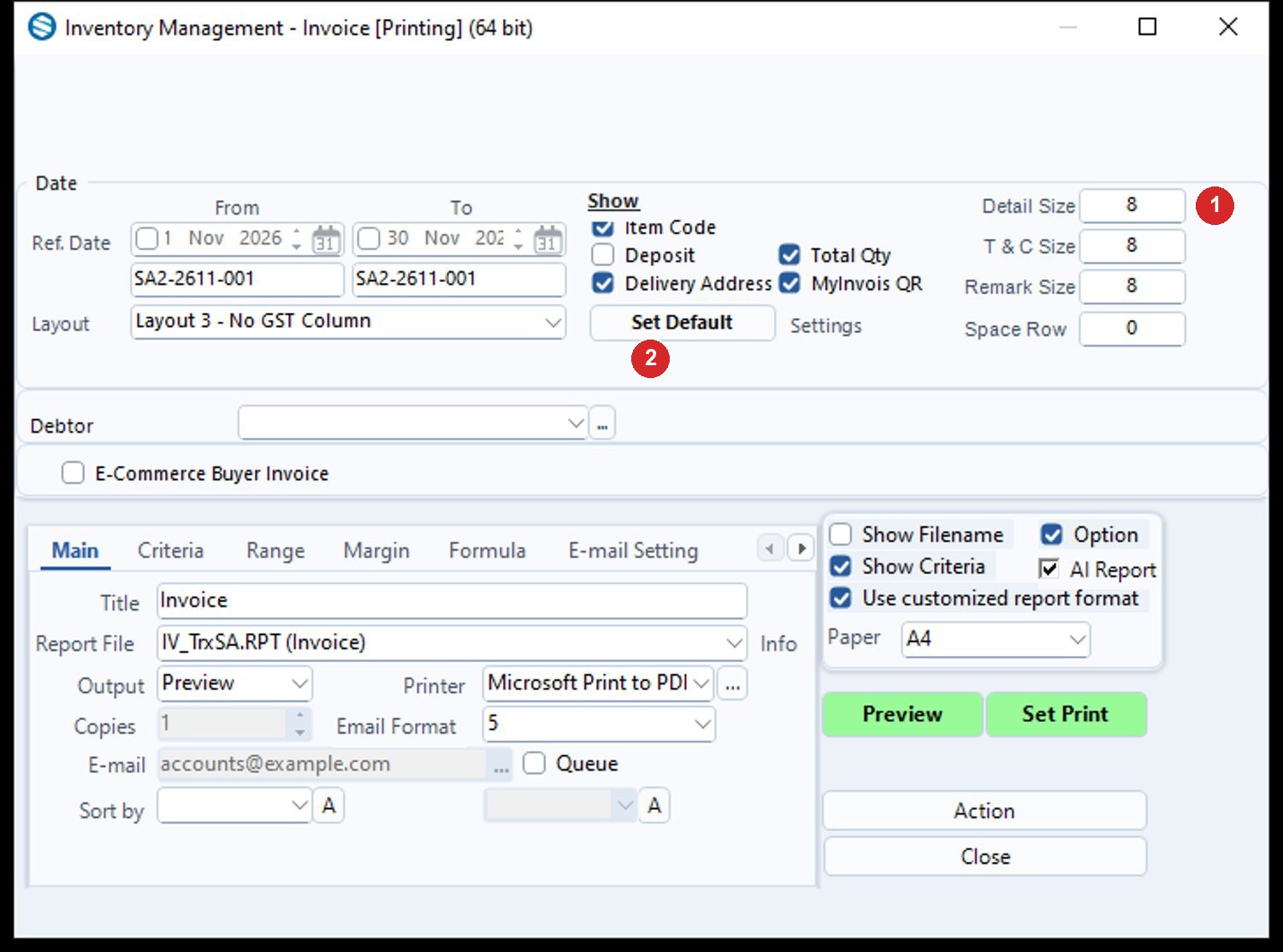
| Step | What to do |
|---|---|
| 1 | Set the detail size in Detail Size. |
| 2 | Click Set Default. |
4. The receipt prints very light
Tick use customized report and choose A4 paper. A report font that supports a Chinese shop name cannot be changed.
5. Remove the member points total
The member points total is fixed and cannot be removed from the printout.
6. Centre the name, registration number or address on an 80mm bill
This needs the technical team to update the report. Send Synergy support a screenshot of the print and the paper size.
Tips
- Thermal printing has limits, so a logo can look blurry.
- A ‘user defined’ message that keeps appearing, or a lost format on reprint, usually means the user-defined format option is not ticked.
- For a printer that will not print or paper that is cut off, read “Synergy Acc2026 – Fixing a Printed Layout”.
Common problems
A change you need is not possible in the settings.
Contact Synergy support. For a logo or layout change, send a screenshot of the print and the paper size.