
This guide shows how to use your own receipt layout instead of the standard one, and how to set the four signature corners of A4/A5 receipts.
Before you start
- Know which layout you want to change: Tax Invoice Format, Simple Invoice, MyInvois QR or Credit Settlement.
- Your shop name placeholder must stay in the Tax Invoice and Simple Invoice layouts.
Steps
1. Open the Receipt Format tab
From the menu, go to Point of Sale > Point of Sale Setup > Point of Sale Settings.
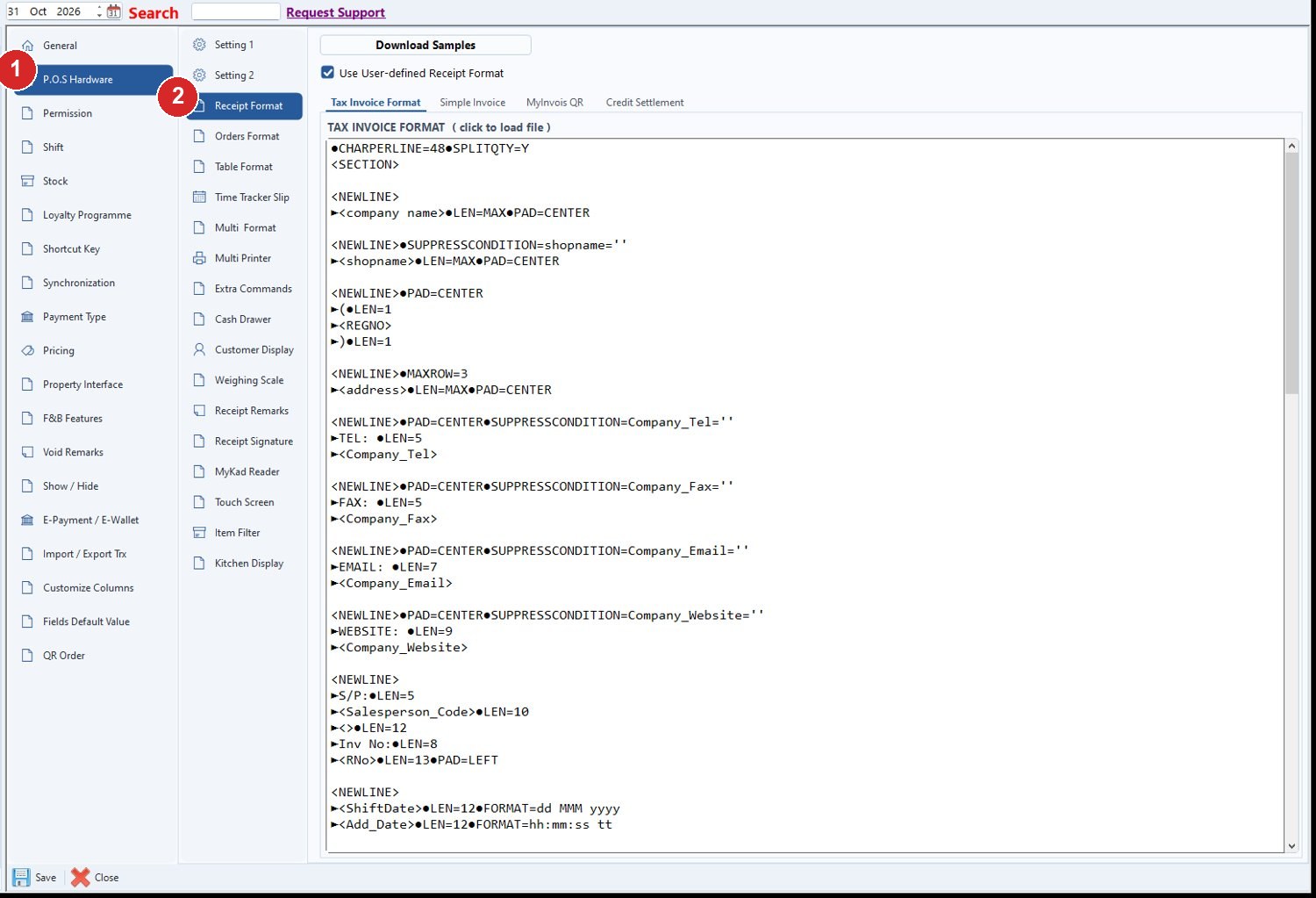
| Step | What to do |
|---|---|
| 1 | Open the P.O.S Hardware tab. |
| 2 | Then open the Receipt Format tab. |
2. Download the samples
Click Download Samples. Samples downloaded. appears when it is finished. If you click a layout link first, the message No sample files found. Please download first. appears.
3. Open the layout you want
The tab has four sub-tabs: Tax Invoice Format, Simple Invoice, MyInvois QR and Credit Settlement. Open one and click its link (for example TAX INVOICE FORMAT ( click to load file )) to load the layout file, then edit it.
4. Keep the shop name placeholder
The Tax Invoice Format and Simple Invoice layouts must contain
5. Switch on your own layout
Tick Use User-defined Receipt Format. When it is not ticked, the standard receipt is used.
6. Preview
Click Test to preview the Tax Invoice format.
7. Fill in the signature corners
Type the text for each corner you want.
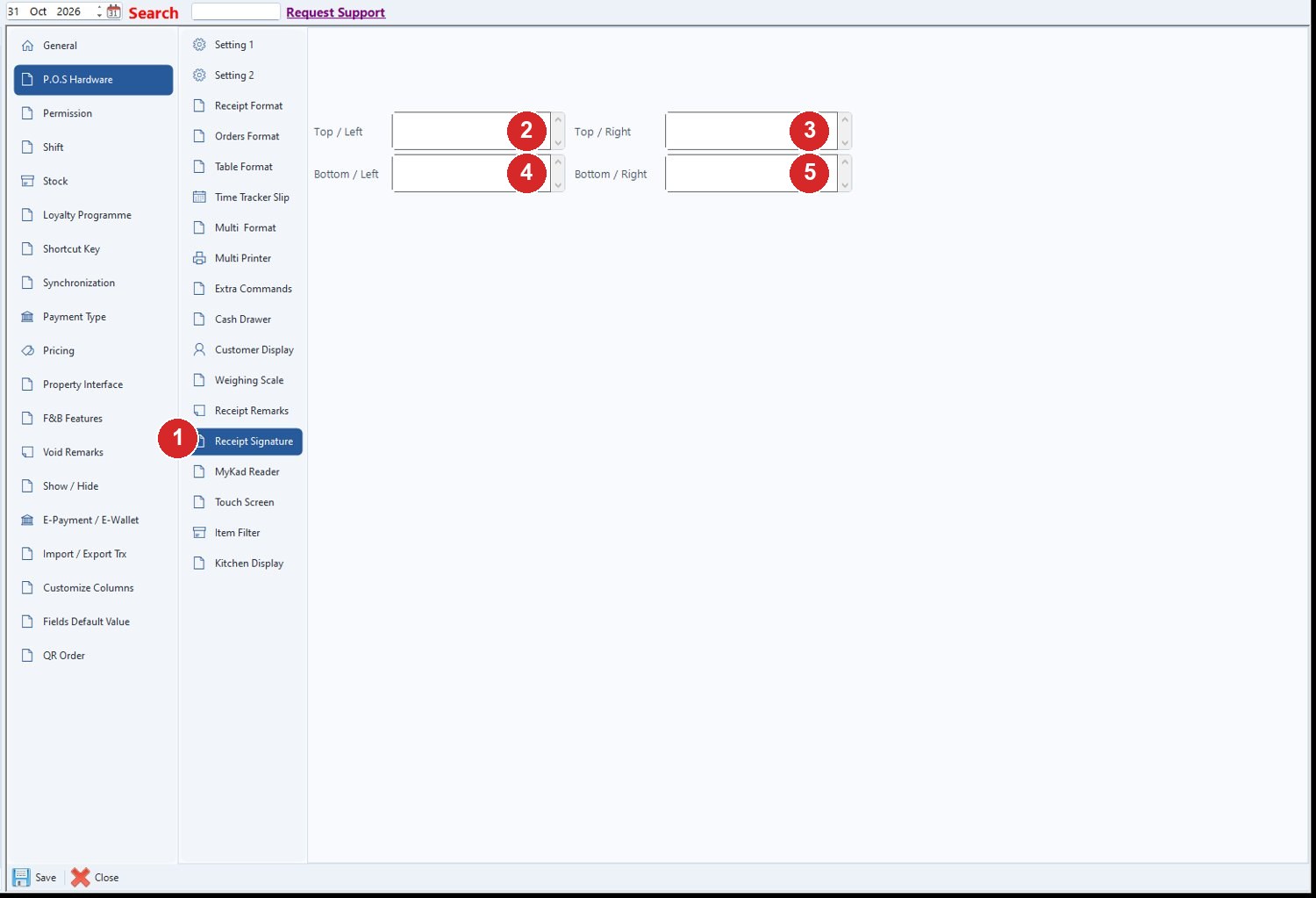
| Step | What to do |
|---|---|
| 1 | Open the Receipt Signature tab under P.O.S Hardware. |
| 2 | Type the text for Top / Left. |
| 3 | Type the text for Top / Right. |
| 4 | Type the text for Bottom / Left. |
| 5 | Type the text for Bottom / Right. |
8. Switch on the signature
Open the Setting 2 tab under P.O.S Hardware and tick Print Signature. The screen note says this is only for A4/A5 format.
9. Save
Save. If asked, choose Use [User-defined Receipt Format] or Use Built-in Format (Not Recommended). Then print a receipt to check the result.
Tips
- The shop name check is done only when your licence has a shop name and the layout text is longer than 10 characters.
- If you tick Use User-defined Receipt Format but both layouts are empty, the box is switched off when you save.
Common problems
Cannot save the receipt layout
Make sure the Tax Invoice and Simple Invoice layouts contain
The signature text does not appear on the receipt
Check that you saved, that Print Signature is ticked on the Setting 2 tab, and that the receipt is in A4/A5 format.