
Numbering rules that use the month or year in their prefix can be set back to number 1 for a new month or year. This guide shows how to reset several of them in one go.
Before you start
- Numbering rules must already exist, and their prefix must contain a month marker (
) or a year marker ( or ).
Steps
1. Open the reset screen
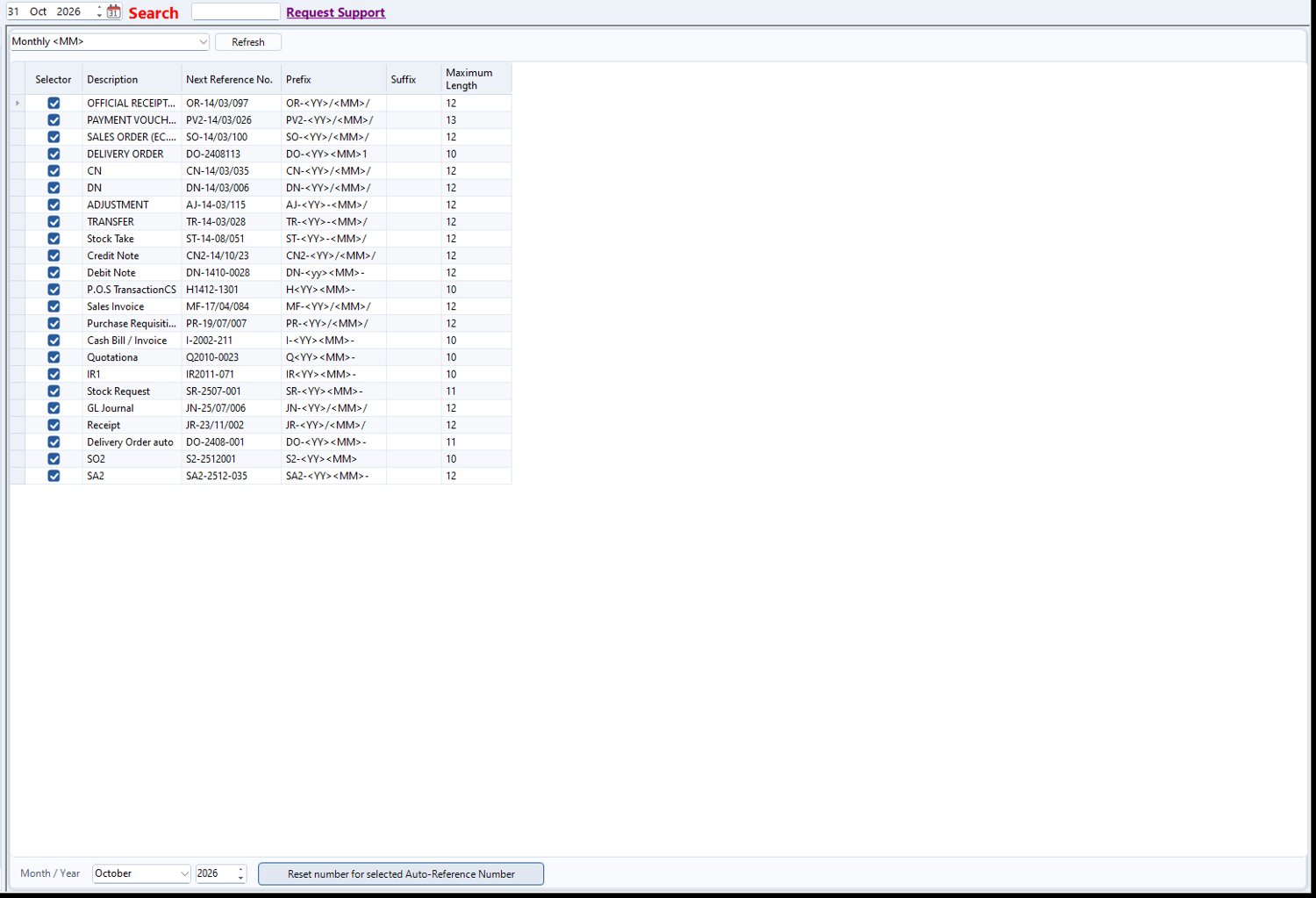
From the menu, go to Main > Shared Masterfile > Auto Reference Reset.
2. Choose the kind
Choose Monthly
3. Set the period
Set Month / Year to the period you are resetting to. It starts at the system date.
4. Select the rows
Every row starts selected. Untick the rows you do not want to reset.
5. Click Reset
Click Reset number for selected Auto-Reference Number. Read the question, which names the month and year, and answer Yes.
6. Check the result
When the work finishes you see Done. and the list is reloaded.
Tips
- Monthly lists the rules whose prefix has the month marker. Yearly lists the rules whose prefix has the year marker but no month marker.
- The running number of each reset rule goes back to 1, with the new next number built from the rule’s prefix, suffix and length.
Common problems
A numbering rule is not in the list.
Its prefix may have no month or year marker, or it belongs to the other kind. Change the kind and click Refresh.
No Auto Reference selected.
You confirmed but no row was ticked, so nothing was reset. Tick the rows and try again.
Numbers restarted at the wrong period.
Check the Month / Year value before you confirm. Answer No to the question if it is wrong.