
When you try to do something your own user ID is not allowed to do, the program lets someone with the right permission approve it. This guide covers both sides: the person who needs the approval, and the approver who answers the requests.
Before you start
- The approver must be a user who holds the permission that is missing.
Steps
1. Choose how to get approval
When the Override Permission screen appears, choose Manual Override if an authorised person is next to you, or Remote Override Upon Saving Record to ask for approval from another computer.
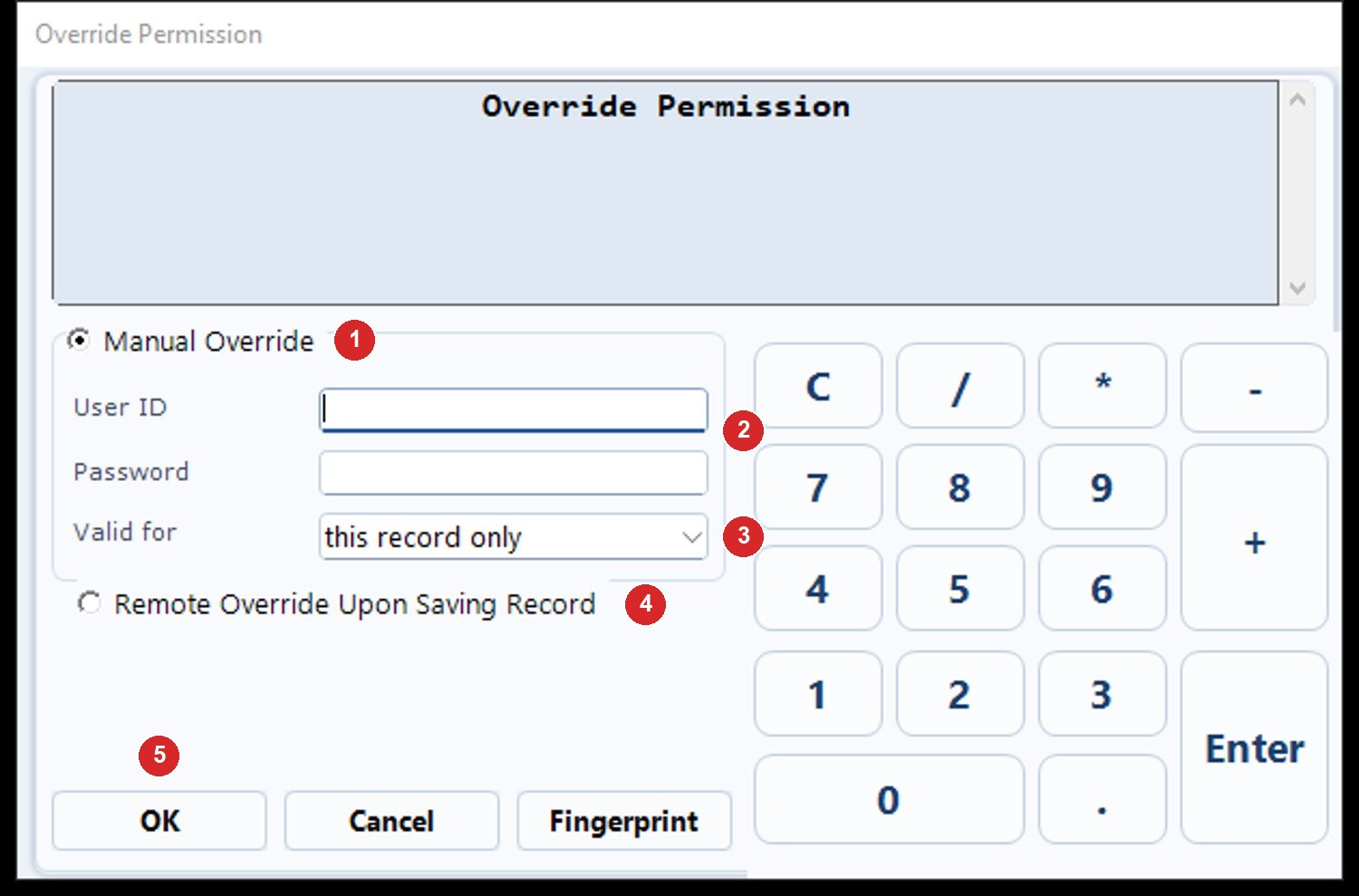
| Step | What to do |
|---|---|
| 1 | Manual Override when an authorised person is next to you. |
| 2 | User ID and Password of the authorised person. |
| 3 | Valid for: this record only, or all records until form is closed. |
| 4 | Remote Override Upon Saving Record: the request is sent when you save; the approver answers from their own PC. |
| 5 | Click OK. |
2. Wait for the answer
The button Check for response shows a countdown and the screen checks again by itself every 30 seconds. You can click Check for response at any time. When the approver approves, the screen closes and you can carry on. Click Cancel to withdraw the request.
3. Approver: open the requests
The approver goes to Main > Application Security > Override Permission (Request Approval) and clicks a request.
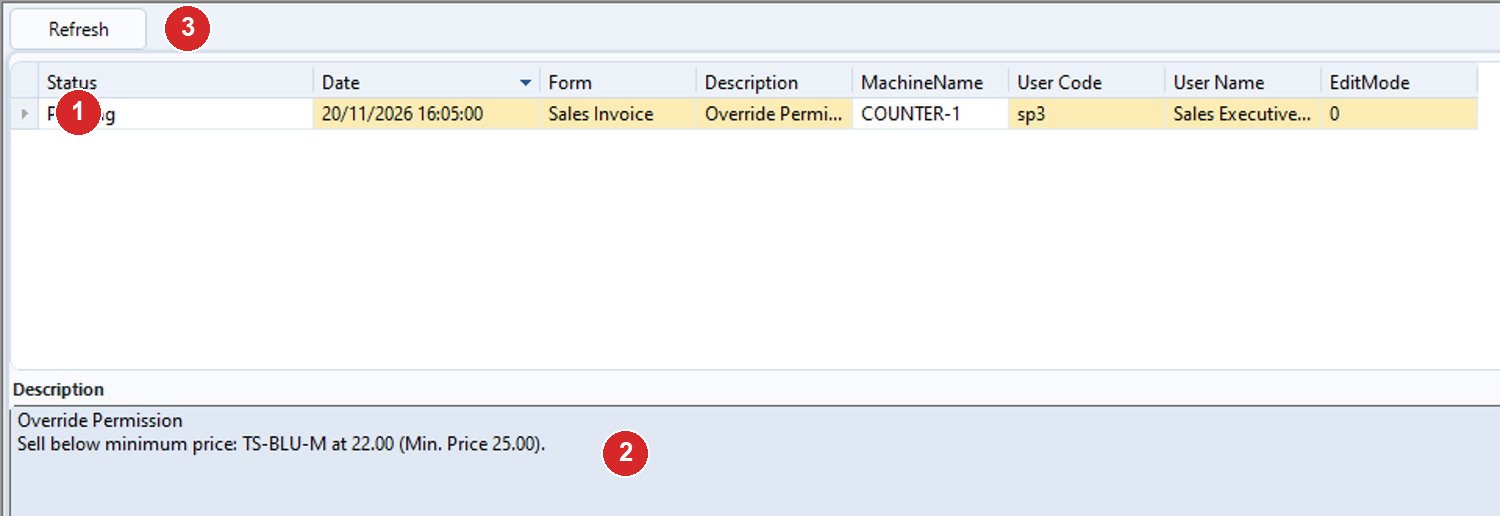
| Step | What to do |
|---|---|
| 1 | Status: choose the decision (Valid for single transaction, Valid till form is closed or Deny Request) for each Pending request (here sp3 asking from COUNTER-1). |
| 2 | Description: what is being asked (here selling TS-BLU-M below its minimum price). |
| 3 | Refresh loads newly arrived requests. Click Save to send the decisions. |
Tips
- With Remote Override, the approval is valid for one transaction only, depending on the approver’s choice.
- The approver’s Password boxes are only used for Manual Override. The Remote option does not show them.
Common problems
Nothing happens when I click OK in Manual Override.
The User ID or Password is probably wrong, or that person does not hold the permission. Try again with another authorised user.
The approval stopped working on the next record.
Valid for was left on this record only. Choose all records until form is closed next time, if that is acceptable.
The request keeps waiting.
Ask the approver to open Request Approval and click Refresh.
Your request has been denied, or denied/expired.
The approver refused, or the request no longer exists. Click Request for Override again.
The approver’s decision was not applied.
The approver must change the status of the request and then click Save. Rows that were not changed are skipped.