
Use this guide when a message says the contract or licence has expired and you cannot submit e-invoice, upload or download sales, or run the POS. An expired maintenance contract is the usual reason. For other licence and update problems, see the guide “Synergy Acc2026 – What To Do When an Update or a New PC Does Not Work”.
Before you start
- Your licence number (shown in License Information).
- The company name for the renewal quotation.
- Proof of payment, once you have paid the renewal.
- Which PCs are affected: one counter, all counters, or the branches.
- A screenshot of the message.
Steps
1. Note your licence number
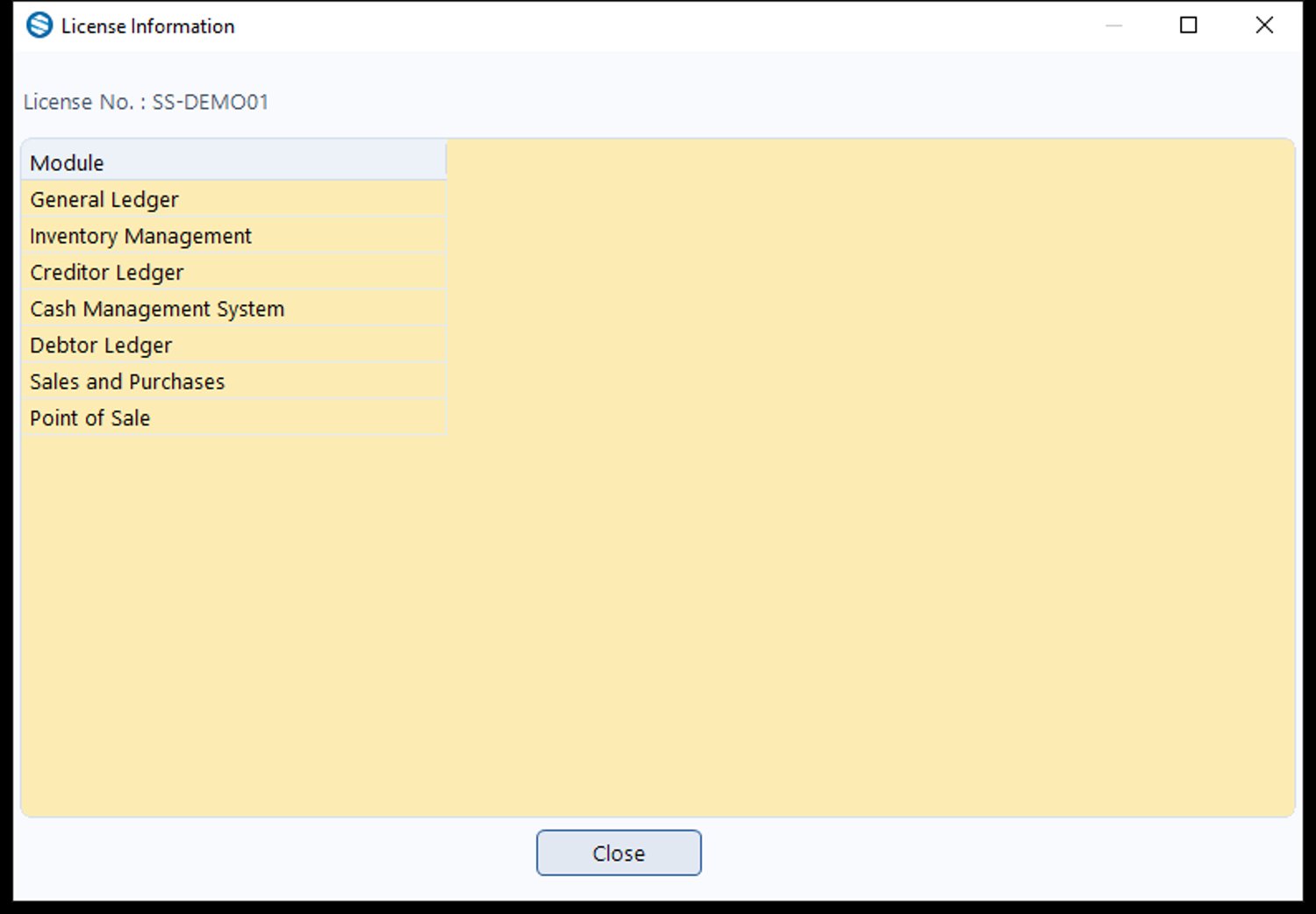
Click System > License Information. Note the licence number shown at the top and send it to Synergy support.
2. Understand the message
A licence or contract expired message means the self-update and e-invoice maintenance contract has ended. It also blocks branch upload and download.
3. Ask for a renewal quotation
Contact Synergy admin for a renewal quotation.
4. Pay and send the proof of payment
Pay the renewal and send the proof of payment to Synergy admin.
5. Wait for the licence to be reactivated
Admin renews the contract and Synergy support reactivates the licence, sometimes in a remote session on the main PC.
6. With many counters, renew head office first
For a company with many counters, head office (HQ) renews first. After that, retry upload, download or e-invoice submission on each counter.
7. Still says expired after you paid
Close and reopen the software, then check License Information again. If it still says expired, ask Synergy support to check the licence number. Tell them which PC is the main PC.
8. The List Pending button cannot be clicked
If the List Pending button is disabled and shows the expired message, select all, click List again, then close and reopen the software. If it is still disabled, report it to Synergy support.
Tips
- Only Synergy support and admin can renew or reactivate the licence.
- The usual cause is a maintenance contract that lapsed without anyone noticing.
- If head office has not renewed yet, the branches stay blocked.
Common problems
I already paid the renewal but it still says expired.
Close and reopen the software and check License Information again. If it still says expired, contact Synergy support with your licence number and proof of payment. A remote session on the main PC has fixed cases like this.
Only the branches are blocked.
Check that head office has renewed first. Then retry upload and download on each branch.
A dealer wants the expiry date for a client.
Synergy admin gives the expiry dates.