
This guide shows how to read the Home screen reminders and charts, open the records behind them, and choose which reminders and charts you want to see.
Before you start
- Which reminders you see depends on your user permissions. For example, backup, debtor sales invoice and bank receipt reminders need access to those areas.
- Reminders are set for each user, so each person sets their own.
Steps
1. Open the reminders
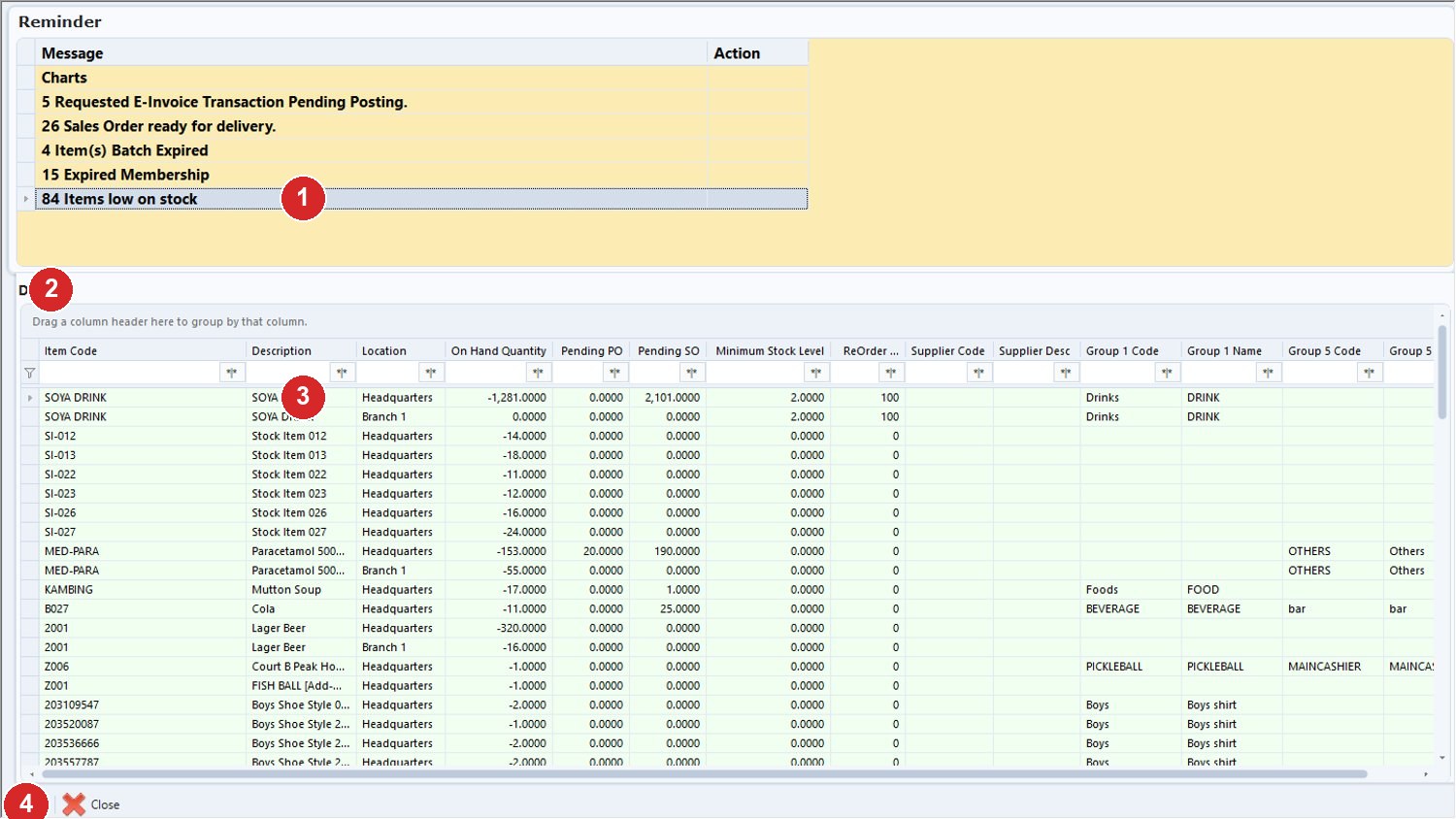
Go to Main > Main > Reminder. The reminders are listed at the top, the details below.
| Step | What to do |
|---|---|
| 1 | Click a reminder in the list at the top (here 84 Items low on stock). The Charts line shows the sales charts. |
| 2 | Details: the lines behind that reminder. |
| 3 | Double-click a detail line to open the related document or record. |
| 4 | Refresh reloads the reminders and charts. |
2. Open Reminder Settings
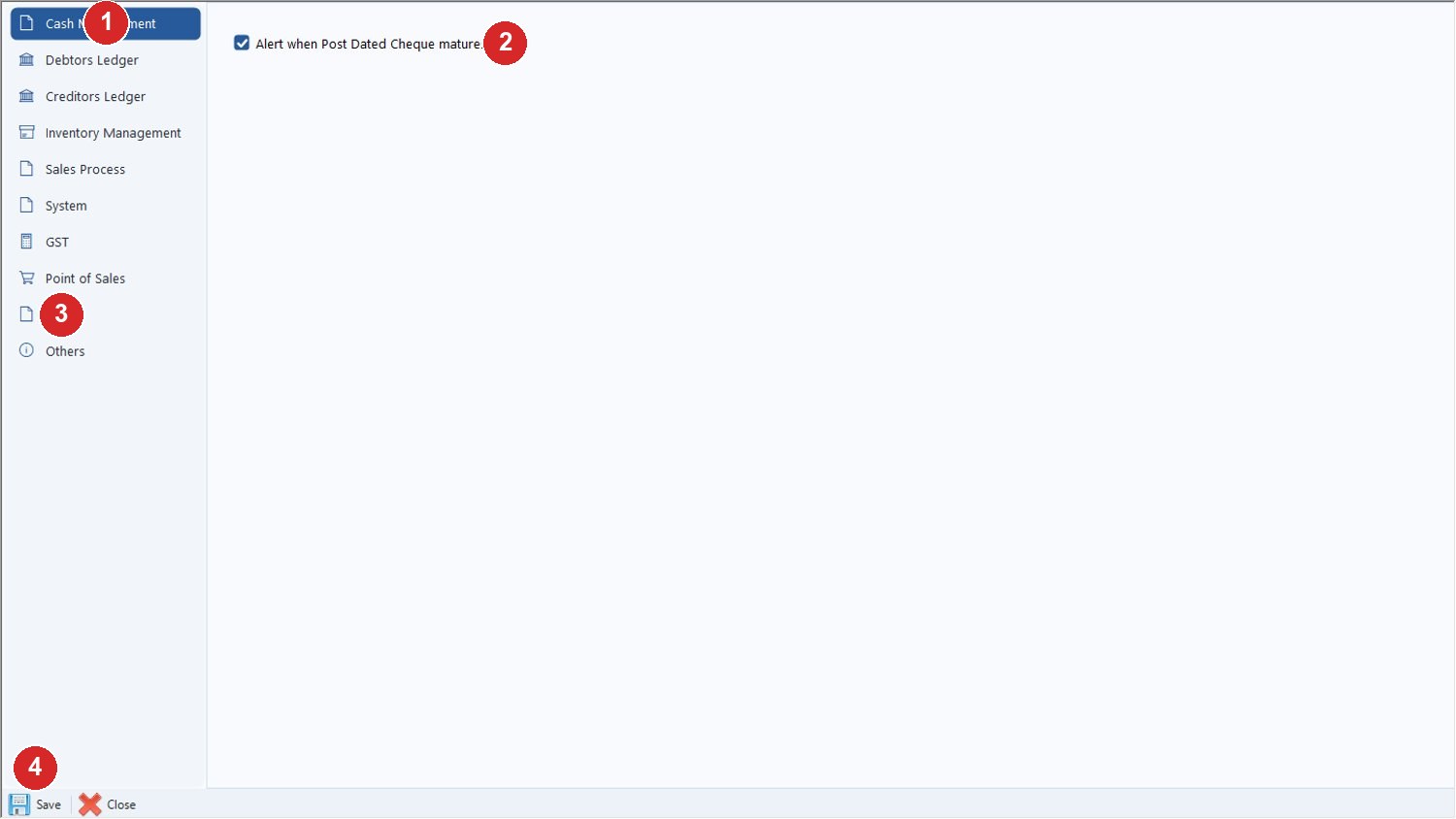
Go to Main > My Settings > Reminder Settings. The tabs are Cash Management, Debtors Ledger, Creditors Ledger, Inventory Management, System, Sales Process, GST, Point of Sales, Chart and Others.
| Step | What to do |
|---|---|
| 1 | Tabs: Cash Management, Debtors Ledger, Creditors Ledger, Inventory Management, Sales Process, System, GST, Point of Sales, Chart and Others. |
| 2 | Tick the reminders you want (here Alert when Post Dated Cheque matures); fill any number box such as Days Before Due. |
| 3 | Chart tab: the charts for the home screen and web dashboard. |
| 4 | Save. Settings saved. appears for two seconds. |
Tips
- The reminder list is only reloaded when the screen opens or when you click Refresh.
- Some reminder settings are Low Stock Reminder, Due Invoice Reminder, Due Purchase Invoice Reminder, Alert when Post Dated Cheque matures, Sales Order ready for delivery, Membership Expiration, Inactive Member and E-Invoice Submission.
- The System tab has a reminder for when there has been no backup for a number of days that you type.
- Export of the reminder list and the detail list is only available when Synergy has switched it on for your company.
Common problems
A colleague sees a reminder that I do not.
This is most likely a permission difference. Ask your administrator to check your access to the related area, such as backup, debtor sales invoices or bank receipts.
A tick box in Reminder Settings is greyed out.
You do not have access to the related function, for example debtor sales invoices for the Due Invoice Reminder. The chart options need access to the Sales Margin report or the Sales Cost Analysis report. Your system administrator can grant it.
You don’t have access to this feature.
Your user cannot open the screen that the reminder leads to. Ask your administrator to give you access.
Double-clicking a detail line does nothing.
Some detail lists have no linked record, so nothing opens.
The list looks out of date.
Click Refresh.