
This guide shows how to record a deposit that has been refunded, so you have a receipt on record. It also covers the basic way to record a deposit payment. Money coming in goes through Bank Receipt. Journal is only for account adjustments.
Before you start
- Check that the original deposit was entered as a bank receipt.
- Know whether the deposit came from a debtor or a creditor.
- Have the bank account, payment mode and amount ready.
Steps
1. Open Bank Receipt
Go to Cash Management System > Transactions > Bank > Bank Receipt and add a new record.
2. Fill in the receipt details
Fill in the receipt details.
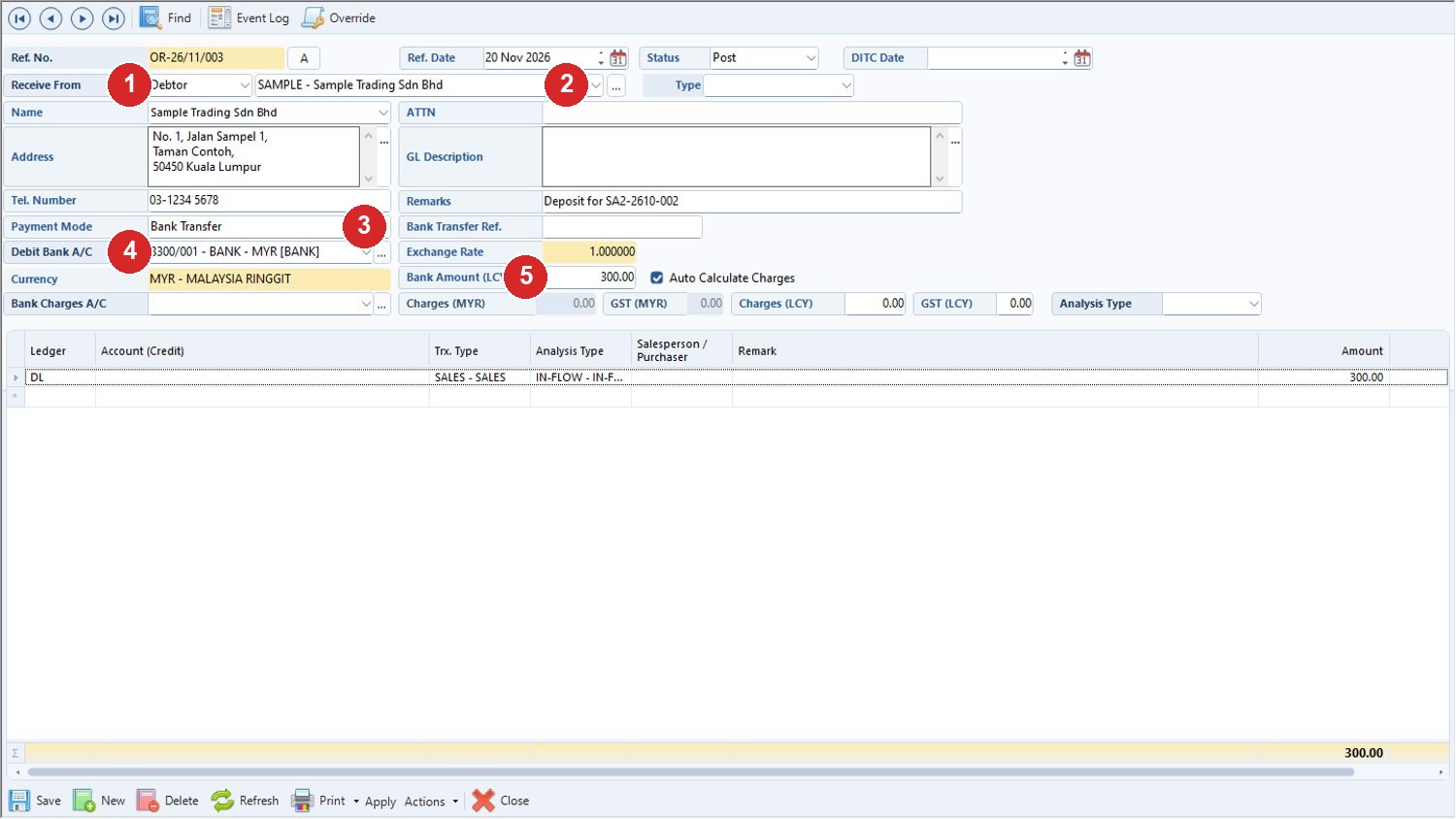
| Step | What to do |
|---|---|
| 1 | Receive From: Debtor. |
| 2 | The debtor (here SAMPLE). |
| 3 | Payment Mode. |
| 4 | Debit Bank A/C. |
| 5 | Bank Amount (LCY): the amount received (here a 300.00 deposit). The line amount fills in. |
3. Apply the receipt to the invoice
For a deposit or partial payment on an invoice, set Status to Post and click Apply. The rest of the invoice stays outstanding.
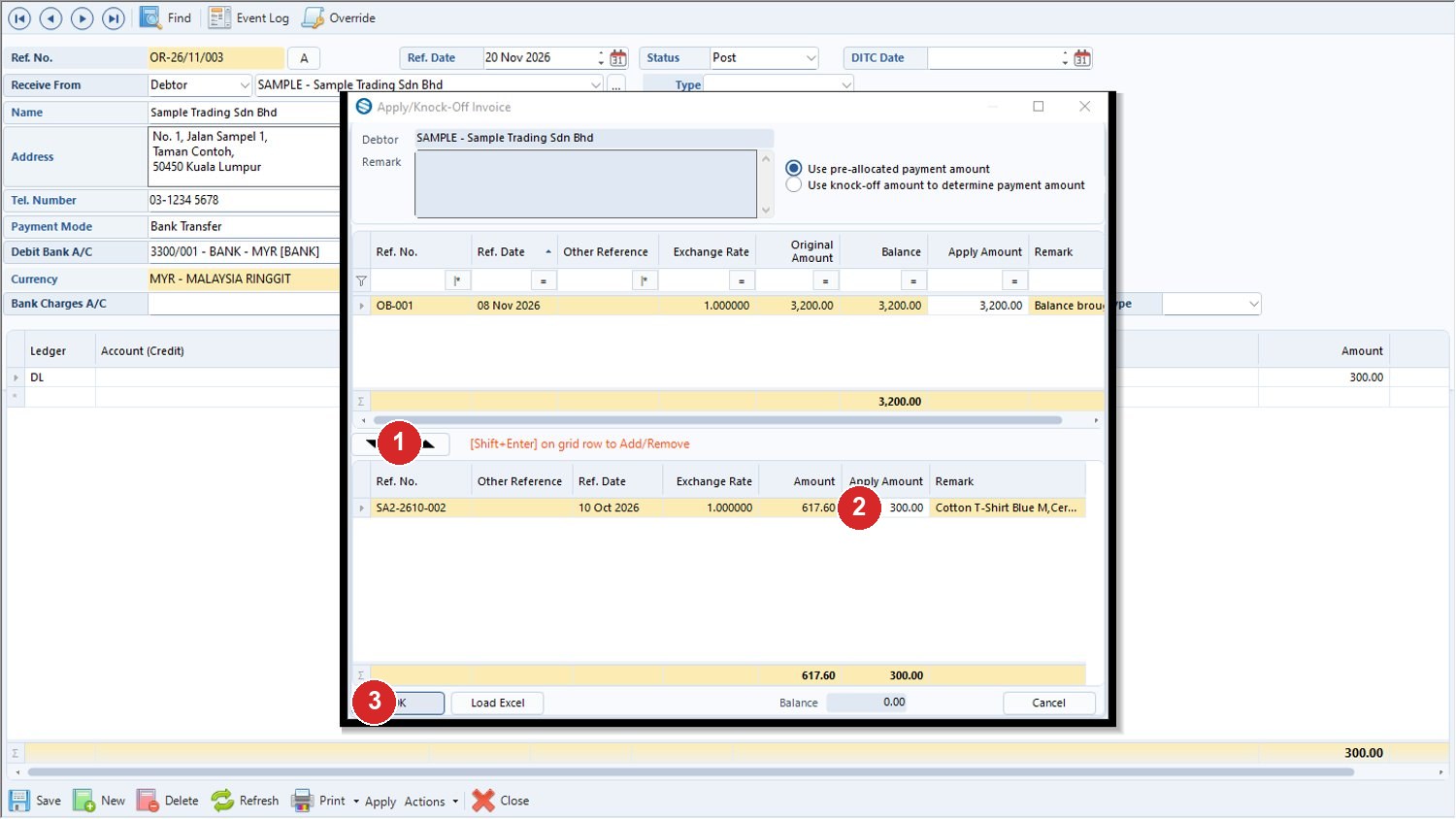
| Step | What to do |
|---|---|
| 1 | Move the invoice down with the arrow (or Shift+Enter). |
| 2 | Apply Amount (here 300.00 of 617.60). |
| 3 | Click OK, then Save. |
4. Record the refunded deposit as a creditor receipt
If the deposit has been returned, open the bank receipt and change the Receive From type to Creditor. Pick the creditor and post it.
5. Open Apply Open Credit
Go to Creditor Ledger > Transactions > Apply Open Credit. Apply cannot be done inside the Bank Receipt itself.
6. Knock off manually
Pick the creditor and click List.
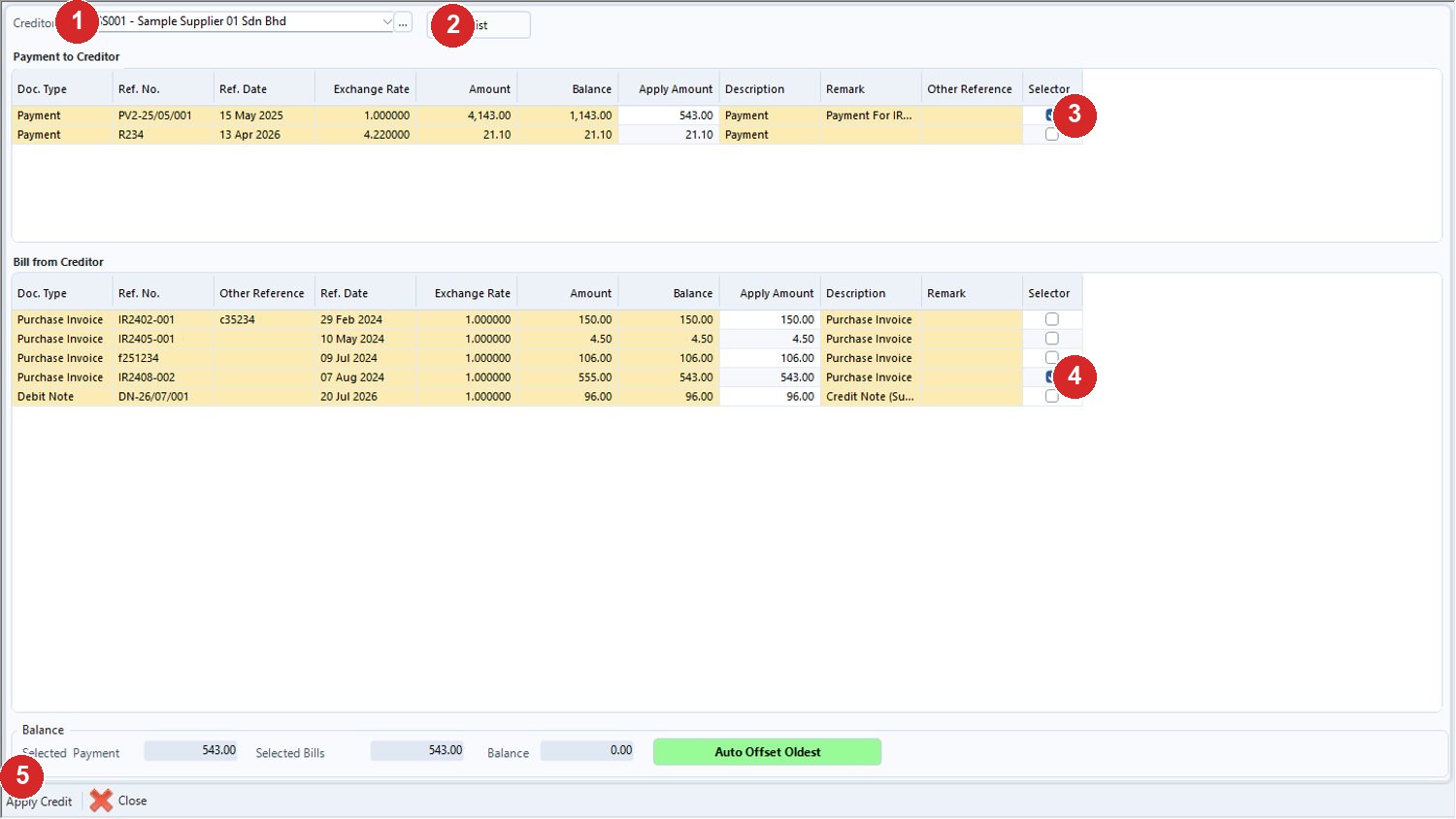
| Step | What to do |
|---|---|
| 1 | Creditor. |
| 2 | Click List. |
| 3 | Tick the credit line under Payment to Creditor. |
| 4 | Tick the line to knock off under Bill from Creditor and check the Apply Amount. |
| 5 | Click Apply Credit. |
Tips
- All money in goes through Bank Receipt, and all money out goes through Bank Payment.
- The Apply button is not available inside a Bank Receipt for a refund, so use Apply Open Credit instead.
- For any excess on an invoice, decide whether to refund it or keep it for a new invoice.
Common problems
I cannot knock off the refund inside the Bank Receipt.
This is normal. Use Creditor Ledger > Transactions > Apply Open Credit instead.
I applied the wrong line.
Use Reverse Apply and tick only the line you want to reverse.
The creditor name does not appear in the Receive From list.
Contact Synergy support. Have the payment date, amount, party and a screenshot of the original deposit entry ready.