
This guide shows how to turn columns and fields on or off for the sales and purchase transaction screens, and how addresses are built.
Before you start
- You need permission to open the sales and purchases System Settings.
Steps
1. Open Show / Hide Columns
Go to Sales and Purchases > Settings > System Settings.
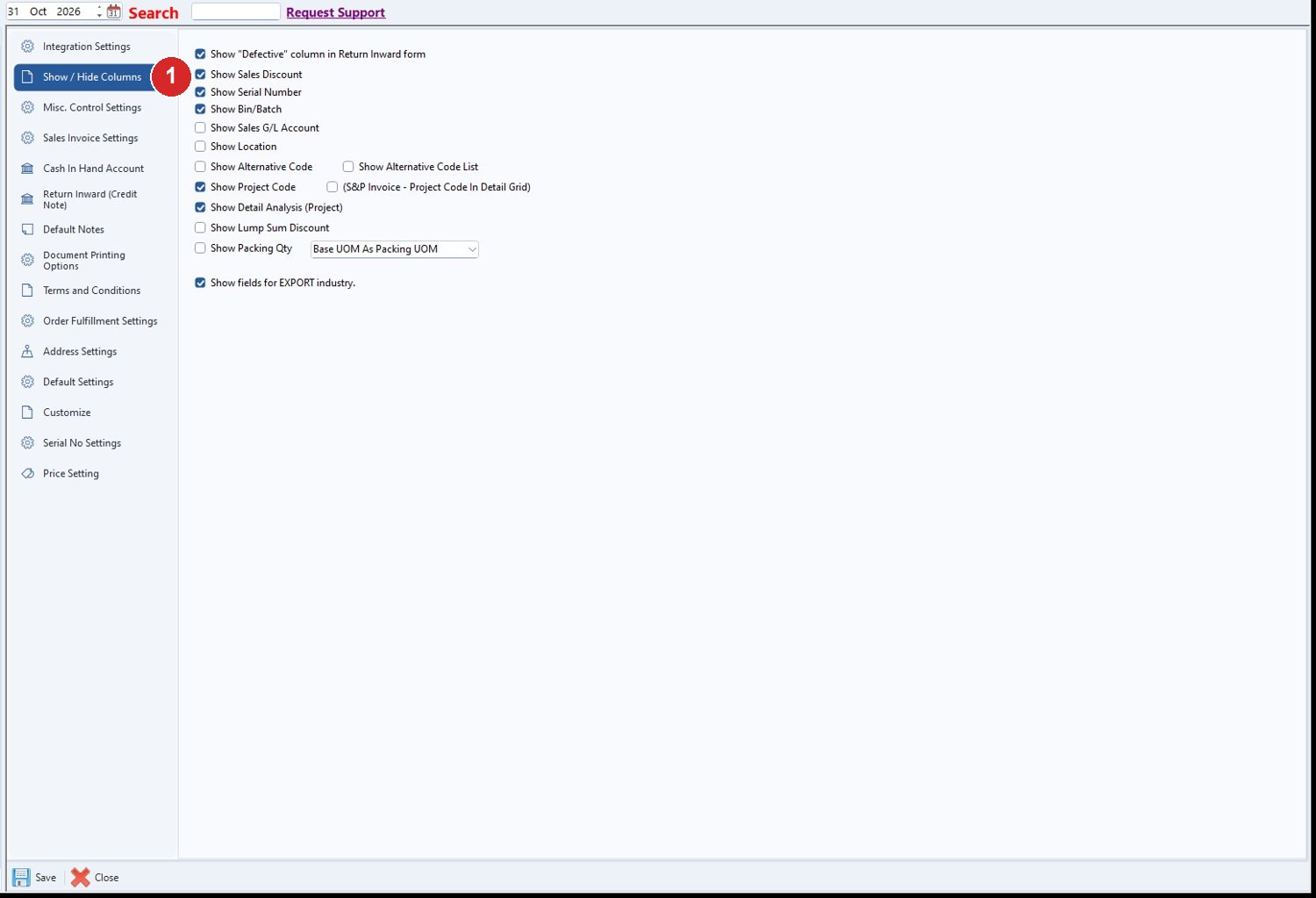
| Step | What to do |
|---|---|
| 1 | Open the Show / Hide Columns tab. |
2. Tick what you want to see
Tick the columns and fields you want on the transaction screens. Untick an option to keep that column or field off.
3. Choose the packing unit option
If you use packing quantities, choose Sell UOM AS Packing UOM or Base UOM As Packing UOM in the drop-down.
4. Switch on export fields if needed
Tick Show fields for EXPORT industry. if you need the Shipping Information tab on invoices.
5. Open Address Settings
Choose one of the two options.
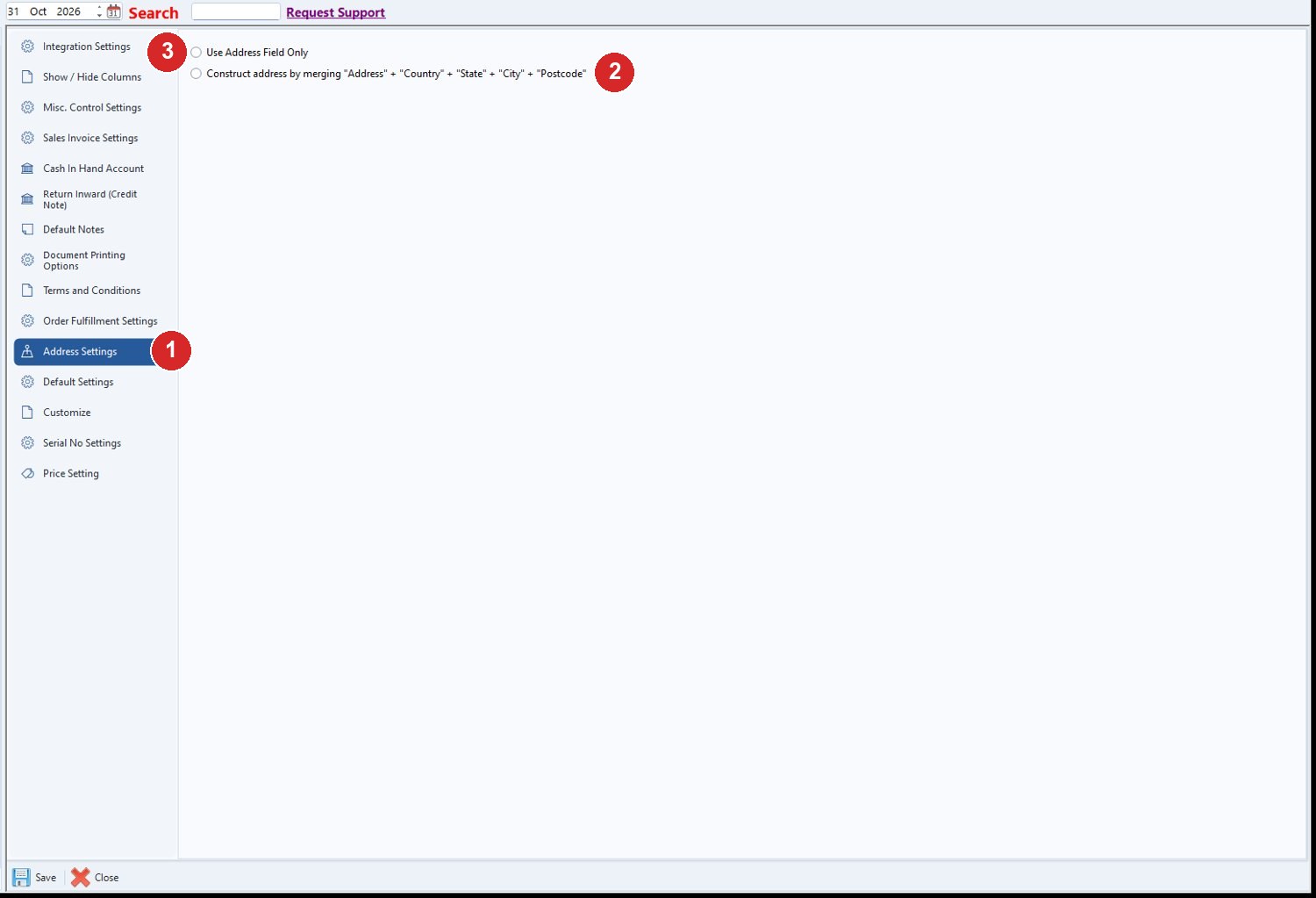
| Step | What to do |
|---|---|
| 1 | Open the Address Settings tab. |
| 2 | Choose Construct address by merging “Address” + “Country” + “State” + “City” + “Postcode”. |
| 3 | Or choose Use Address Field Only. |
6. Save the settings
Click Save.
Tips
- The options are Show Sales Discount, Show Sales G/L Account, Show Serial Number, Show Bin/Batch, Show Location, Show Alternative Code, Show Alternative Code List, Show Detail Analysis (Project), Show Project Code, (S&P Invoice – Project Code In Detail Grid), Show Lump Sum Discount, Show fields for EXPORT industry., Show Packing Qty and Show “Defective” column in Return Inward form.
- If nothing has been saved, the packing option is Sell UOM AS Packing UOM and addresses are built by merging the address parts.
- Merging builds the address from Address, Country, State, City and Postcode. Use Address Field Only uses just the Address field.
- For the Shipping Information tab see the guide Sales Invoice: Export and Shipping Information.
Common problems
A column or field is missing on a sales or purchase screen
Open Show / Hide Columns, tick the matching option and save, then open the screen again.
The Shipping Information tab is missing on the invoice
Tick Show fields for EXPORT industry. and save.