
Use this guide when a customer scans the QR on the receipt but cannot get the e-invoice, when you want to know how long the QR works, or when a large bill is forced to be a requested e-invoice.
Before you start
- The receipt number and date.
- What the scan screen shows when the customer scans.
Steps
1. Know how the receipt QR works
With the self-service QR, the customer scans the QR on the receipt and fills in their own details. The QR code differs per reference or debtor. Walk-in customers use the cash debtor, and their documents are submitted as consolidated. You receive an e-mail when the customer submits their information, and the MyInvois submission page downloads the information automatically.
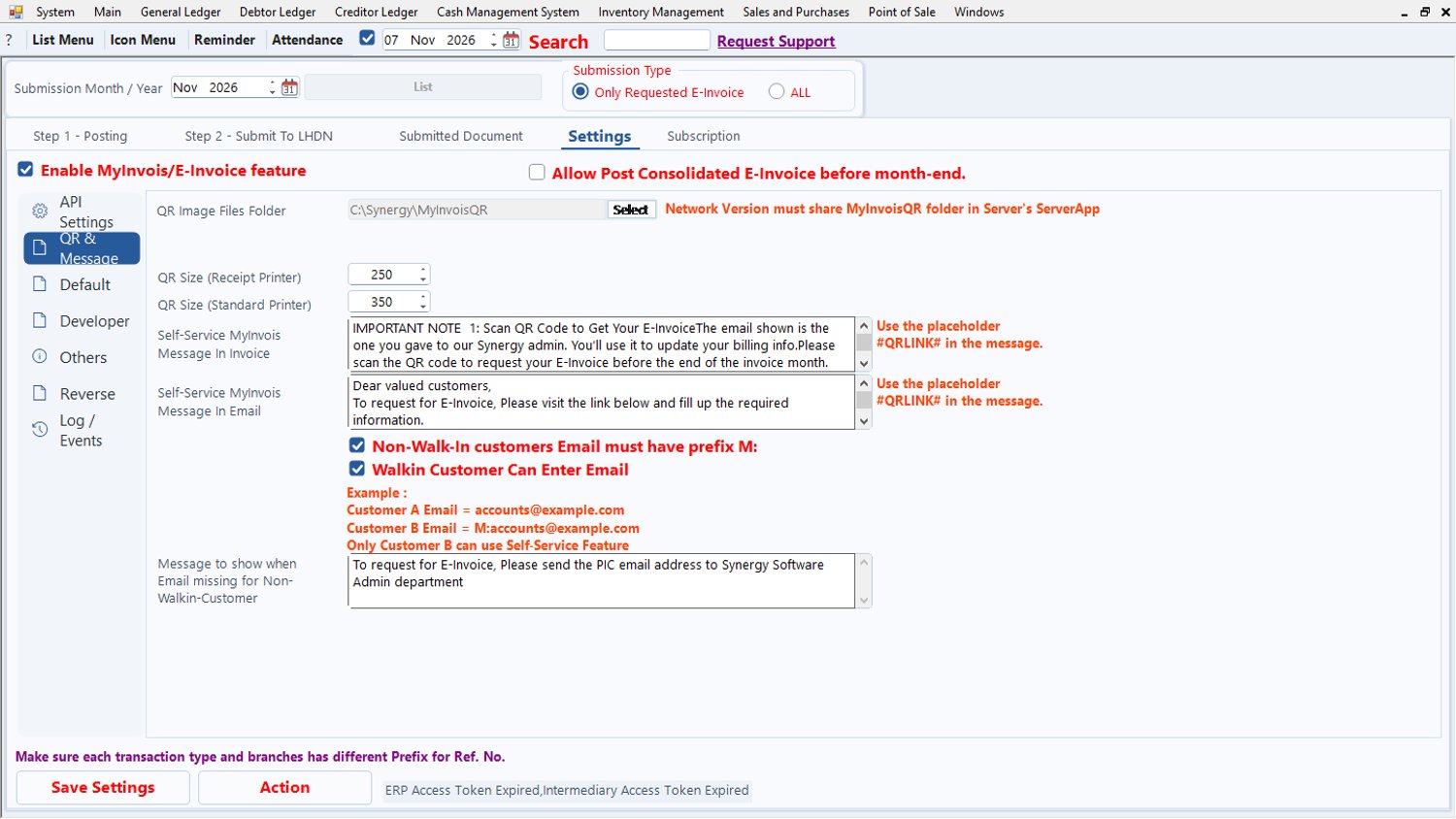
2. Tell customers to scan in the same month
The QR on the receipt works only within the same calendar month as the receipt. Ask customers to scan within a few days.
3. The customer scanned but cannot get the e-invoice
Note exactly what the scan screen shows, and check that the receipt was issued in the current month.
4. The scan is after month-end
A scan after the cut-off may still work technically, but once the consolidated e-invoice has been submitted the buyer will not receive an individual e-invoice. A sale that was already sent in a consolidated e-invoice cannot be sent individually.
5. The QR does not print on the receipt
The QR prints only if the member or debtor on the bill has an e-mail address. If the customer gives none, use the Walk-In Customer (Is Walk-In Customer ticked). Also check that the self-service QR has not expired for both the HQ and branch licences; if it has, ask your admin to renew both and scan the QR again. If it is still missing, restart the software and contact Synergy support.
6. A bill over RM10,000 must be a requested e-invoice
Under the LHDN rule, bills over RM10,000 must be issued as a Requested e-invoice. You cannot switch this off yourself. If it started after an update, this is the reason. To issue it, read the guide “Synergy Acc2026 – A Customer Asks for an E-Invoice”.
Tips
- If the customer gives no e-mail for the QR, use the Walk-In Customer.
- A walk-in customer’s documents go out in the monthly consolidated e-invoice. Read the guide “Synergy Acc2026 – Monthly Consolidated E-Invoice”.
Common problems
The customer still cannot get the e-invoice.
Contact Synergy support. Have ready the receipt number and date and the exact message shown on the scan screen.
I cannot turn off the requested e-invoice for large bills.
This is an LHDN rule, so it cannot be switched off. If it is still unclear, contact Synergy support with the bill number.