
Use this guide when the nightly or daily sales report stopped arriving, statement e-mails stay in Queue, or a document such as a credit note cannot be e-mailed. Work down the checks in order. The guide “Synergy Acc2026 – E-mail, WhatsApp and SMS for Documents” shows how to set up and send e-mails.
Before you start
- Which e-mail account sends, and whether its login changed.
- Since which date the e-mails stopped.
- Whether the debtor has an e-mail address.
- Remote access to the main PC, in case Synergy support needs to connect.
Steps
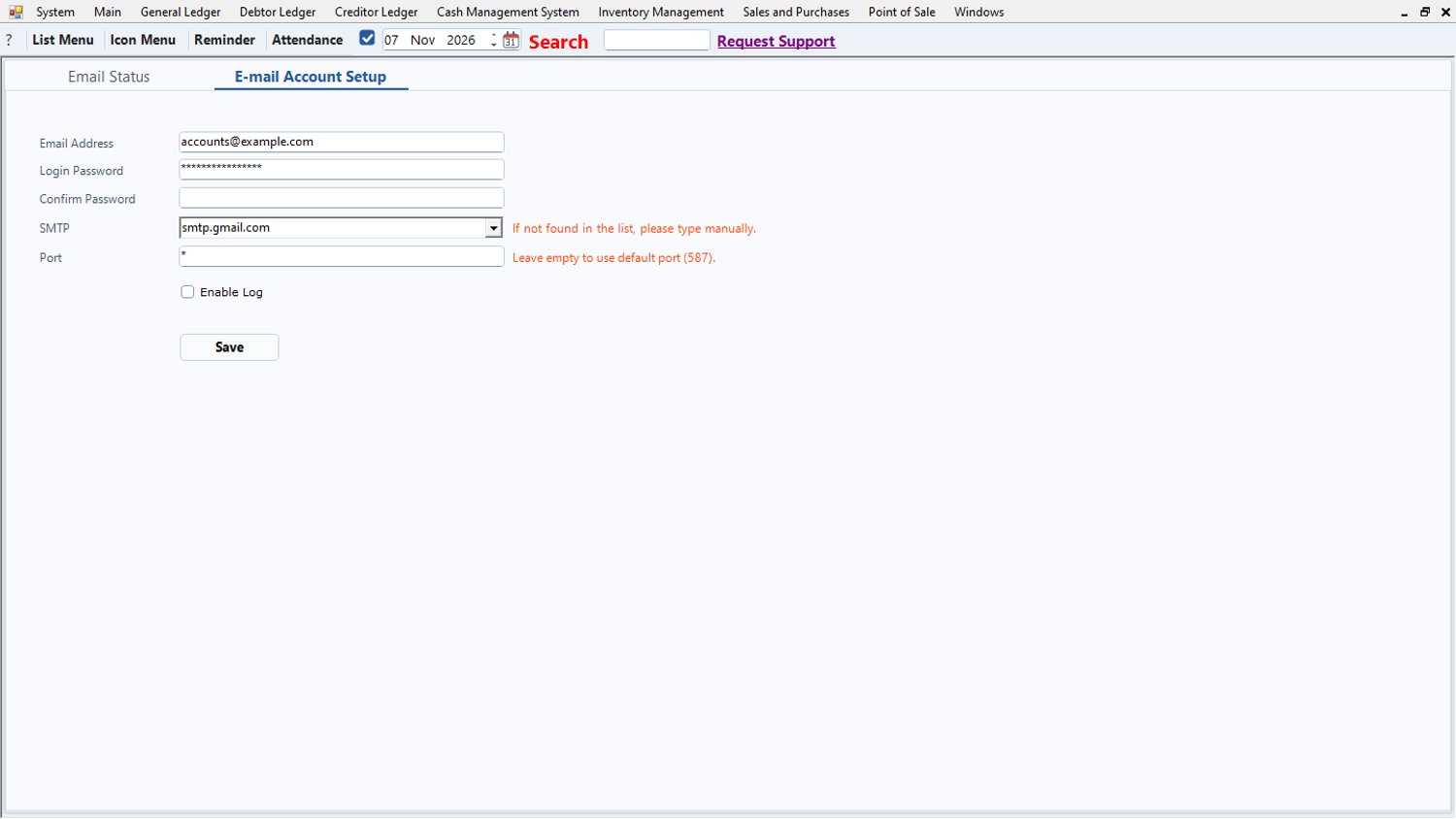
1. Check the e-mail sender setting
If Google blocked the login, ask Synergy support to reset the Gmail settings, then resend the e-mails.
2. Check the output and the e-mail address
Make sure the output is set to E-Mail and that the debtor has an e-mail address.
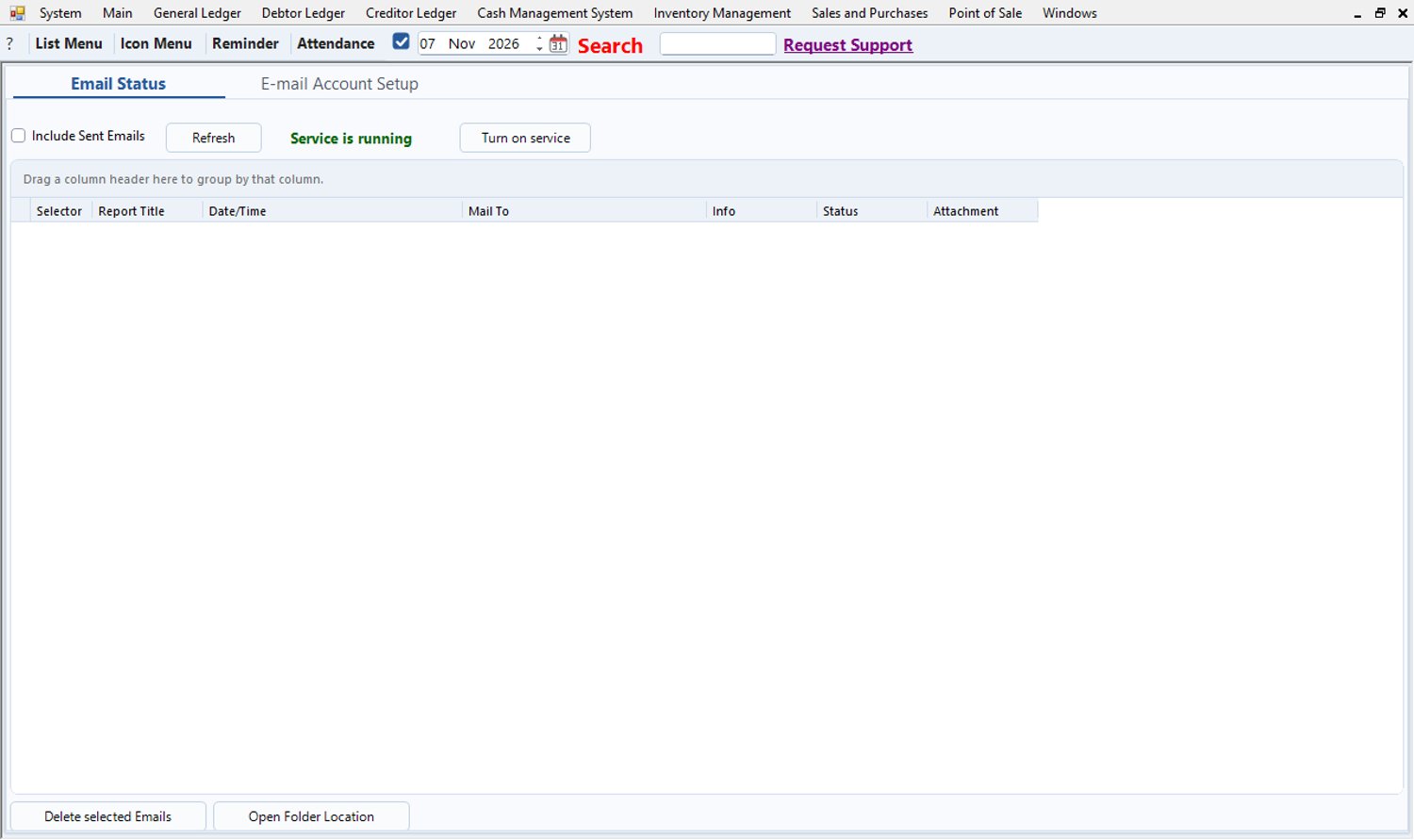
3. Look at the queued e-mails
Go to Main > System > View Pending Email to see the e-mails that are waiting to send.
4. Restart the software if it freezes
If the software freezes while sending, close it and open it again.
5. Redo the closing for missed days
If daily reports were missed, redo the closing for the dates that were missed.
6. Check the internet connection
If it still fails, restart the router or modem. In one case this took about an hour to work. You can also try a phone hotspot: in one case e-mail only worked through a phone hotspot.
Tips
- To give an e-mail a memo or subject, write it, then use Preview = Save. Only one subject can be stored.
- Common causes: the e-mail login expired or was blocked by Google, no e-mail address on the debtor, and a network problem.
Common problems
The daily sales report to head office stopped arriving.
Redo the closing for the missed dates, and check the e-mail sender setting.
Statement e-mails are stuck in Queue.
Check the sender setting and the internet connection, then contact Synergy support to reset the Gmail settings and resend. Have remote access and the missed dates ready.
A credit note cannot be e-mailed.
Make sure the output is set to E-Mail and that the debtor has an e-mail address.