
The Forms section of the payroll reports has CP22 for newly joined employees and CP22A for resigned employees. Synergy can make a CP22A data file for each leaving employee. This guide shows how, and which checks to make first.
Before you start
- The employee record has the Date Joined or Date Resigned filled in.
- Company Information has the company address, postcode, city, state, telephone number and e-mail address, because the CP22A file uses them.
- The employee record has the New IC No. (or Passport No.), marital status, current address and a telephone number that starts with country code 60.
Steps
1. Find the forms
Go to Main > Payroll Assistant > Report > Forms. The list has CP22 (New Joined Employees), CP22A (Resigned Employee), CP39 (Penyata Potongan Cukai), PCB 2 (Penyata Bayaran Cukai) and CP8A (EA).
2. Print CP22 for new staff
Open CP22 (New Joined Employees), set the options and preview or print it.
3. Open CP22A
Open CP22A (Resigned Employee). Set Date From and Date To. They must be in the same month, or the program says they must be the same month.
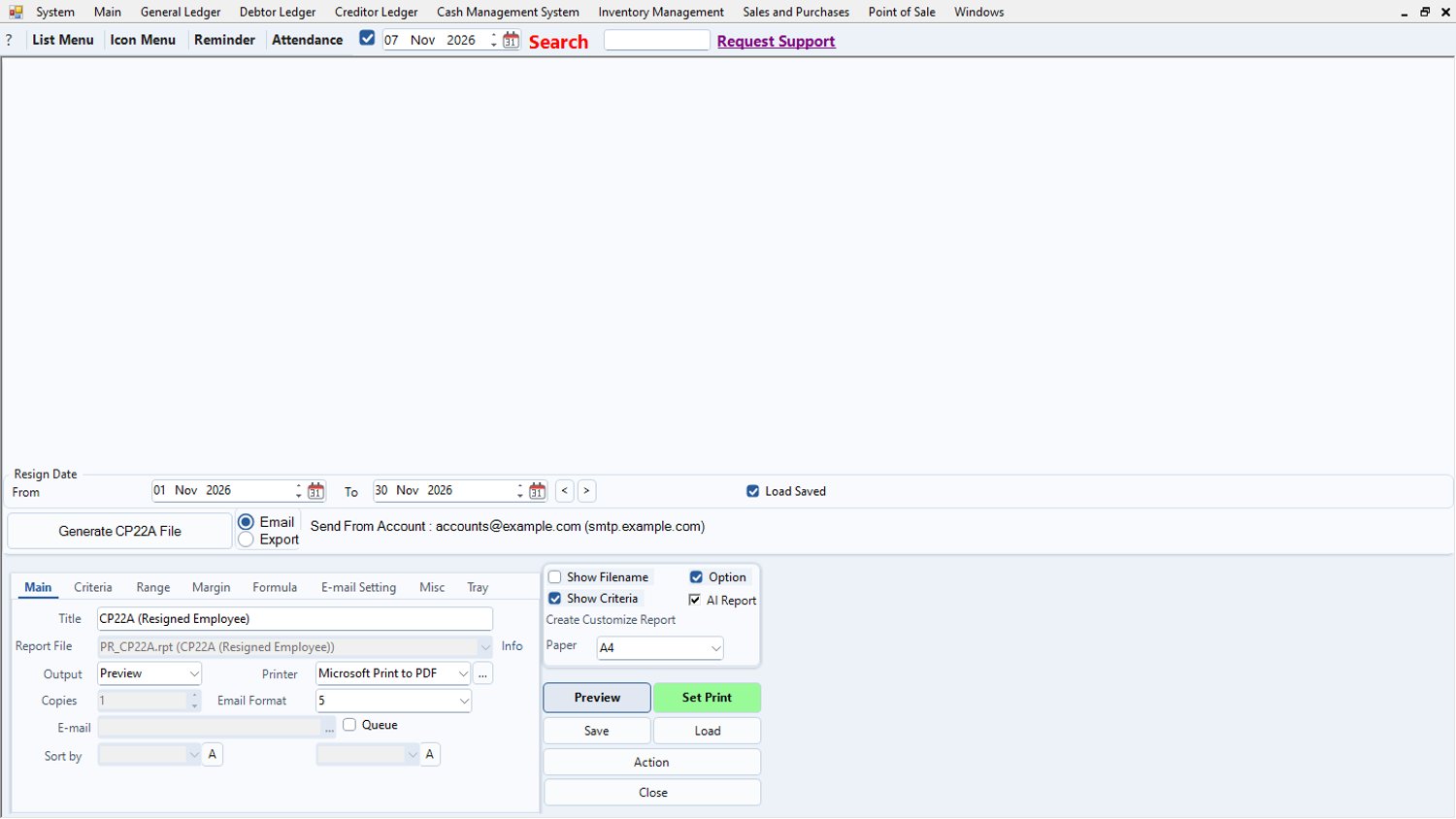
4. Click Generate CP22A File
Click Generate CP22A File. A list opens with the employees who resigned in that period.
5. Choose the employees
Tick the employees you want and click OK.
6. Print and check the form
For each employee the program tells you to print out the CP22A form and check that all details and amounts are correct. Do not upload the file to LHDN if they are wrong.
7. Find the file
The program saves a text file named CP22A – employee name – date (year, month, day). When it finishes the folder with the file opens. If it shows No record to generate, nobody resigned in that period.
Tips
- If the file has a problem, a message names the employee and asks you to check the generated file. Open the text file and look for the marker ERROR, which points to the item to correct.
- Problems the file can point to include a missing employer e-mail, an invalid telephone number or postcode, an address that is too short, and a missing marital status.
- The tab PCB / CP38 Receipt in the employee record holds the PCB 2 amounts per year.
Common problems
Date From and Date To must be the same month.
Change the dates so both fall in the same month.
No record to generate.
No employee resigned in the period you chose. Check the dates and the Date Resigned in the employee records.
There are errors in the CP22A Data File.
Open the generated text file, find the ERROR marker, correct the employee or company record, and generate again.
Malaysia Country Code must be 60.
Correct the telephone number in the employee record so it starts with 60.