
Each month you record the water and electricity meter reading of every unit. Water Meter Reading and Electricity Meter Reading work the same way; this guide shows the water screen.
Before you start
- Resident Management is an optional module. If the Resident Management menu is missing, contact Synergy.
- Set up Resident Management first (see the guide Set Up Resident Management).
Steps
1. Open the meter reading list
From the menu, go to Main > Resident Management > Water Meter Reading (or Electricity Meter Reading). The list shows the months already recorded.
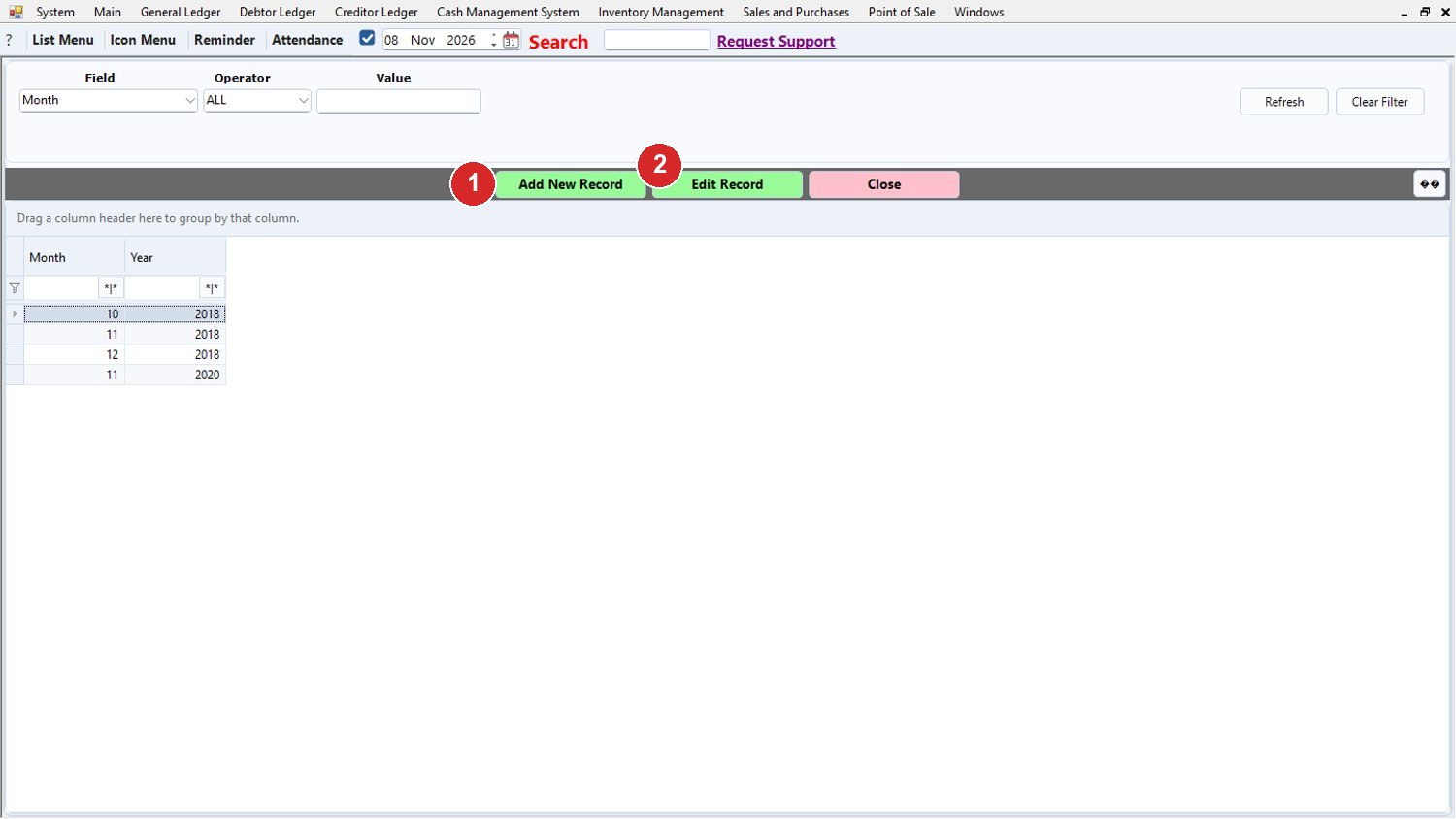
| Step | What to do |
|---|---|
| 1 | Click Add New Record to start a new month. |
| 2 | To work on a month already saved, select it and click Edit Record. |
2. Start a new month and save it
Choose the Month and Year. The reading grid stays disabled and PLEASE SAVE FIRST. shows until you save. After saving, the month and year are locked.
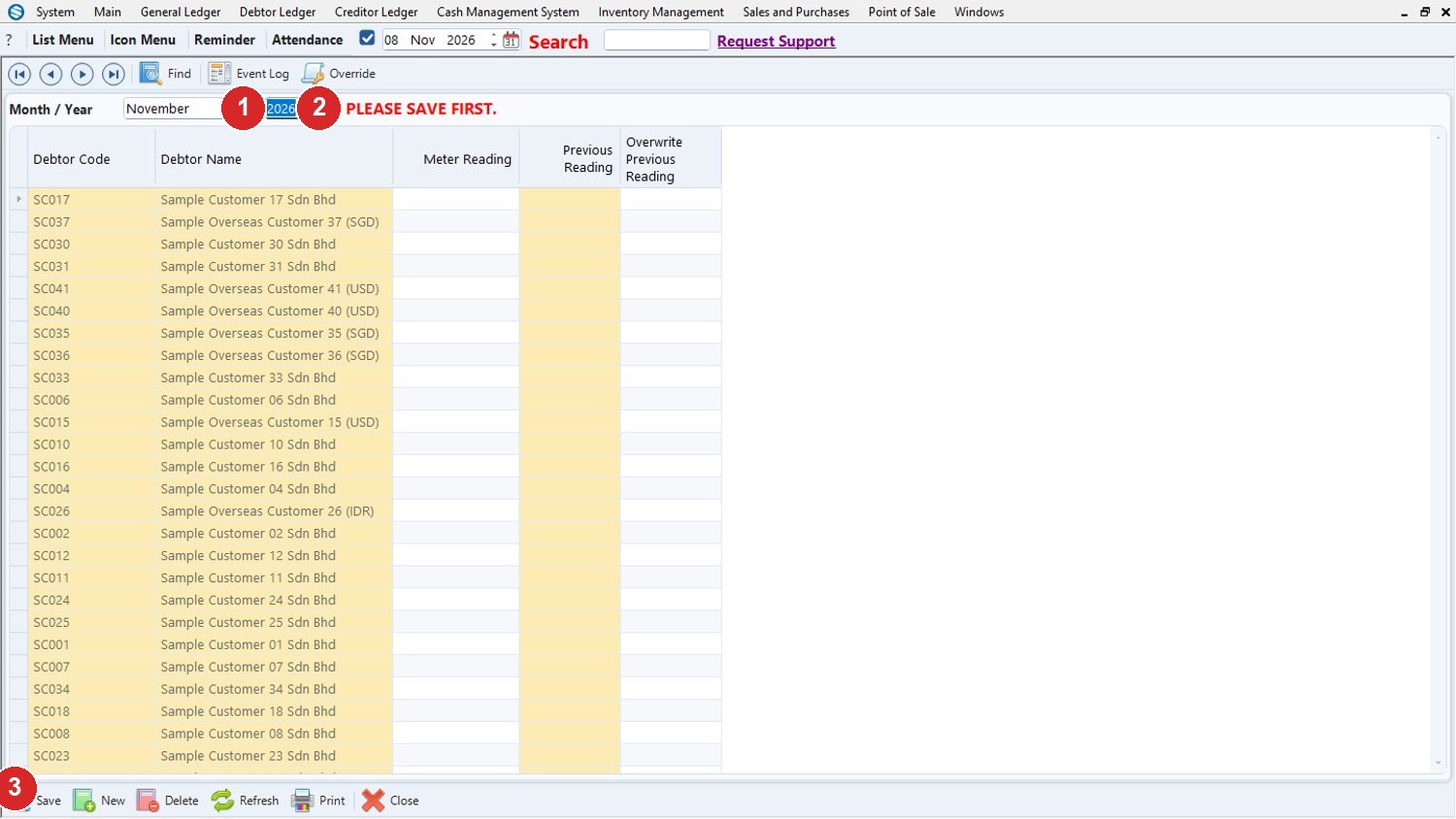
| Step | What to do |
|---|---|
| 1 | Choose the Month. |
| 2 | Set the Year. |
| 3 | Click Save. |
3. Enter the readings
Open the month with Edit Record. The grid lists every unit with its Previous Reading. If a previous reading must be changed, use Edit Previous Reading to override it.
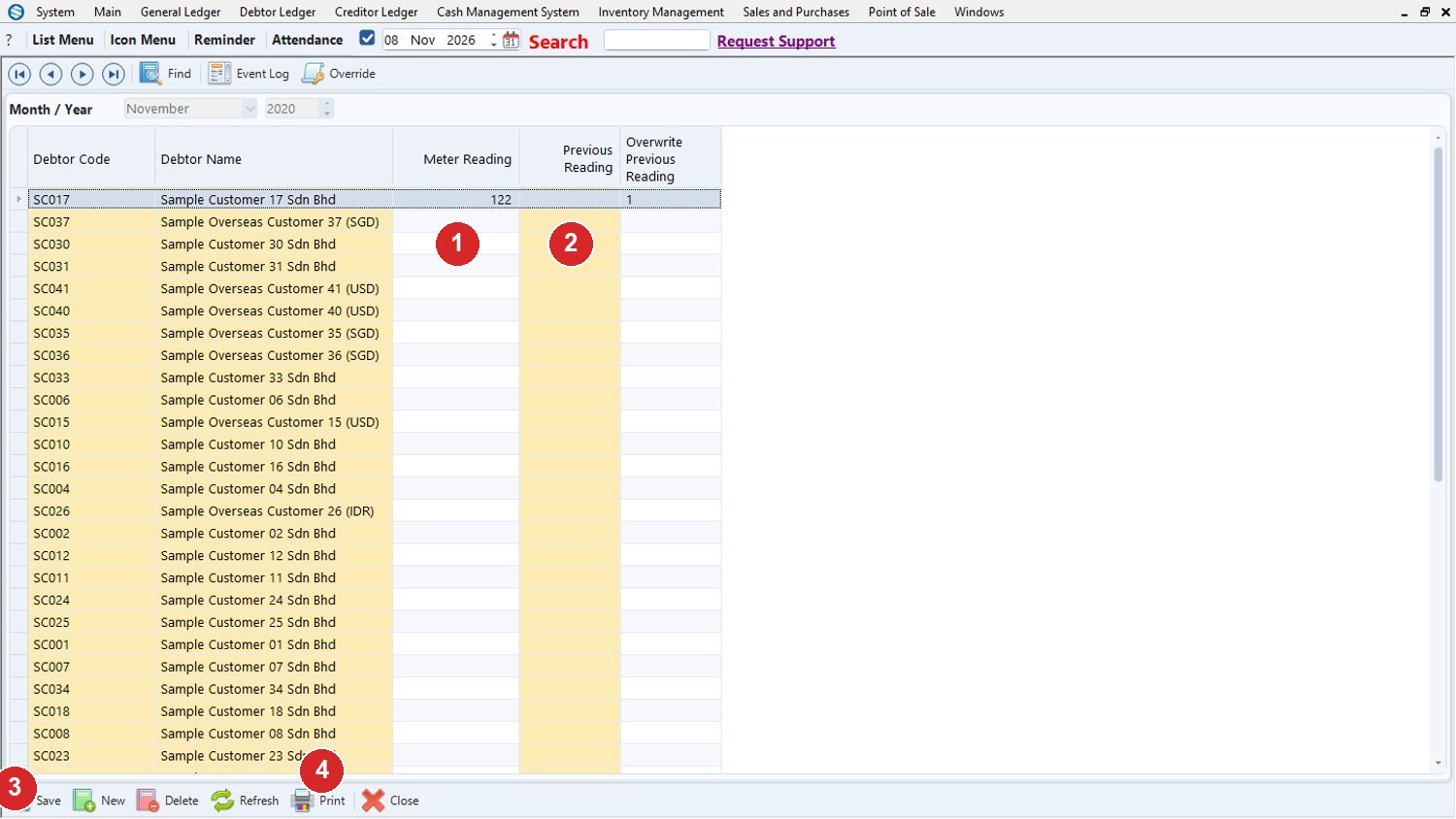
| Step | What to do |
|---|---|
| 1 | Type the Meter Reading of each unit. |
| 2 | Check the Previous Reading shown for the unit. |
| 3 | Click Save. |
| 4 | Click Print to print the readings. Print needs a saved record. |
4. Check the warning
If a reading is lower than the previous one, the warning The meter reading is less than previous readings appears with the list of units. Check those units and correct the reading or the previous reading.
5. Water bill amount (if switched on)
If the water bill calculation is switched on for your company, the grid also shows a water bill amount: (current reading – previous reading) x the water rate, rounded to 5 sen, with the minimum charge applied. To have it switched on, contact Synergy.
Tips
- The month and year are locked after saving; an override can unlock them.
- Print needs a saved record.
- Electricity Meter Reading is used in the same way as Water Meter Reading.
Common problems
The reading grid is disabled and says PLEASE SAVE FIRST.
Save the new record first (choose the Month and Year, then click Save). The grid opens after that.
The message The meter reading is less than previous readings appears.
Look at the listed units. Correct the reading, or use Edit Previous Reading if the previous reading is wrong.
There is no water bill amount column.
The column shows only when the water bill calculation is switched on. Contact Synergy.