
Use this when a software update does not happen or fails, a branch will not match the head office version, you are moving to a new PC, or the licence stops working after a PC change. Work down the checks in order. Each step names the full guide to read next.
Before you start
- Whether the PC is the main PC (HQ), a client PC, a branch or a remote laptop.
- Your licence number (System > License Information) and a screenshot of the exact message.
- What changed on the PC: update, format, new SSD or RAM, new PC, or a new computer name.
Steps
1. Is the update waiting for you to arrange it?
The update does not install by itself. All users must close the software before the update. Arrange a time with Synergy support so everyone can close it, and support can then update remotely. Full guide: Synergy Acc2026 – Updating the Program
2. A client PC will not update even after restarting
In the client app folder, open updateversion.txt. If it contains 0, the client app updates itself from the main PC. Make sure the client PC can open the main PC’s network (shared) folder, then start the client app again so it can update. Full guide: Synergy Acc2026 – IT: Checking the Network and Shared Folder Between the Main PC and Client PCs
3. A branch shows an error when connecting or downloading from HQ
Compare the software version at HQ and at the branch, and update the branch so it matches HQ. On a Windows 7 PC run Windows Update first, then update the software. Check that the auto upload setting is on and that your licence has auto upload enabled, and that ZeroTier is connected where branches sync through it. Setting DNS to 8.8.8.8 and trying again has also helped. Full guide: Synergy Acc2026 – Branch: Auto Sync Upload by Internet
4. The software says the contract or licence has expired
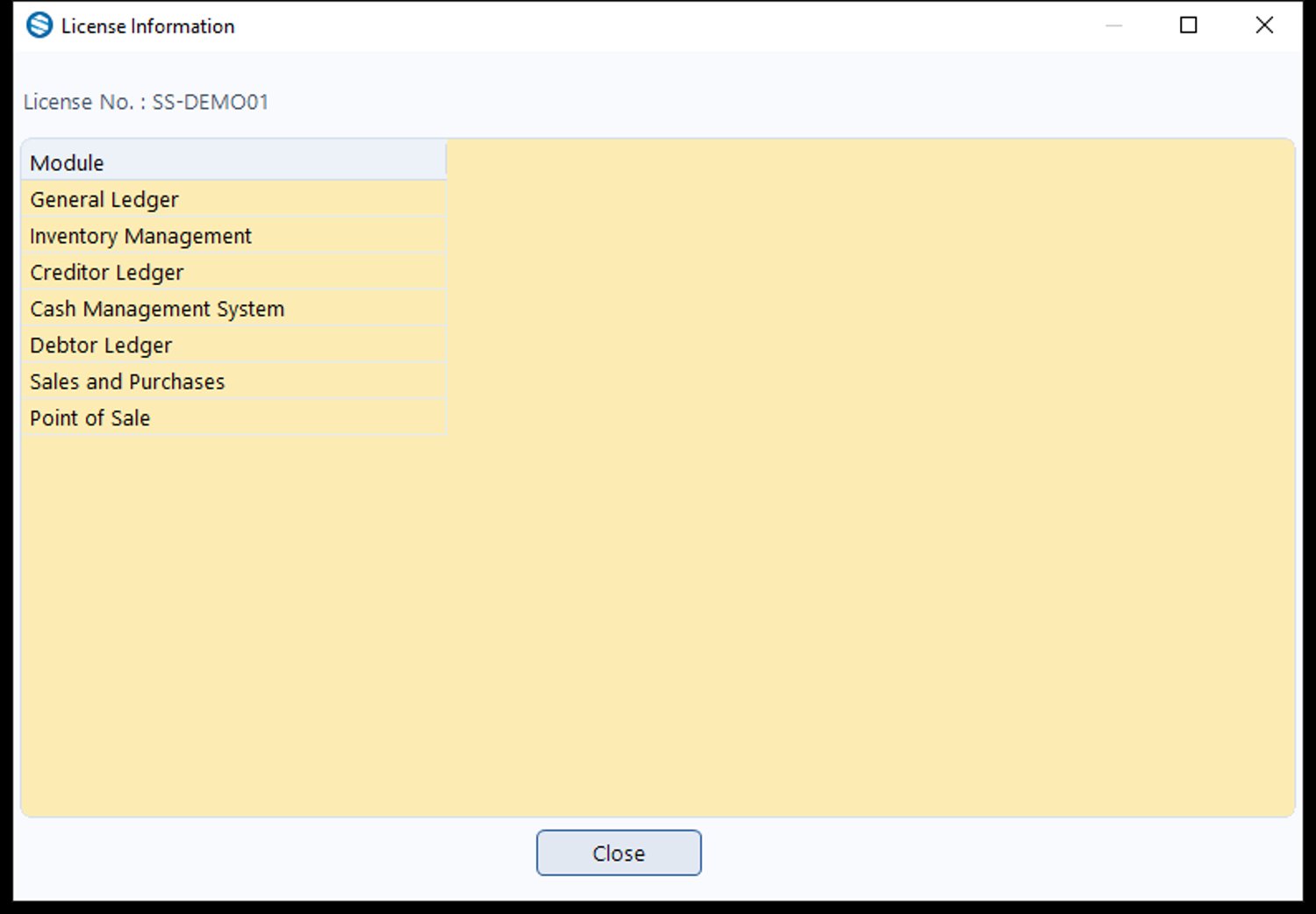
Click System > License Information and note the licence number. The message means the self-update and e-invoice maintenance contract has ended, which also blocks branch upload and download. Ask Synergy admin for a renewal quotation, pay it and send the proof of payment. For many counters, HQ must renew first, then retry on each counter. If it still says expired after payment, close and reopen the software and check License Information again. Full guide: Synergy Acc2026 – Licence: Changes and Problems
5. The licence stopped after a format or a hardware change
If the PC was formatted, or the SSD, RAM, power supply or PC was changed, the licence needs a re-hash. Contact Synergy support and say what changed. Once support has uploaded the licence, download it on the PC and hash it. If the HQ computer name was changed, change it back to the name on the licence first. Full guide: Synergy Acc2026 – Licence: Changes and Problems
6. You are moving to a new or replacement PC
Contact Synergy support and make sure the old PC and the new PC both have internet for the remote session. Support installs the software on the new PC first so sales can continue, you back up the old PC with the latest sales and restore it on the new PC, and support moves the licence. Then plug in the printers and cash drawer, install their drivers and reconnect the client PCs. Full guide: Synergy Acc2026 – Installing or Moving to a New PC
7. The installer will not finish installing SQL Server or the software
On Windows 11, or when the installer asks for SQL 2017, uninstall SQL Server 2008 if it is there and install SQL Server 2017 Express (Core) and SQL Server Management Studio 2017, choosing new installation. Open Windows Features and tick .NET Framework 3.5, then try again. Disable the antivirus, and extract the full installer archive so the SQL folder is present. A Mac, a Windows emulator or an ARM virtual machine cannot host the database. Full guide: Synergy Acc2026 – IT: When the SQL Server or Software Installer Will Not Finish
8. The software will not open or shows an error at start
Reinstall .NET Framework 3.5 on the PC. If that fails, run sfc /scannow and then DISM /Online /Cleanup-Image /RestoreHealth. If it still fails, contact Synergy support. Full guide: Synergy Acc2026 – IT: When the SQL Server or Software Installer Will Not Finish
9. The new client PC cannot work with the main PC
The client PC name must be different from the main PC name. If e-invoice posting fails on the new client PC, install the required .NET framework and try again. Do not copy the main PC’s disk onto a client PC, because a client PC cloned this way cannot reach the shared folder on Windows 11. Back up the files you need, format the client PC and reinstall the client software. Full guide: Synergy Acc2026 – IT: Checking the Network and Shared Folder Between the Main PC and Client PCs
10. The old PC failed and you want your data back
Client PCs do not hold the database, it lives on the main PC. If you have a backup, reinstall the software and restore the latest backup. If there is no backup, only a blank database can be installed, and a branch can get its items back by downloading from HQ. For sales missed after a reinstall, go back to the earlier date, open the shift as normal, enter the transactions and close the day. Full guide: Synergy Acc2026 – Restoring a Backup
Tips
- Your licence is tied to the hardware and the computer name, so tell Synergy support before you change either.
- Keep daily backups on a pendrive or cloud drive, and keep a copy away from the main PC. There is no mirror of the main PC.
- Slow internet can delay branch updates, and without internet Synergy support cannot connect to the PC.
Common problems
Service Agent shows windows service terminated after a PC change.
That also means a licence re-hash is needed. Contact Synergy support.
The licence reset takes a long time.
The licence reset is done first by Synergy support and can take time, so plan for the shop to wait.
Everyone cannot close the software at the same time for the update.
Arrange another time with Synergy support so that everyone can close the software.
The PC cannot download the installer.
Download it on another PC with Only download setup (do not install) ticked, then copy it over. You can also change DNS or use a phone hotspot.
It still does not work.
Contact Synergy support. Have ready the licence number, the PC name, the printer models, a recent backup and a screenshot of the error.