
Ask your AI app about your sales, debtors, stock, creditors, purchases and bank in plain words. Synergy adds the figures up from your company’s books and the AI app quotes them exactly. You only see what your own Synergy user is allowed to see.
Before you start
- Your company has AI apps switched on and you have connected your AI app to Synergy.
Steps
1. Ask a question
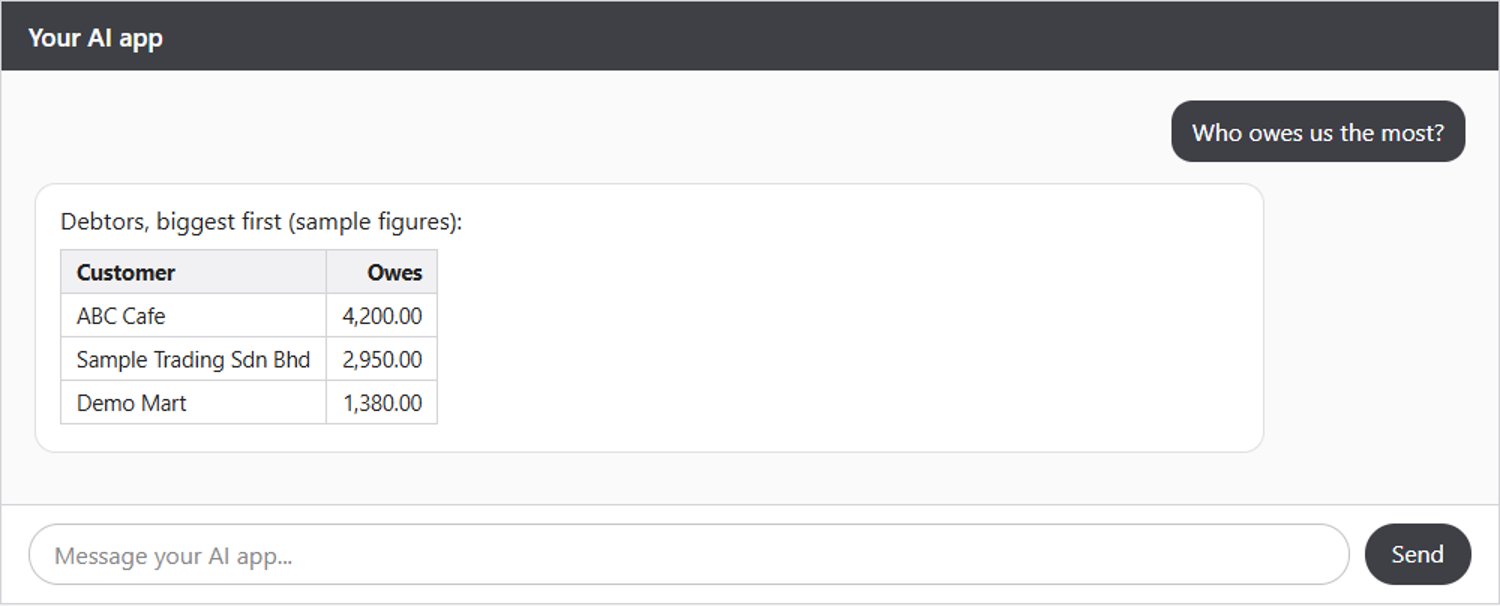
For example: Who owes us the most? Sales this month by customer. Stock by location. What do we owe each supplier? Bank balances. The figures come from these groups: sales, debtors, stock, creditors, purchases and bank. Ask your AI app which figures you may ask about.
2. Compare two periods
Ask: Why did sales drop? or Compare with last year. Synergy compares this period with the one before it, or with the same period last year, and can split it by customer, item, item group or location. It shows the change, the change in percent and each line’s share of the change.
3. Ask about one customer
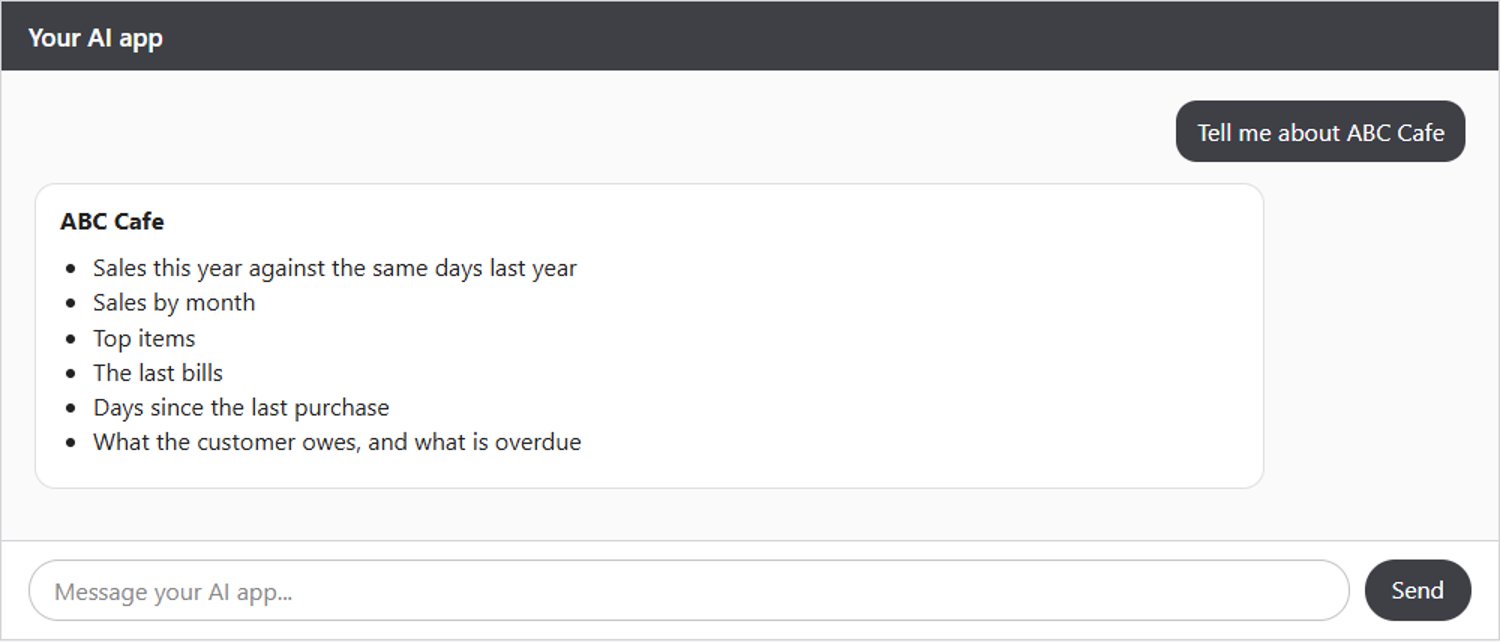
For example: Tell me about ABC Cafe. You get sales this year against the same days last year, sales by month, top items, the last bills, days since the last purchase and what the customer owes and what is overdue. Profit is shown only if your user may see cost. If several customers match, the AI app asks which one.
4. Find customers who stopped buying
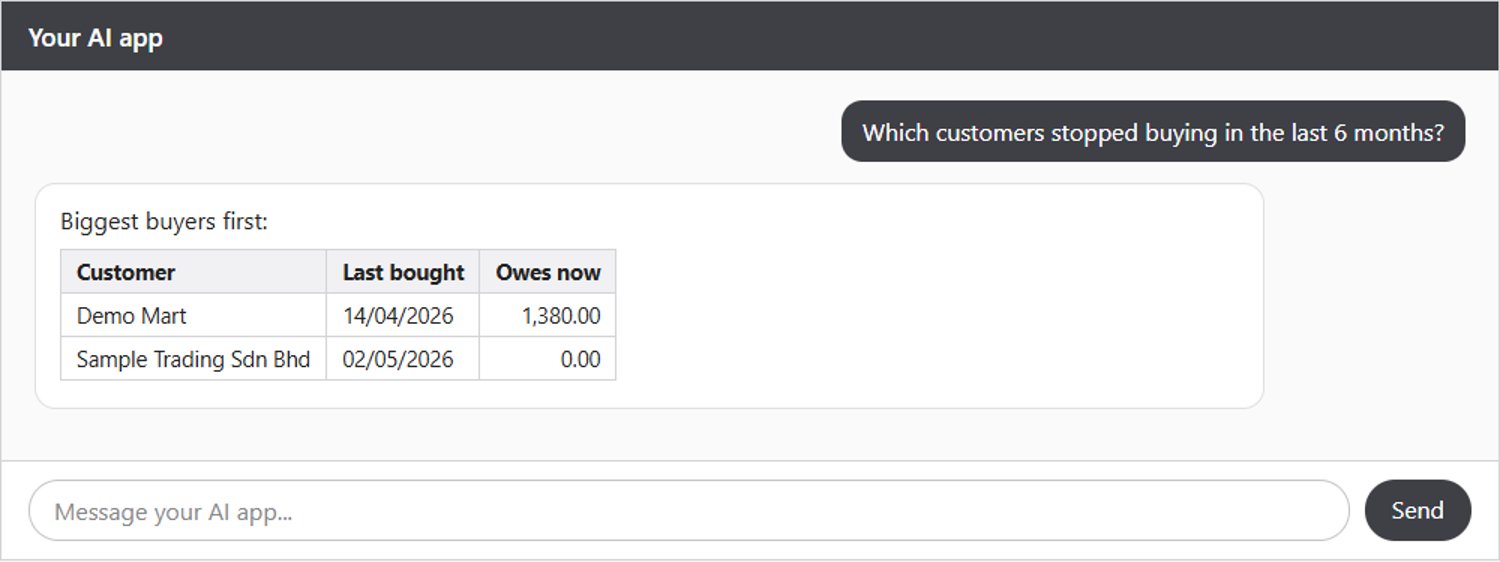
For example: Which customers stopped buying in the last 6 months? You get the biggest buyers first, with when each last bought and what each owes now.
5. Find a document
Give the document number or part of it. You can find quotations, sales orders, delivery orders, invoices, purchase orders, goods received, invoices received, receipts and payments. You only get the documents your user may see.
6. Get a report
Ask for a Synergy report, for example the statement of account, ageing, profit and loss, or a sales or stock report. The AI app can read the figures back to you (up to 60 rows) or give you the report as the PDF or Excel file Synergy prints. The download link works for one hour.
7. Check e-invoice
Ask: What is wrong with our e-invoices? You get the sales documents not yet submitted or not accepted (rejected, invalid or pending), customers missing what an e-invoice needs (such as the TIN or address) and items without a classification, each with how old it is.
8. Use more than one company
If you use several Synergy companies, ask: Sales of all my companies this month. Synergy asks each company with your user and rights in that company and shows one table with a Company column. To work in another company, ask the AI app to switch to it. To add another company, ask the AI app to add it: it gives you a link that is valid for 15 minutes and works once. Open it, sign in to that company with its own user name and password and click Add company.
Tips
- The AI app never works the figures out itself. Synergy does, so the figures match your books.
- A figure you may not see is not shown. A company you may not see figures in says so.
- Payroll information is never available to an AI app.
- After the number of days your company allows (30 by default, counted from your password), you sign in again to keep the connection.
Common problems
The AI app says it has no figures for that
Ask which figures it can use. A user only gets the datasets and limits that user’s rights allow.
A report fails to run
Ask for the same report in Synergy itself. If it also fails there, fix it there first.