
Tell your AI app who the quotation is for and what to quote, in plain words. Synergy prices it the way your Quotation page does and gives you a link to a draft quotation that is not saved. You check it and save it yourself.
Before you start
- Your company has AI apps switched on and you have connected your AI app to Synergy.
- Your Synergy user may use the Quotation page.
Steps
1. Ask in one sentence
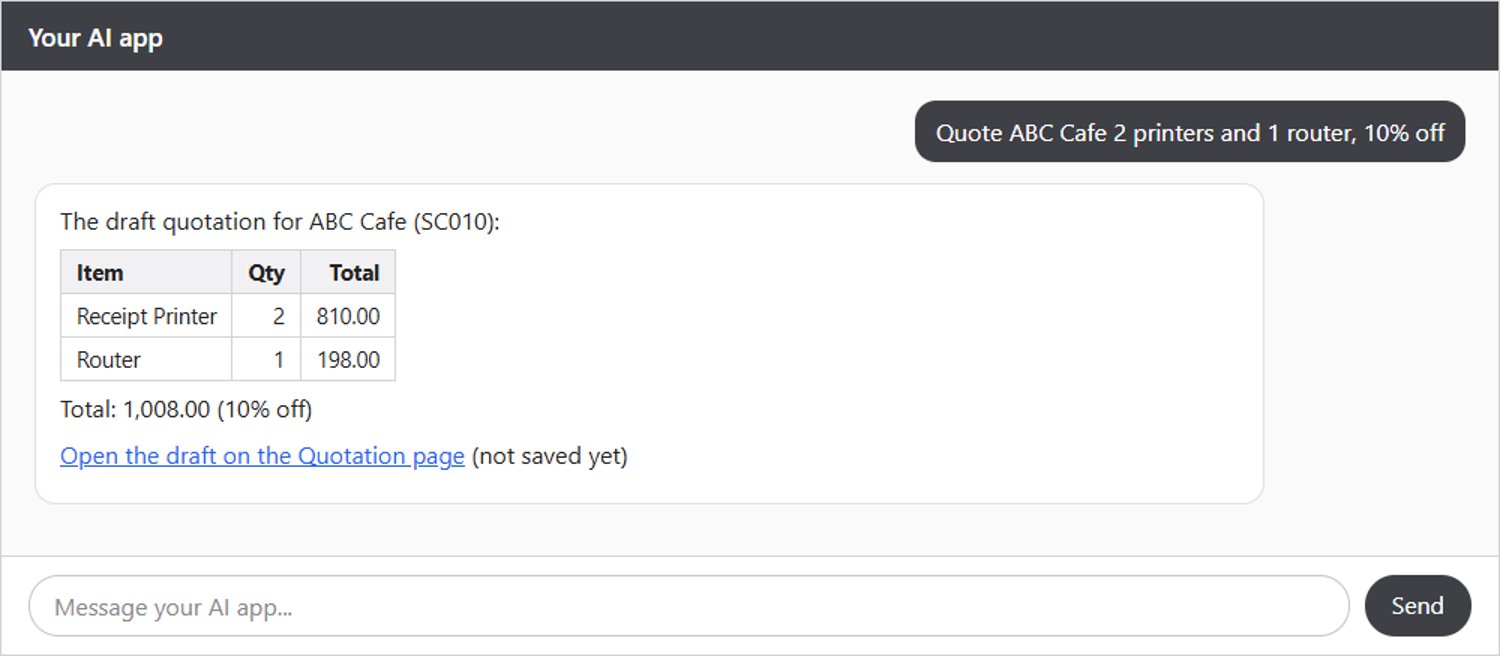
For example: Quote ABC Cafe 2 printers and 1 router, 10% off. You can also say a date, a remark or a discount for the whole quotation.
2. Let it find the customer and items
The AI app looks up the customer by code or words of the name, and the items by code, description, alternate code, barcode, brand or group. If several customers or items match, it asks you which one. If your company quotes packages as a set, it uses your quotation templates.
3. Your company’s quoting rules apply
The AI app first reads how your company quotes: the packages, discounts and wording that were taught in Train the AI. See the guide on teaching Synergy’s AI from your AI app.
4. Synergy prices the draft
Synergy fills in the prices the Quotation page’s way: price list, promotions and tax. A price is only changed when you named one. A discount can be like 10 or 10+5.
5. Open the link and check
The AI app gives you the lines, the total, some notes and a link. The link opens the draft on the Quotation page without saving it. Check the notes too.
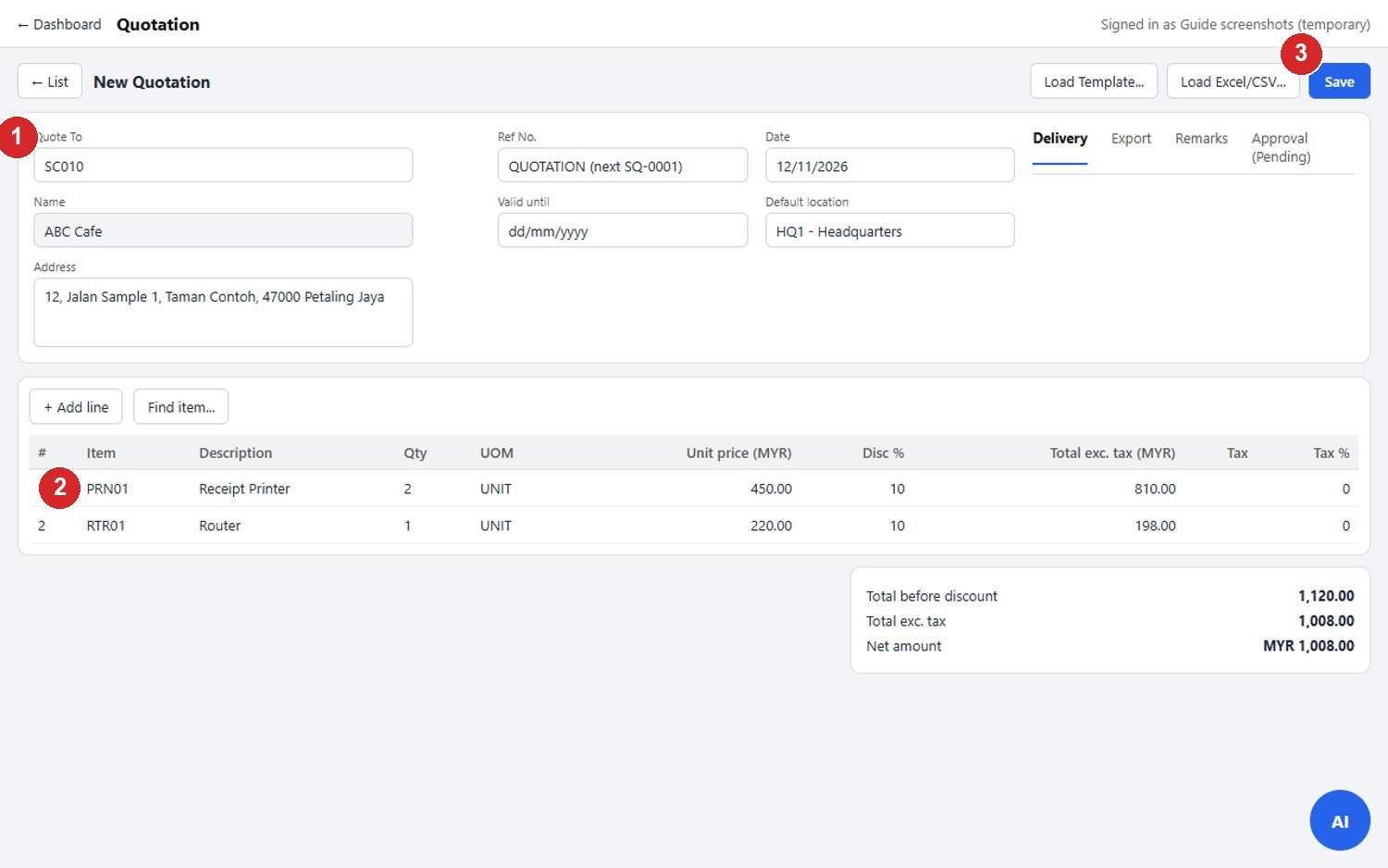
| Step | What to do |
|---|---|
| 1 | Check the customer. |
| 2 | Check the items and prices. |
| 3 | Click Save yourself. |
6. Change it
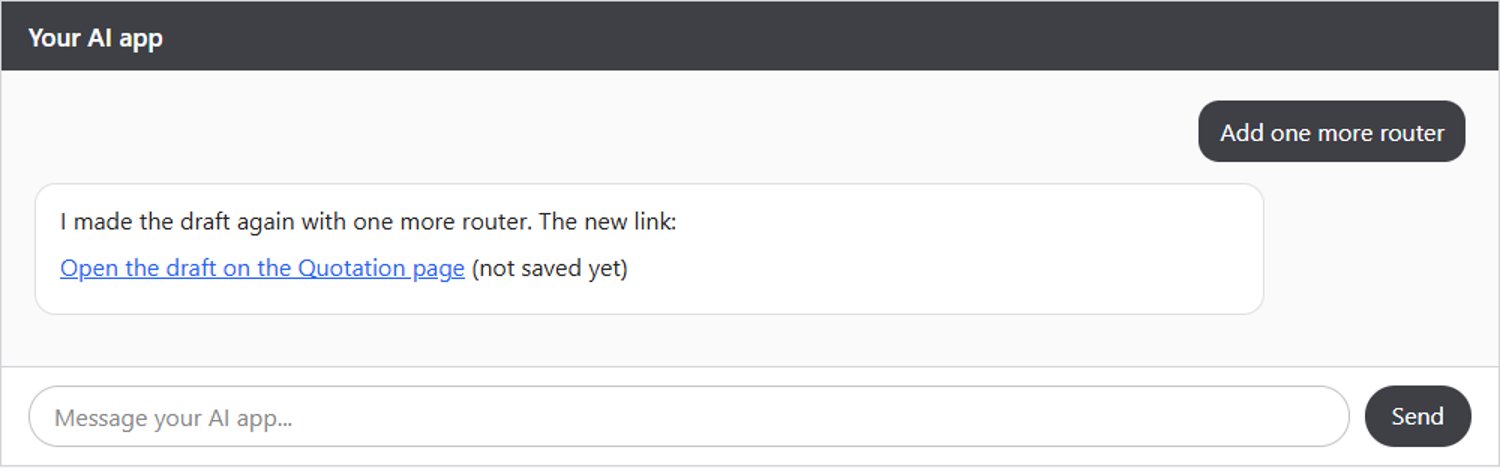
Ask your AI app for the change, for example Add one more router. It makes the draft again and gives you a new link.
Tips
- To see what Synergy would charge a customer without making a quotation, ask: What would we charge ABC Cafe for 2 printers? Nothing is saved.
- Nothing is saved as a quotation by the AI app. If you do not click Save on the Quotation page, there is no quotation.
Common problems
The link opens only the quotation list and not the draft
Make sure the Synergy Sync Server is updated to the latest release, then ask your AI app for the draft again.
The prices are not the ones I expected
Synergy prices from your price list, promotions and tax. Check those, or the rules taught in Train the AI. Tell your AI app the price you want and it makes the draft again.