
Tell your AI app how your company does things, for example how you quote, or which account a supplier’s documents go to. Synergy keeps it as a rule and uses it from then on, in the AI apps and in the AI assistant. Nothing is saved until you say yes.
Before you start
- Your company has AI apps switched on and you have connected your AI app to Synergy.
- To teach directly, your Synergy user must be a Train the AI administrator. Other users can suggest a rule (the last step).
Steps
1. Say what to remember
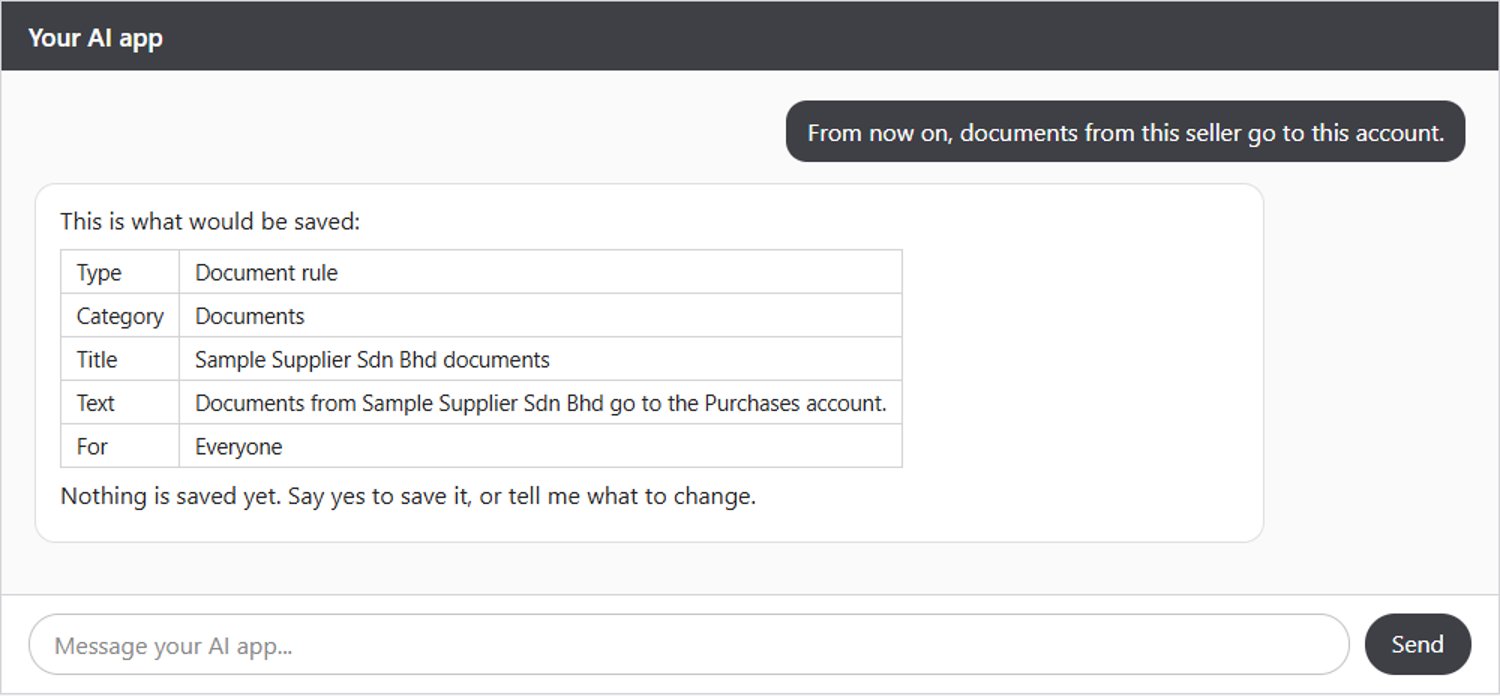
For example: From now on, documents from this seller go to this account. Or: This is how we quote. The AI app first checks what your company already taught, so it can update an old rule instead of repeating it.
2. Look at the proposal
The AI app shows you what would be saved, word for word: the kind (rule, SOP, information or document rule), the category, the title, the text and who it is for (everyone, sales or administrators). Nothing is saved yet.
3. Say yes or change it
If it is right, say yes. Then it is saved. If not, tell the AI app what to change and look at the proposal again.
4. Suggest a rule if you are not an administrator
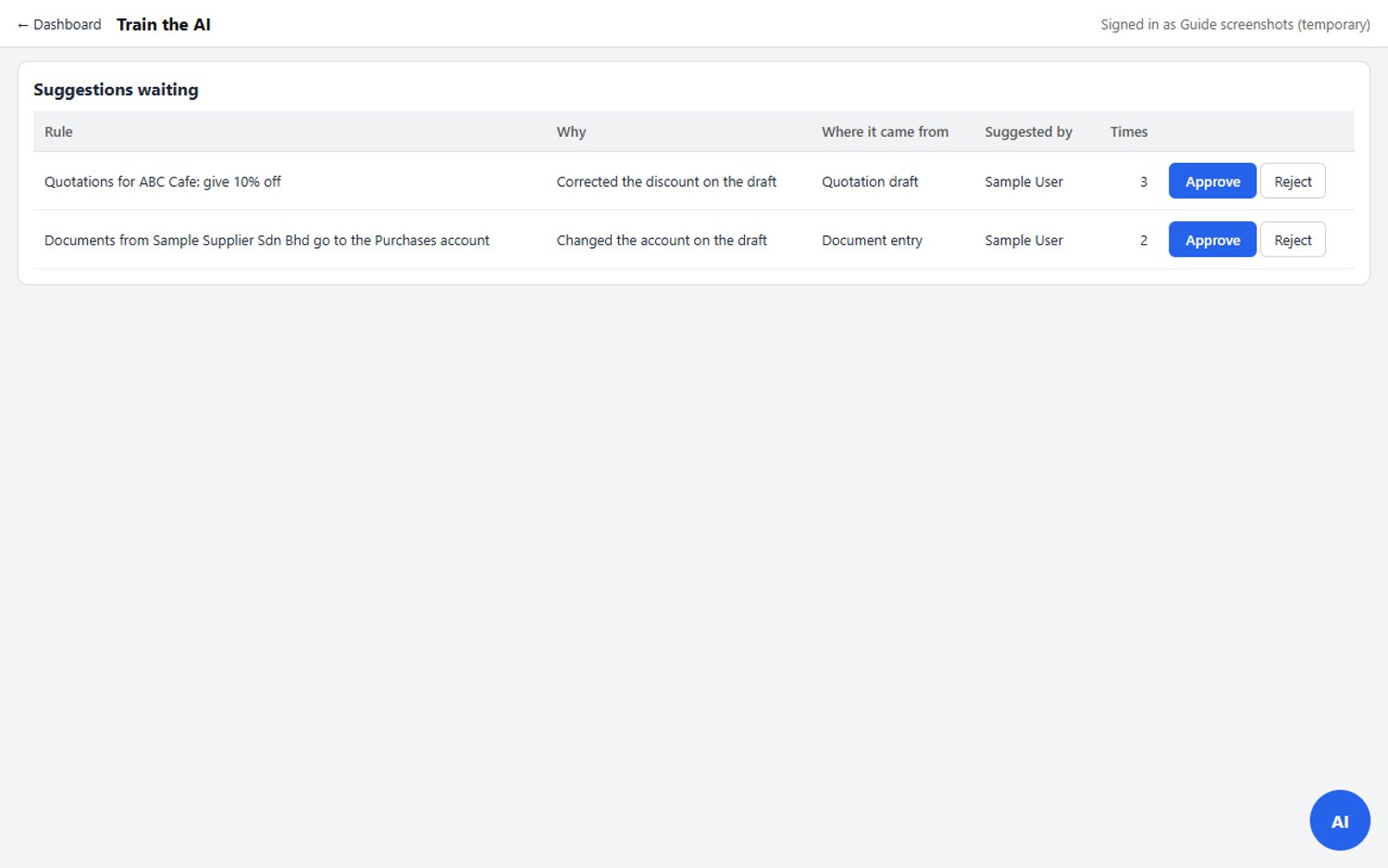
When you correct something that will happen again, for example a quotation draft or a document’s account, and you agree Synergy should remember it, your AI app asks you first and then sends it as a suggestion with your reason. Nothing changes yet.
5. Approve suggestions (administrators)
On the Train the AI page, the suggestions waiting are listed with the rule, why, where it came from, who suggested it and how many times. A daily e-mail summary is also sent (9 am by default). Ask your AI app for the suggestions, then approve one, which makes it a rule at once, optionally with your corrected wording, or reject it with a note the person who suggested it can see.
Tips
- Teach one idea at a time, in your company’s own words.
- What you teach is shared with the AI assistant in Synergy Web Access as well, so you teach in one place.
Common problems
The AI app says only an administrator can teach
Ask a Train the AI administrator to teach it, or send it as a suggestion.