
Once your AI app is connected to Synergy, you can ask it for the things below. Each has its own guide. Your AI app answers from your company’s own books, with your own Synergy rights.
Before you start
- Your company has AI apps switched on and you have connected your AI app to Synergy (see the guide on setting up AI apps for the Synergy Sync Server).
Steps
1. Turn a document into a draft
Give it a supplier invoice, receipt, delivery order, credit note, customer purchase order, payment slip or bank statement. See the guide on turning a PDF or photo into a draft. It can keep the PDF with the draft too.
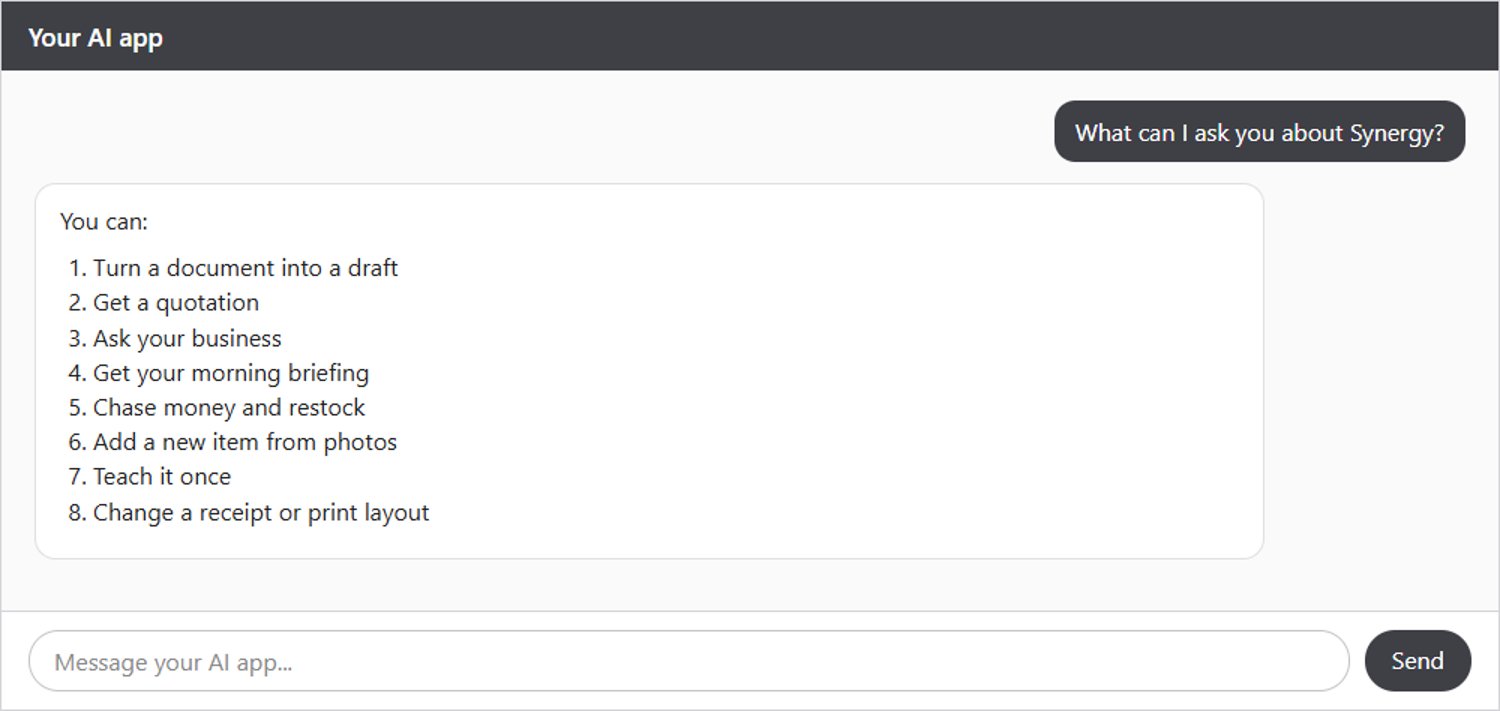
2. Get a quotation
Ask for a quotation in one sentence. See the guide on a quotation from one sentence.
3. Ask your business
Sales, debtors, stock, creditors, purchases, bank, customers, documents, reports and e-invoice. See the guide on asking your business.
4. Get your morning briefing
Today’s briefing, supplier bills due and the month-end check. See the guide on the morning briefing.
5. Chase money and restock
Payment reminders ready to send and draft purchase orders. See the guide on chasing money and restocking.
6. Add a new item from photos
See the guide on adding a new item from photos.
7. Add a customer or supplier
From a business card, a letterhead or an invoice from a new supplier. Synergy checks it isn’t there already and saves it only after you say yes. See the guide Enter Supplier Invoices and Add Customers / Suppliers from the AI App.
8. Make, convert and change documents
A sales invoice, delivery order, sales order, credit note, receipt, journal or bank transfer; turn a quotation, order or purchase order into the next document; change or cancel a document; change an item’s price; get a document as a PDF to send. See the guide Make, Convert and Change Documents from the AI App.
9. Reminders, statements and the bank
A payment reminder with the customer’s statement of account, a customer’s payment as a receipt, and a bank statement matched against your books. See the guide Payment Reminders, Statements and Bank Reconciliation from the AI App.
10. Past prices, the shop’s day, members and vouchers
What a customer was charged before for an item; how the shop did today per outlet (bills, sales, open bills, payments, busiest hour, bookings); a member’s points; whether a voucher can still be used. See the guide Past Prices and Shop (POS) Questions from Your AI App.
11. Teach it once
Tell it how your company does things. See the guide on teaching Synergy’s AI.
12. Change a receipt or print layout
An administrator can change the POS receipt or a document’s print layout by asking, with a picture before saving. See the guide on changing your receipts and print layouts from your AI app.
Tips
- The AI app uses your own AI plan. Your company does not pay for the AI.
- It can read figures and make drafts. You check and save every draft in Synergy yourself.
- It only does what your Synergy user is allowed to do. Payroll information is never available.
- You sign in again after the number of days your company allows (30 by default).
Common problems
The AI app does not seem to know Synergy
Check that AI apps are switched on for your company and that the connection to Synergy is still there. Connect again if needed, using the guide on setting up AI apps.