
The Synergy Open API lets your own website work with the members and points in Synergy. Your website sends new and changed members to Synergy, reads back points and status, and spends points for voucher redemptions. This guide is for you and your website’s developer.
Before you start
- Your own website and its developer.
- From Synergy: the API’s base address, your API key (it starts with sok_) and the Cloudflare service token ID and secret.
- Keep the key and the token secret on your web server. Never put them in the web page’s browser code.
Steps
1. Check the connection
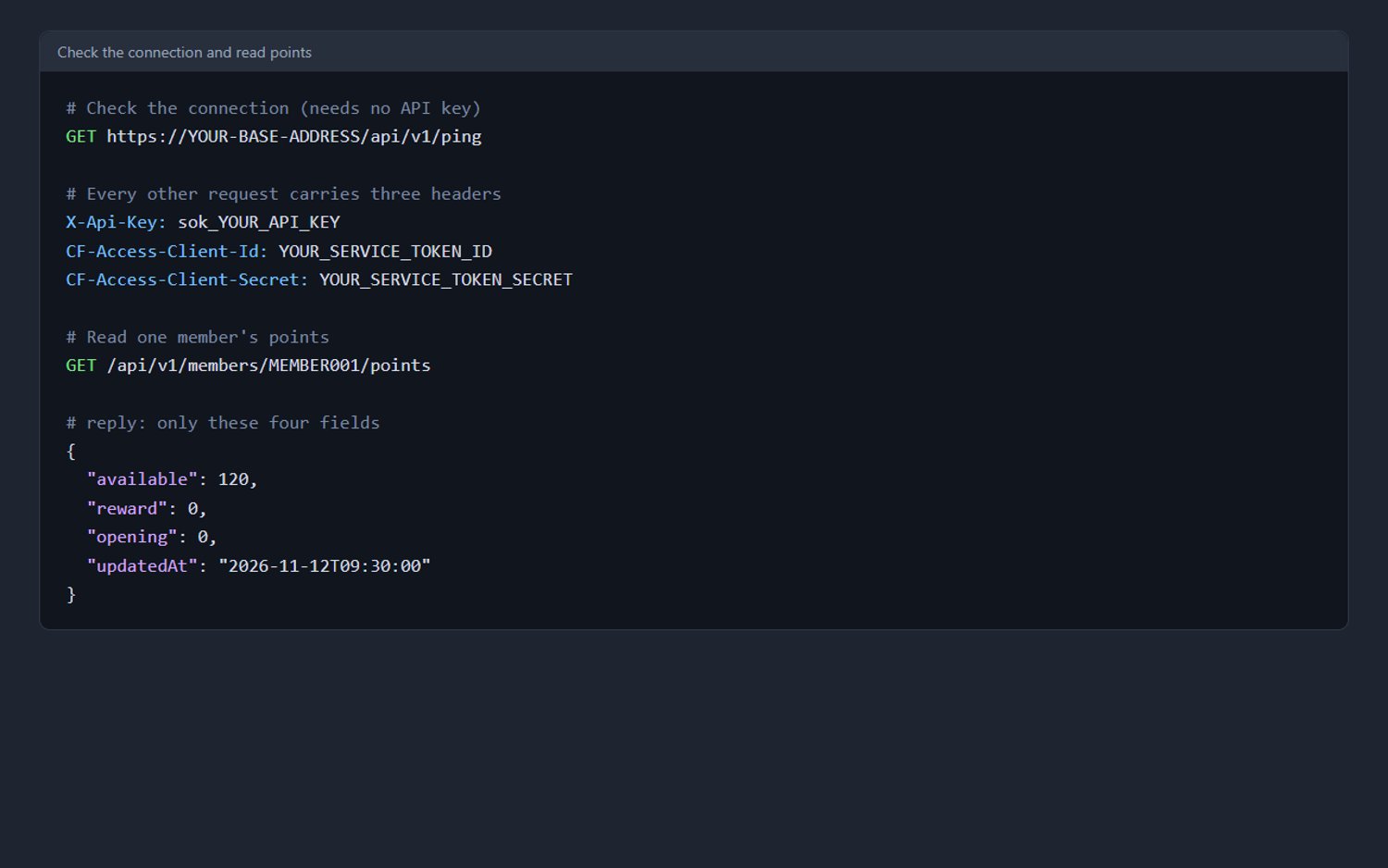
Send GET /api/v1/ping to the base address. It checks the connection and needs no API key. Every other request must carry the headers X-Api-Key, CF-Access-Client-Id and CF-Access-Client-Secret.
2. Register or update a member
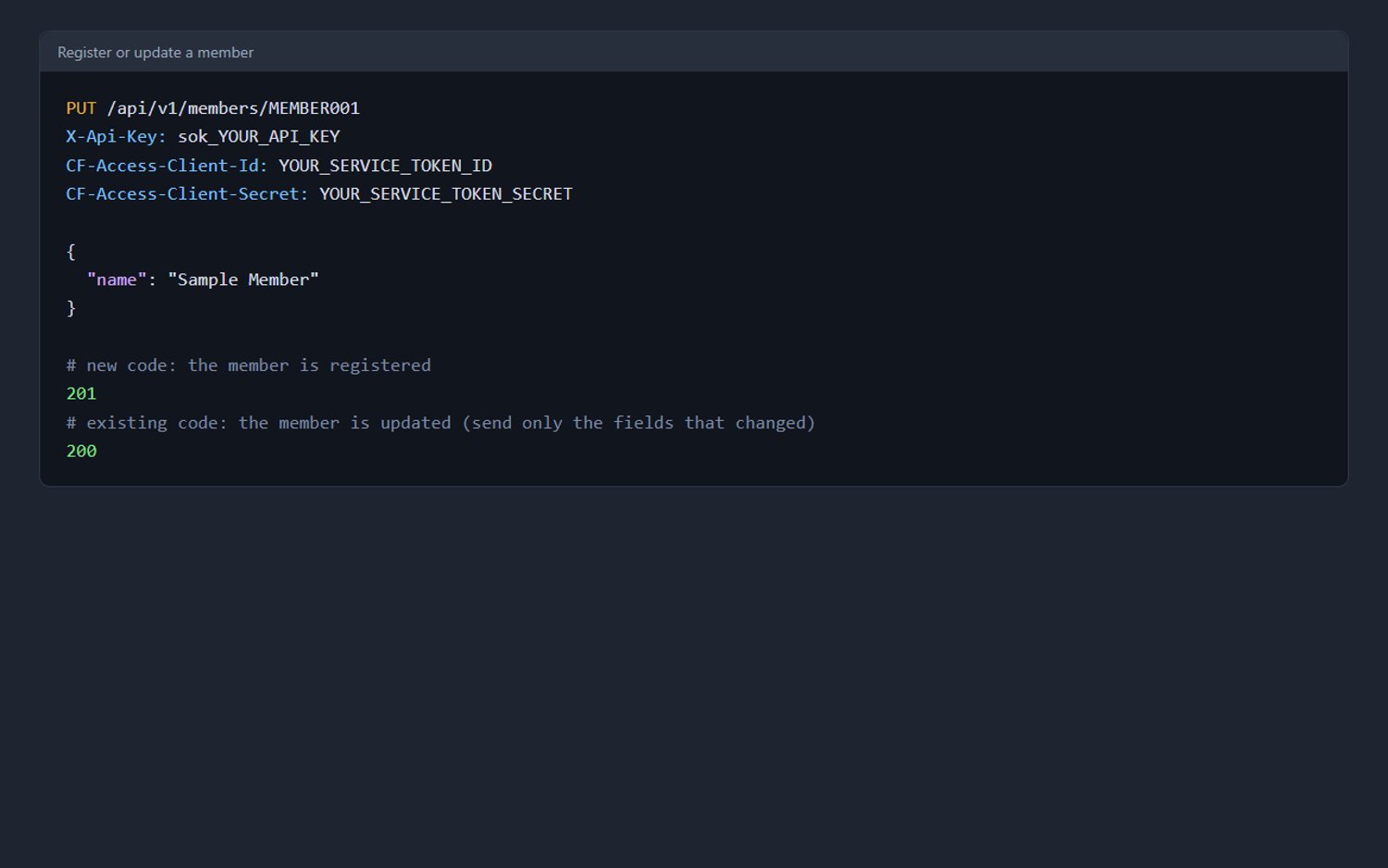
Send PUT /api/v1/members/{code}, where {code} is the Member ID that never changes for that member. A new code registers the member and the reply is 201; an existing code updates it and the reply is 200. Send only the fields that changed. Name is required for a new member.
3. Remove or bring back a member
DELETE /api/v1/members/{code} makes the member inactive; the history stays in Synergy. POST /api/v1/members/{code}/reactivate makes the member active again.
4. Read points and status
Call GET /api/v1/members/changes without since the first time to get every member. Save the marker from the reply. While hasMore is true call again at once with ?since=marker. Then wait about a minute and call again with the last marker to get only what changed.
5. Read one member
GET /api/v1/members/{code} returns one member. GET /api/v1/members/{code}/points returns only available, reward, opening and updatedAt.
6. Spend points
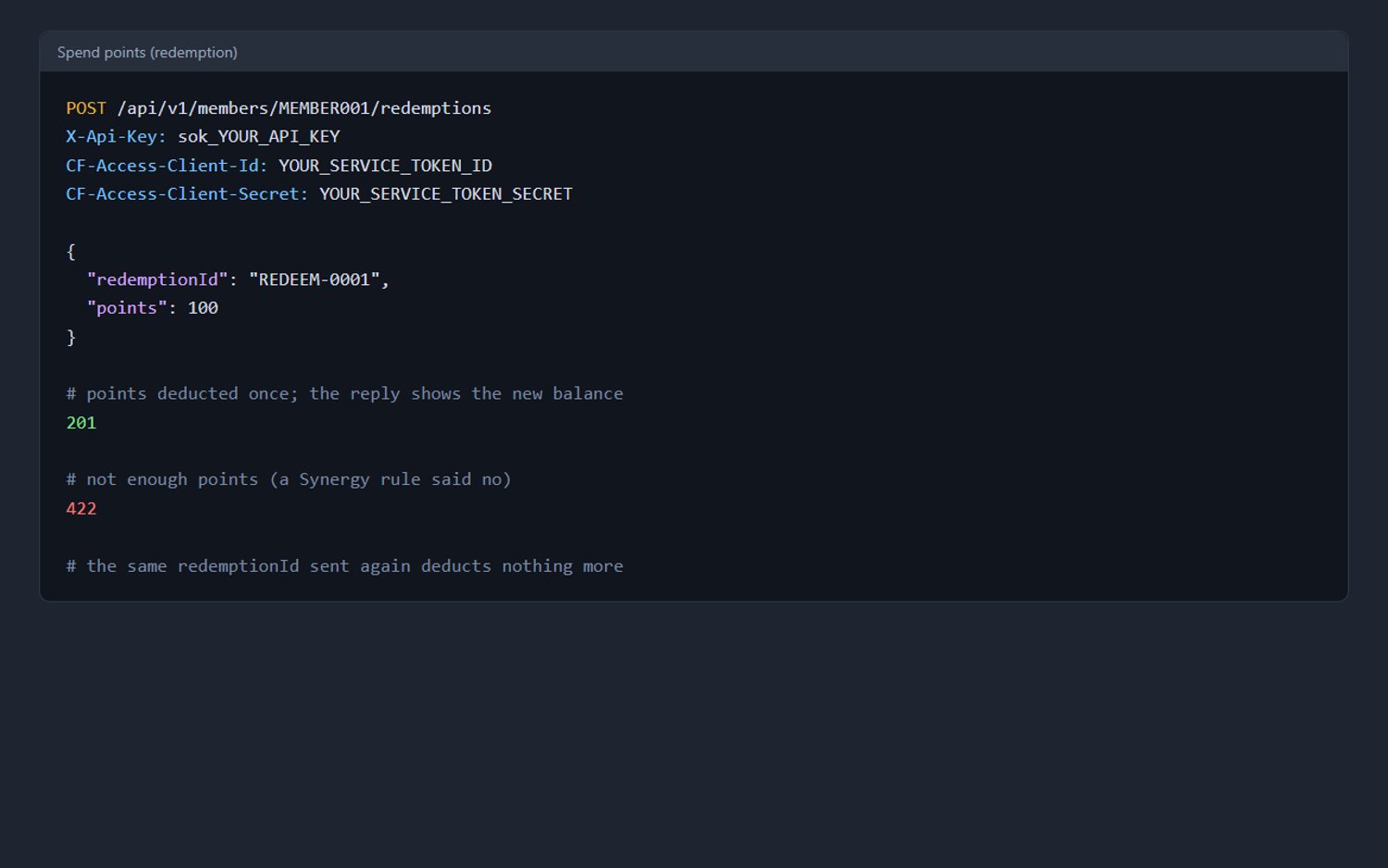
Send POST /api/v1/members/{code}/redemptions with your own unique redemptionId and the points. Synergy checks the balance and deducts them once; the reply 201 shows the new balance. Sending the same redemptionId again deducts nothing more.
7. If something goes wrong
If the connection fails during a redemption, do not retry on your own. Ask GET /api/v1/redemptions/{redemptionId}: 200 means it was done, 404 means it never happened. If the voucher could not be issued, send POST /api/v1/redemptions/{redemptionId}/reverse to give the points back.
8. Handle the error replies
400 means fix the request, 401 a wrong API key, 403 the key is not allowed to do this, 404 an unknown member, 422 a Synergy rule said no (for example not enough points), 429 too many requests (slow down) and 503 Synergy’s office server cannot be reached.
Tips
- Synergy owns the expiry date, status and points. Your website owns the name, phone, e-mail, birthday, address and salesperson.
- Keep the marker in your database so a restart carries on where it stopped.
- A membership passing its expiry date does not appear in changes on that day. Store expiryDate and treat a member as expired when today is after it.
- The office server may be offline. Queue failed pushes (PUT, DELETE and reactivate) on your website and resend them in order; all are safe to repeat.
- Phone numbers are stored exactly as sent, so keep one format.
Common problems
401 Unauthorized.
The X-Api-Key is missing or wrong. Check it with Synergy.
422 not enough points or member inactive or expired.
Show the message to the member. Do not retry the same request.
503.
Synergy’s office server or database cannot be reached. Retry later.
A member code is refused.
A member cannot have the code changes. Use another Member ID.