
The Reports page lists the reports of the Synergy desktop program that you may use. You pick a report, set its options as on the desktop, and get a PDF to view or an Excel file to download.
Before you start
- Sign in to Synergy Web Access as a user who may use Reports (under the Reports tab).
- The reports you see depend on your permissions in Synergy.
Steps
1. Open the Reports page
On the dashboard, open the Reports tab and click Reports. The list of reports is on the left.
2. Find the report
Narrow down the list of reports.
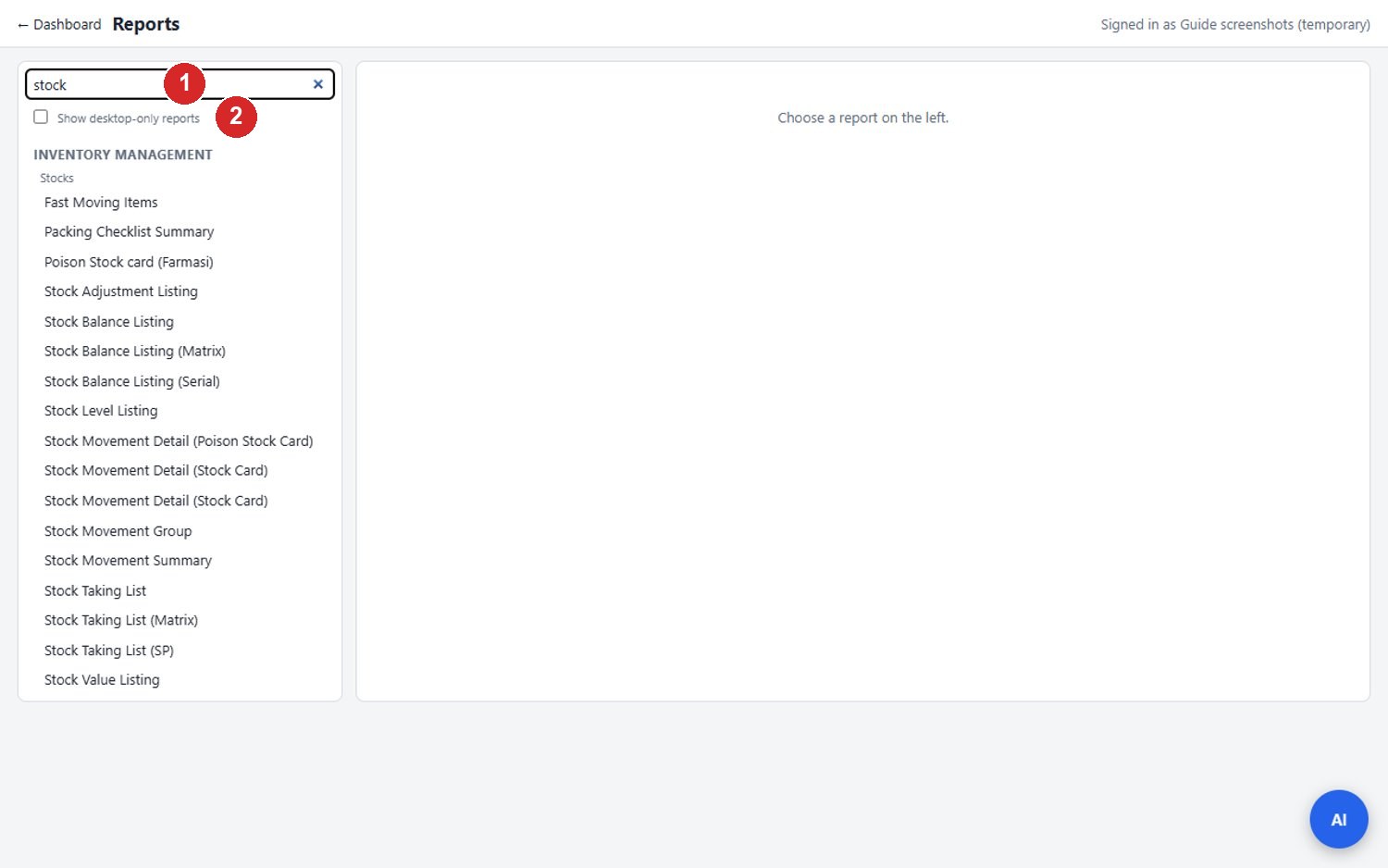
| Step | What to do |
|---|---|
| 1 | Type in Find a report… to narrow the list. |
| 2 | Tick Show desktop-only reports if you want to see the reports that only run in the desktop program. |
3. Open the report
Its options appear on the right, with the same boxes as on the desktop.
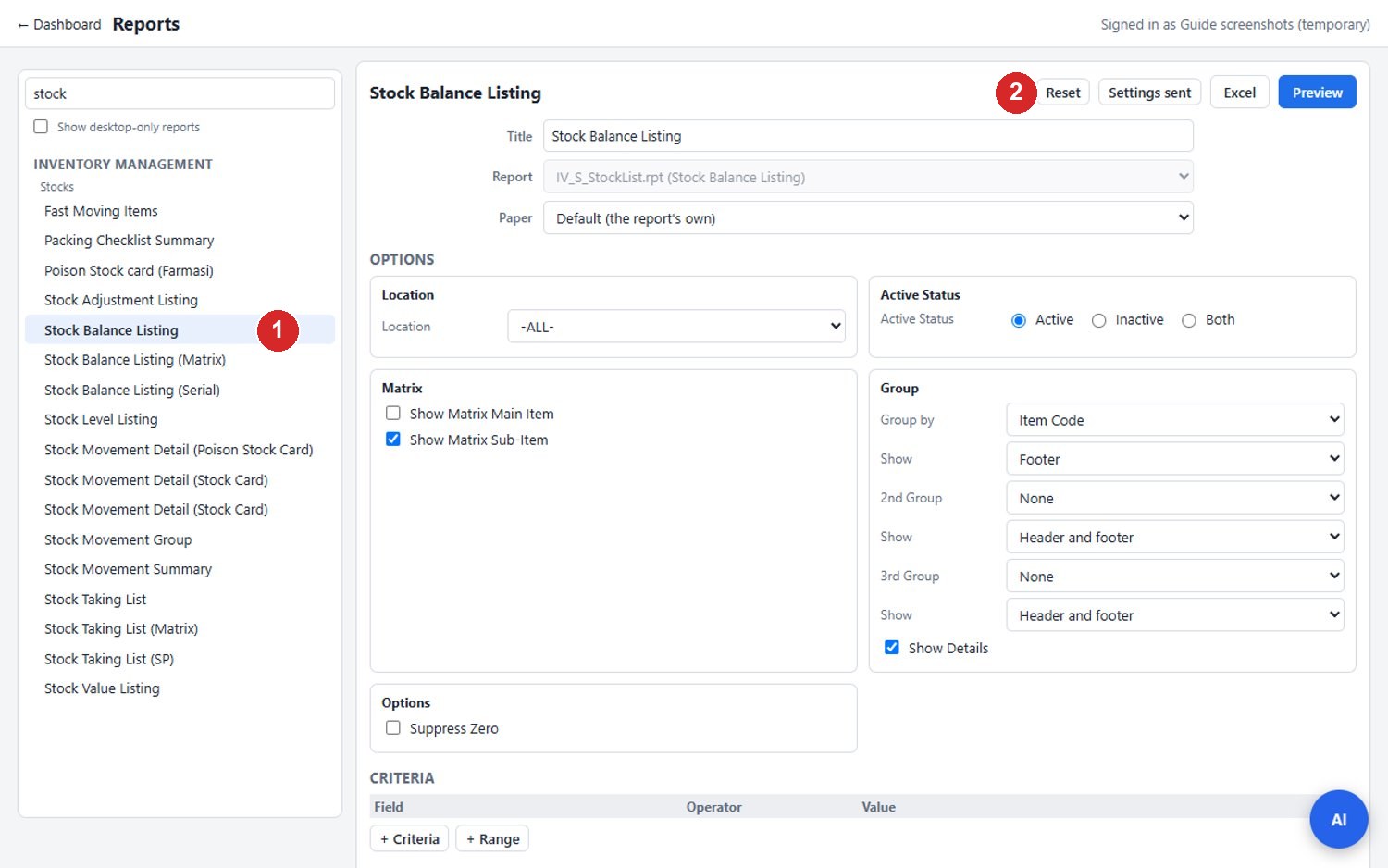
| Step | What to do |
|---|---|
| 1 | Click the report. |
| 2 | Click Reset to put the options back to the report’s own settings. |
4. Set the options
Fill in the boxes of the report, for example the date range, the customers or the groups. Boxes with a list let you type to search and pick; for several values, separate them with |.
5. Add criteria and sorting
Under Criteria, click + Criteria or + Range to choose a Field, an Operator and a Value, or a From and To. Under Sort, choose Sort by with Ascending or Descending, and Then by.
6. Set the report texts and paper
Under Report texts you can change the Title. Choose the Paper if the report offers a choice. Under Print you can tick Show criteria, Show option settings and Show file name.
7. Preview
Click Preview. The report is prepared and shown as a PDF. Use Download to save it, or open it in a new tab.
8. Export to Excel
Click Excel to get the report as an Excel file.
Tips
- The assistant (AI button) can find a report and fill in its options for you. Check them, then click Preview yourself.
- Some reports run only in the desktop program. They are hidden unless you tick Show desktop-only reports.
- A report may wait a moment while it is prepared. The page says Preparing the report…
Common problems
You do not have access to any reports.
Your Synergy user has no report permission. Ask your administrator.
Nothing matches.
Check the spelling in Find a report… or tick Show desktop-only reports.
Preview and Excel are greyed out.
That report only runs in the desktop program. Open it there.