
Price Checker: Let Shoppers Scan an Item and See the Price
Put a tablet in the aisle. The shopper scans, sees the price, and does not need to ask.
An Android tablet with a barcode scanner shows the item, the price with tax, and any promotion with its end date. It works with Synergy POS or with the Android Order App, and keeps working when the network drops.
- Android tablet and scanner
- Prices from your own Synergy
- Shows promotions and member price
 ▶
What shoppers see
Scan, see the price, walk on
Three steps
How it works
Built for the aisle
Keeps running on its own
Two ways to connect
Shops with a PC, and shops without
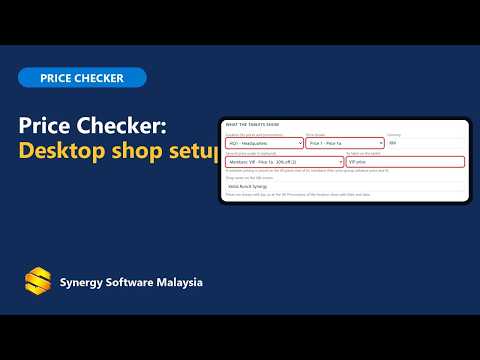
- With the Synergy desktop program. Open Price Checkers on your Synergy Sync Server, choose the price and the details to show, and press Pair a new tablet for a 6-digit code.
- With only the Android Order App. On the main Order App device switch on price checkers. The tablet finds the main device on your Wi-Fi and you approve it once.
- Scanner or camera. Use a Bluetooth or USB scanner in keyboard mode, best on a stand. A camera button is optional for days the scanner is broken.
Watch
Price Checker videos
Tap a picture to play.
What the shopper sees
Scan an item and see the price, the promotion and the member price.
▶Set up with the desktop program
Choose the prices on the Sync Server page and pair the tablet with a 6-digit code.
 ▶
Set up for Android-only shops
No PC: the tablet finds the main Order App device and you approve it once.
 ▶
Settings and daily use
Kiosk mode, camera button, languages, updates and what the staff see every day.
 ▶
See all Synergy Android app videos on YouTube
More from Synergy: POS for grocery stores and minimarts, Android POS, POS hardware and Stock Take app.
See it in your own kind of shop
We show you the price checker with sample items from a shop like yours.
Questions
Frequently asked questions
What is a price checker?
A screen in the aisle where shoppers scan an item to see its price, so your staff do not have to answer price questions all day.
Do I need a computer?
No. It works with shops that use the Synergy desktop program, and with shops that run only the Synergy Android Order App.
What scanner do I need?
A barcode scanner in keyboard mode, Bluetooth or USB. A scanner on a stand that scans by itself works best in an aisle.
Does it show how many I have in stock?
No. It shows price information only.
What happens if the network is down?
The tablet keeps its saved prices, and warns that the price may not be current after 24 hours without contact.
Which tablet can I use?
An Android tablet, Android 8 or newer, with Google Play services. Keep it on its charger.