Baca dalam Bahasa Melayu: Borang EA: Panduan Lengkap untuk Majikan
Every year, Malaysian employers must give each employee an EA form showing what they were paid and what was deducted. Your staff need it to file their income tax return, and missing the deadline is an offence. Here is what the EA form is, what goes into it, the key dates and how to prepare it without retyping a year of payroll.
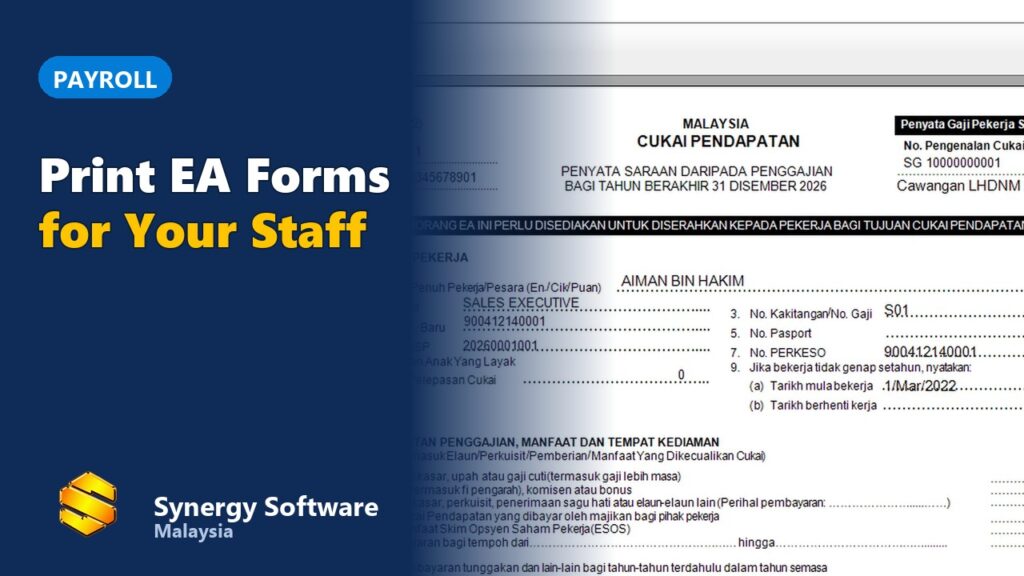
Watch: printing EA forms for all staff at once in Synergy payroll (1 min).
What is an EA form?
The EA form (Borang EA, form number CP8A) is the yearly statement of remuneration from employment for employees in the private sector. It is issued under the Income Tax Act 1967 and follows the format set by LHDN (the Inland Revenue Board of Malaysia).
It covers one calendar year, from 1 January to 31 December, and shows the employee’s total pay for the year, the benefits they received, the tax deducted from their salary (PCB) and their EPF and SOCSO contributions.
Who must receive an EA form?
- Every employee who received pay from you during the year, full-time or part-time.
- Including employees whose salary was too low for any PCB to be deducted.
- Including staff who joined or left during the year. The form shows their start or end date.
Key dates
| What | Who | Deadline (for the 2026 year) |
|---|---|---|
| Give the EA form to each employee | Employer | 28 February 2027 |
| Submit Form E (with CP8D details) to LHDN | Employer | 31 March 2027 |
| File the income tax return (Form BE) | Employee | 30 April 2027 (e-Filing usually allows a short grace period) |
The EA form is given to the employee, not sent to LHDN. LHDN receives the same figures from you through Form E.
What goes into the EA form
| Part | What it shows |
|---|---|
| A. Employee details | Name, job title, staff number, IC number, income tax number, EPF and SOCSO numbers, start date or end date if the employee joined or left during the year |
| B. Employment income, benefits and living accommodation | Salary, overtime, commission, bonus, allowances, director’s fees, benefits in kind and accommodation provided |
| C. Pension and others | Pension and other payments, if any |
| D. Total deductions | Monthly tax deductions (PCB), CP38 deductions and zakat paid through salary |
| E. Contributions | The employee’s EPF (or other approved fund) and SOCSO contributions |
| F. Tax-exempt items | Tax-exempt allowances, perquisites, gifts and benefits |
Income is counted for the year it was paid. A December salary paid in early January belongs to the next year’s EA form.
How to prepare EA forms, step by step
- Finish the year’s payroll. Make sure every month up to December is calculated and posted, including bonuses and any back pay.
- Check employee details. IC numbers, income tax numbers, EPF and SOCSO numbers, and join or leave dates must be correct.
- Total each employee’s year. Add up salary, allowances, overtime, commission, bonus and benefits, and separate the tax-exempt items.
- Total the deductions. PCB, CP38 and zakat for Part D; EPF and SOCSO for Part E.
- Fill in and sign. Each form carries the name, position and signature of the officer who prepares it, and the date.
- Give it to the employee by the end of February, on paper or by e-mail, and keep a copy.
- Submit Form E to LHDN by 31 March.
Doing this by hand in Excel means adding up 12 months of payslips for every employee, which is where most mistakes come from.
Common mistakes
- Leaving out bonuses, commission or allowances paid outside the normal payroll.
- Forgetting staff who resigned during the year.
- Wrong or missing income tax numbers.
- Counting a payment in the wrong year (by the month worked instead of the month paid).
- EA totals that do not match Form E or the PCB actually paid to LHDN.
Penalty for not giving EA forms
Failing to prepare and give EA forms to employees is an offence under Section 120 of the Income Tax Act 1967. On conviction, the employer can be fined RM200 to RM20,000, imprisoned for up to six months, or both.
EA forms in Synergy payroll
In Synergy payroll software, the EA form is built from the payroll you posted during the year, so there is nothing to add up:
- Choose the year and print one EA form for every employee at once.
- Salary, allowances, PCB, EPF and SOCSO are taken from the posted payroll, so they match the payslips.
- Type the officer’s name, position and date once for all forms.
- Preview, print, save as PDF or e-mail each employee their own form.
See how the monthly payroll behind it works: EPF, SOCSO, EIS and PCB calculated for each employee, on the payroll software page. Paying overtime? Read how to calculate overtime pay in Malaysia.
EA forms come straight out of the monthly payroll. See how a payroll system in Malaysia handles EPF, SOCSO, EIS and PCB through the year, and how it works with attendance in an HR system.
Frequently asked questions
What is an EA form?
The EA form (Borang EA, also called CP8A) is the yearly statement of remuneration an employer in the private sector gives each employee. It shows the year’s salary, allowances, benefits, PCB deducted and EPF and SOCSO contributions.
When must employers give EA forms to staff?
On or before the last day of February of the following year. For the 2026 year, that is 28 February 2027.
Do I need to send EA forms to LHDN?
No. The EA form goes to the employee. The employer reports all employees to LHDN in Form E (with the CP8D details), due by 31 March.
Does an employee with no PCB deducted still need an EA form?
Yes. Every employee who was paid during the year should get an EA form, whether or not tax was deducted.
What is the difference between EA and Form E?
The EA form is given to each employee. Form E is the employer’s own annual return to LHDN, listing all employees and their total pay and tax deductions.
Can payroll software print EA forms automatically?
Yes. Synergy payroll prints the EA form for every employee from the payroll you posted during the year, so the figures match what was actually paid and deducted.
Make next year’s EA forms a one-click job. Book a demo of Synergy payroll.